



Kẹp giữ sợi Filament
 Bytinx_1344834Likes1.2KDownloads6K
Build another version of this model.
Note: This will not fit the Plus model as its frame is differently sized. See my Ender-3 V3 Plus Collection.
Revision and Additions: As reported to me the brackets were a little loose at the light end, so I've revised the models to make the fit more snug - if they are too tight then a little sanding/filing will help - best to have too much than too little. I've also added brackets with Cable routing if you want the power cable tidied away - choose whichever you need per side.
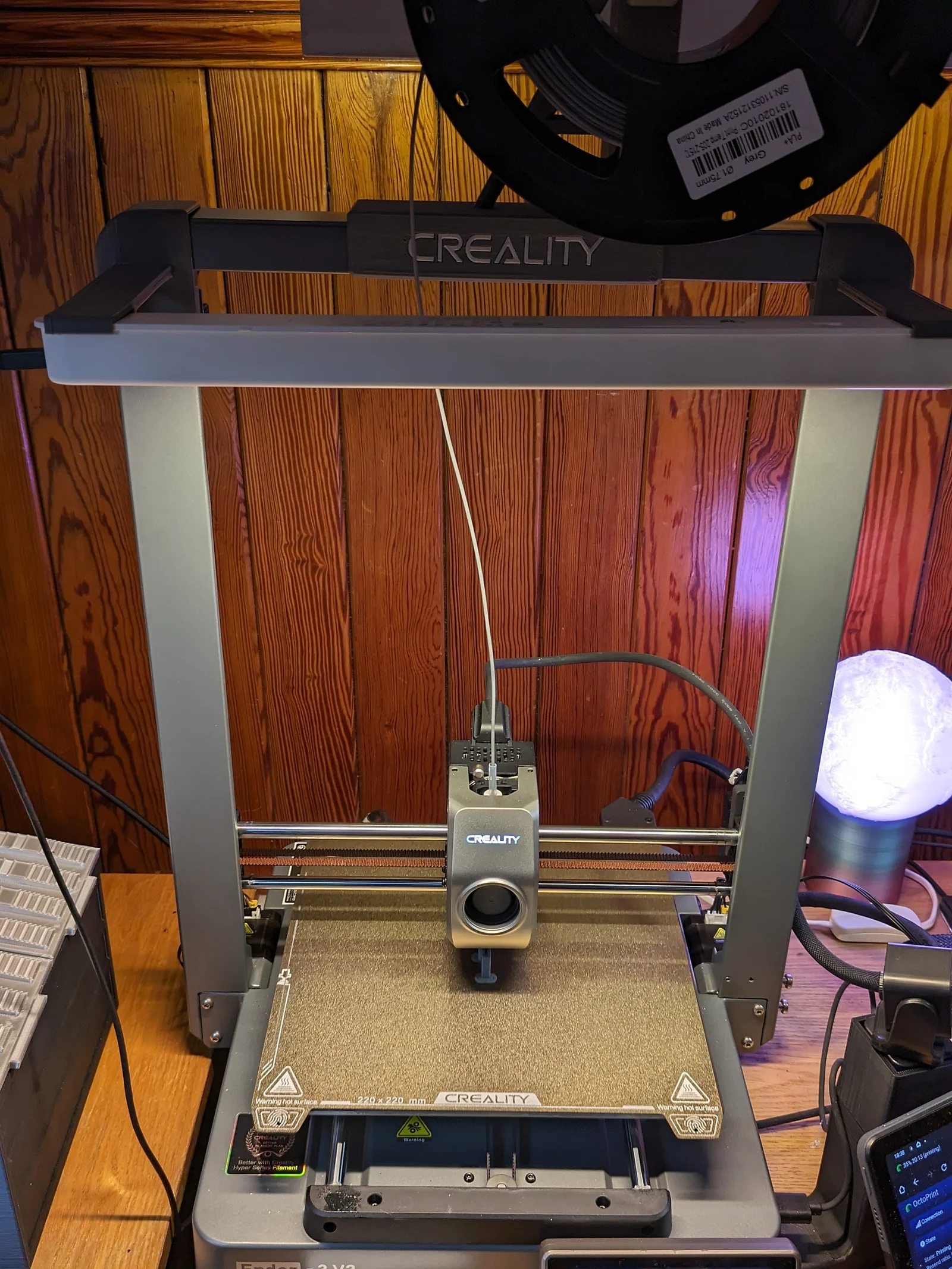
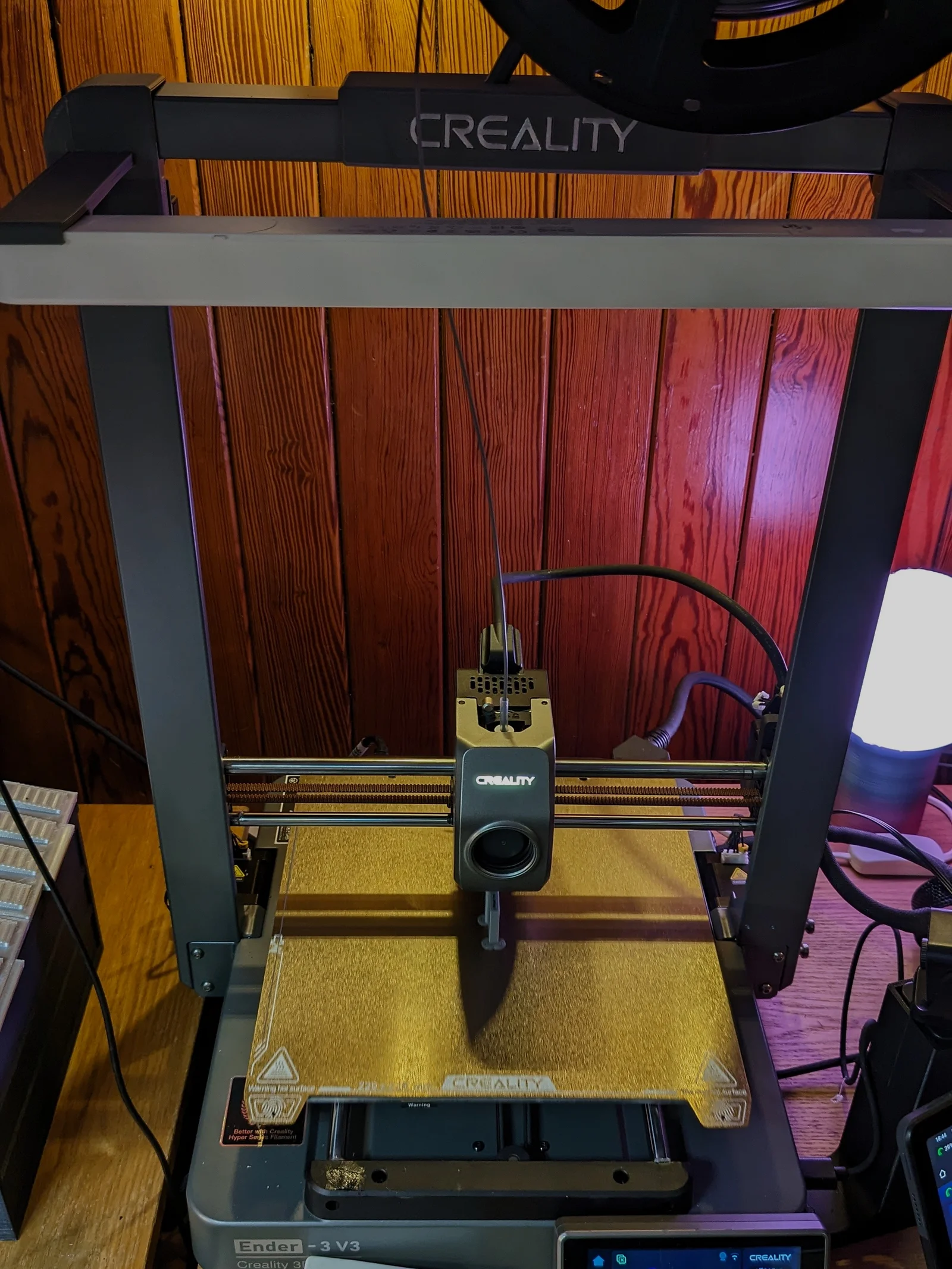
These are snap-on brackets to create a light bar for the Ender-3 V3 using the IKEA Rolfstorp LED lamp. They are designed to clip firmly onto the corners of the frame, and allow the light to slide into the bracket overlooking the build plate.
I printed these in PLA+ with 4x4x4 walls/top/bottom and 15% infill with standard 0.4mm nozzle - given that the light is not heavy and there is very little load on the parts, I'm sure that regular PLA or perhaps less perimeters would suffice. Designed in OnShape CAD and printed with Orca Slicer.
The best way I found to print the Light-only brackets is on their sides with Normal supports whilst the Light and Cable brackets will need to be printed vertically with Tree supports - see the STL thumbnails for orientation. This way the support interfaces are all hidden.
To clip them on hook them from the back and slightly wide (with the bar angled out) and a few mms high - rotate until the front lip snaps in place on the frame, then slide the bracket down to engage the upper back part of the lip against the frame. They don't interfere with Z and X homing.
In the photos above is a comparison between the light on and off - it makes a big difference to my dingy little workshop corner!
EdinBearDragon
This is part of a collection of Ender-3 V3 Mods, designed to fit with the aesthetic of the printer.
Bytinx_1344834Likes1.2KDownloads6K

 By3DSourcererLikes48Downloads376

 Byprusa-researchLikes0Downloads777

 ByBrokentooth_designsLikes17Downloads146

 Byarhi_585078Likes64Downloads540

 ByHanzo3dLikes155Downloads413

 Bygafyx3dLikes0Downloads119

 ByGeek5DLikes147Downloads484

 ByWyomingWolf_261196Likes52Downloads428

 Byartme-3dLikes0Downloads331

 Bytopronix_2170418Likes41Downloads295

 Bybloblis67Likes0Downloads315