

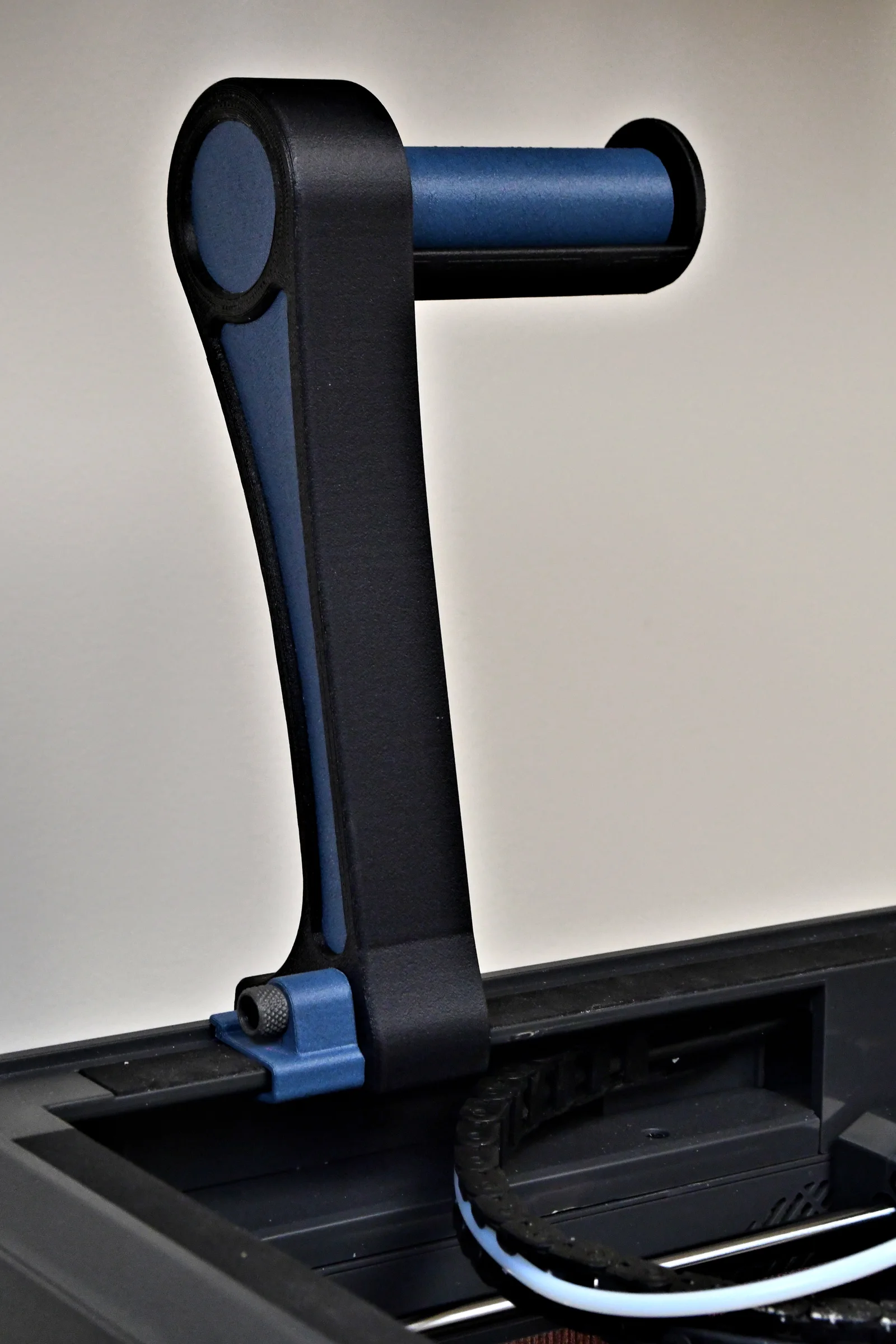



Canvas bypass for TPU & Spool Holder - Elegoo Centauri Carbon 2 (CC2)
 Byla-cave-au-chatLikes0Downloads969
Build another version of this model.
This spool holder is designed to optimize TPU and abrasive filament printing by having the TPU filament feed directly into the print head. It utilizes the OEM Elegoo filament spool holder or this upgraded ball-bearing mount: https://www.printables.com/model/1703253-ball-bearing-supported-spool-holder-for-elegoo-cen
Parts required:
Item
Qty
Description
Note
1
1
Centari_Carbon_Overhead_Spool_Arm
3D Printed Part - I used PETG-CF
2
1
Centari_Carbon_Spool_Arm_Retainer
3D Printed Part - I used PETG-CF
3
1
M4 Knurled Knob
I recommend this one: https://www.printables.com/model/1639572-knurled-knobs-for-m25-to-m8-internal-hex-screw
4
1
M4 x 25mm Socket Head Screw
5
1
M4 Heat Inset
6
varies
PFTE tubing
need about 3"-4" inches (~75-110mm)
Prior to using this spool mount, I was unable to successfully print Siraya Tech Flex TPU Filament - 85A due to the filament being limp and elastic. I likened it to trying to push a wet noodle through a straw. This setup works well as shown in the clip.
Fabrication:
Print the Centari_Carbon_Overhead_Spool_Arm, I used PETG-CF, 2 wall loops, 25% Gyroid infill, no brim. I printed it oriented with the spool mount hole up and I did not require any supports.

Print the Centari_Carbon_Spool_Arm_Retainer, oriented as shown. As before, I used PETG-CF, 2 wall loops, 25% Gyroid infill, no brim.

The retainer clip helps stabilize the arm when mounted to the printer, I used an M4 heat-set insert and a 25mm long M4 socket head cap screw. I added RemiRafael's (@RemiRafael) excellent knurled knob for the M4 screw. It allows for additional tightening with a hex driver.

Mounting:
To mount, place the spool arm on the printer as shown:

Align the retainer clip alongside the arm as shown:

Insert the M4 screw and tighten to stabilize arm:

Prepare for use by disconnecting the PFTE filament guide tube at the print head and temporarily replacing it with an ~80-120mm piece of spare PFTE tube for use with the overhead spool.

Mount a spool roller of your choice (either the Elegoo OEM or one of the ball-bearing options such as this one:
Byla-cave-au-chatLikes0Downloads969

 Byprusa-researchLikes0Downloads782

 Bytinx_1344834Likes1.2KDownloads6K

 BytimLikes0Downloads528

 Byds-printsLikes0Downloads353

 ByanatoliikLikes0Downloads122

 BynozeLikes0Downloads135

 Bydet-manLikes0Downloads173

 BydarienLikes0Downloads1K

 ByStavdahlLikes0Downloads430

 Byarhi_585078Likes64Downloads545

 ByvertigomakesLikes0Downloads564