


New
Carpenter's Square - Compact
 ByperfectLikes0Downloads103
Build another version of this model.
As you will know from working with a wood router, there are many calculators and tools to dimension your templates. Still, after calculating you have to build the template yourself.
Here's your all-round package: calculation and design in one, ready to print
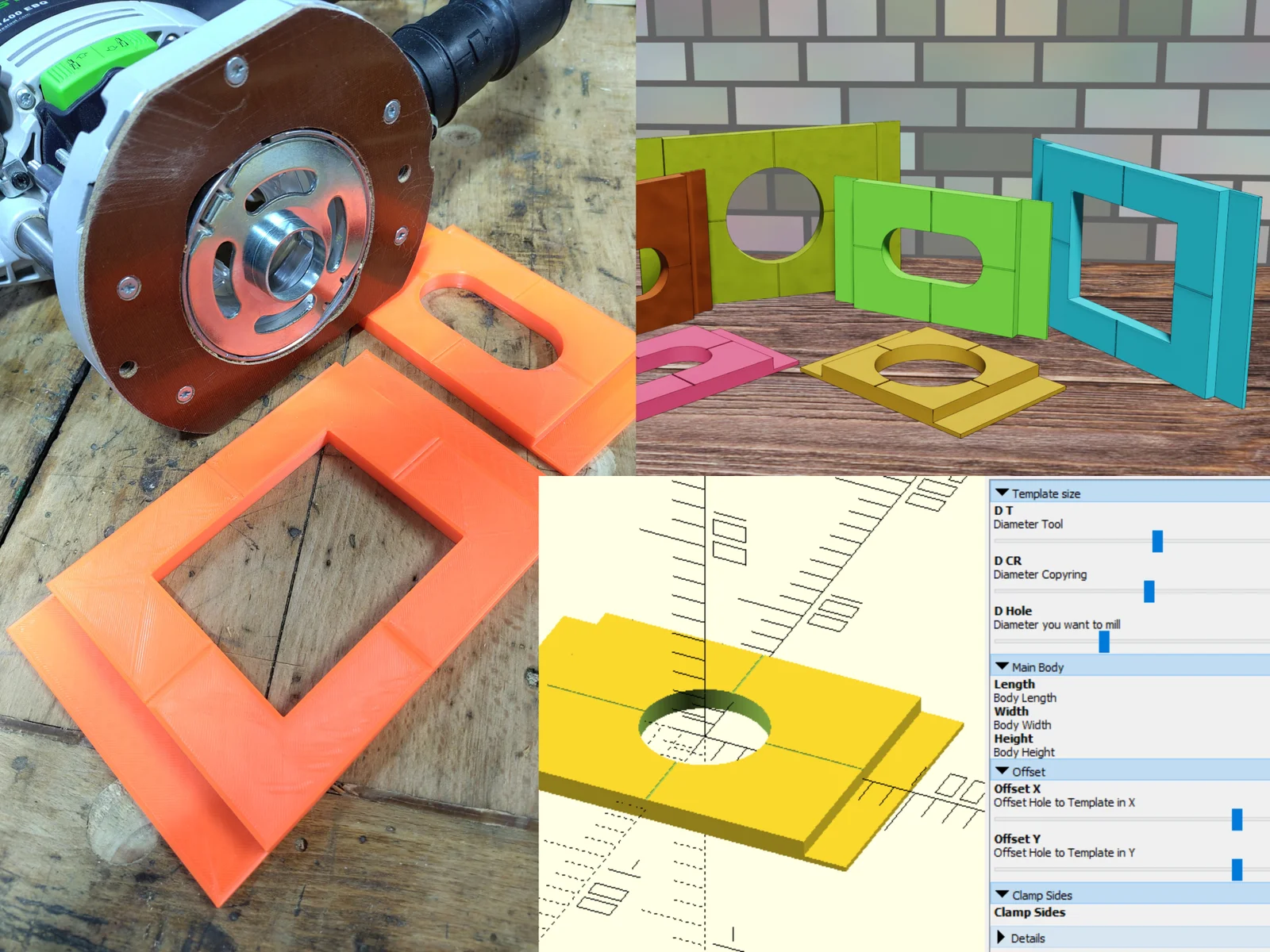
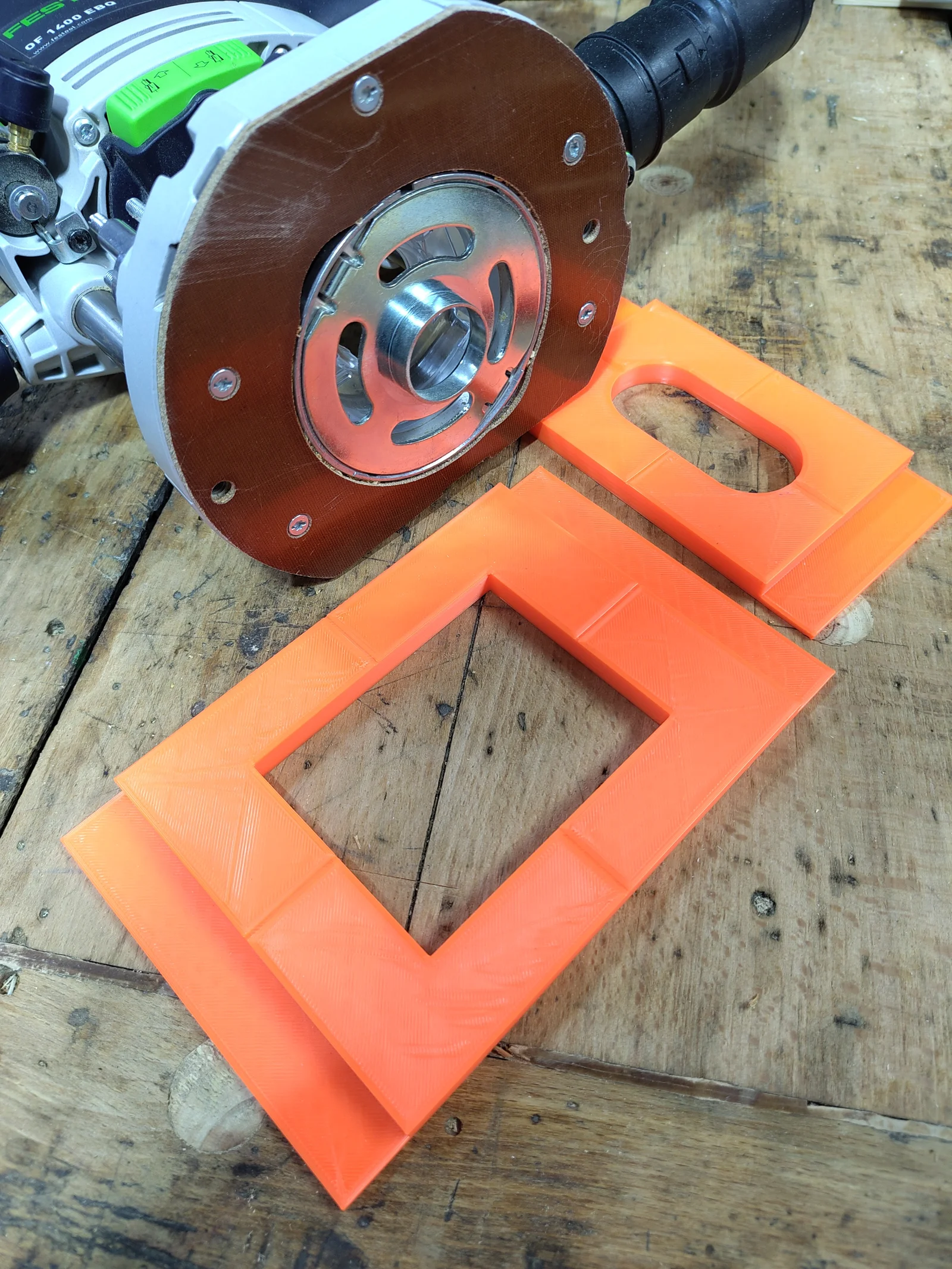
The set contains three different shapes for circles, squares and slots.
All templates are configurable in openSCAD, just use the sliders and boxes to enter your values.
You can change the size of the template frame as well as the template size depending on your use case. The square and circle are pretty simple, because the Offset will be added to the size you want to mill. Only thing to mention ist with the slot template. Here you enter the width as usual but the length is without the radii at the end. That's why this one has a drawing on it's own in the set, just to keep in mind.
Also you may choose if you want the template to be clampable or not. I recommend guide rail clamps, they end flush to the top, if you keep the 10 mm height.
Without the clamp sides you can still go back to using double sided tape, glue or whatever you need.
Default setting keeps the template in the middle of the body. But you can use the X and Y offset to move it around. The crosshair will move as well so you can still align the template easy.
I love the tool since finishing it and keep on using it to make new templates. Contact me for any further improvements, questions or if you find bugs or anything.
Until then, have fun! 😊
So far I prefered infills of 25 - 35% depending on the infill pattern and resulting top layer quality.
Also I kept using three perimeters while printing at 0.35 mm layer height.
Top and bottom thickness are at least three layers thick. After all you want to print a solid tool.
ByperfectLikes0Downloads103

 ByRobertoGalloc_356815Likes48Downloads125

 ByteookieLikes297Downloads301

 ByleonicLikes0Downloads1.4K

 Bydelloo2008Likes0Downloads250

 ByfifindrLikes355Downloads861

 ByVC_DesignLikes679Downloads3.6K

 ByDan Schwartz SchwartzLikes744Downloads3.4K

 ByowlartLikes30Downloads233

 Byvc-designLikes0Downloads543

 Bythorin-oakenshieldLikes0Downloads539

 Bytorii-creative-studioLikes0Downloads455