




Kẹp giữ sợi Filament
 Bytinx_1344834Likes1.2KDownloads6K
Build another version of this model.
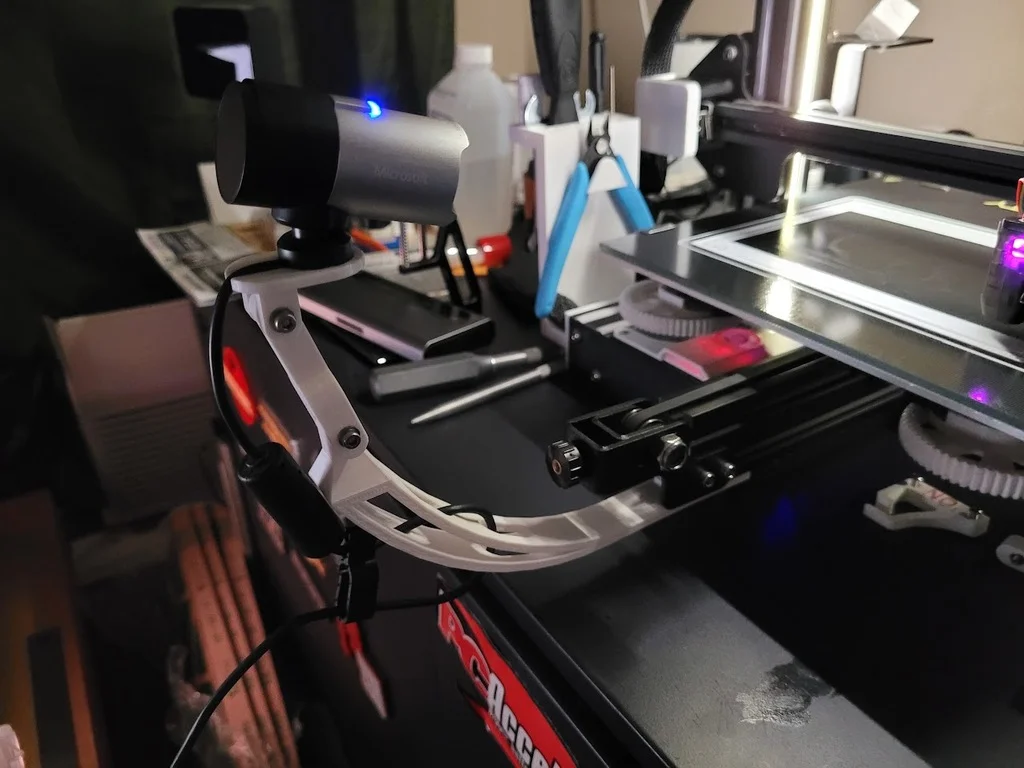
I was originally going to use a Logi C270 for a camera once I get klipper up and running, and started playing with parts from luc_e's design. I later looked at the specs on the camera and wanted something that'd do higher resolution, so thought about getting another Wyze and started playing with EvEnLoF1's parts. Then I realized I could only find v3's at a reasonable price, and started digging through the parts bin. I found an MS LifeCam Studio HD sitting there, so I took esoterik's mount and cut it up.
The actual mounting arm I free-handed in Tinkercad, keeping luc_e's forks for articulation and building around that. Mix-mashed parts together until I was happy and after a few revisions ended up with this. I suggest printing it on it's side and using supports - the holes I cut through it serve as a path to route USB cables through for keeping things clean.
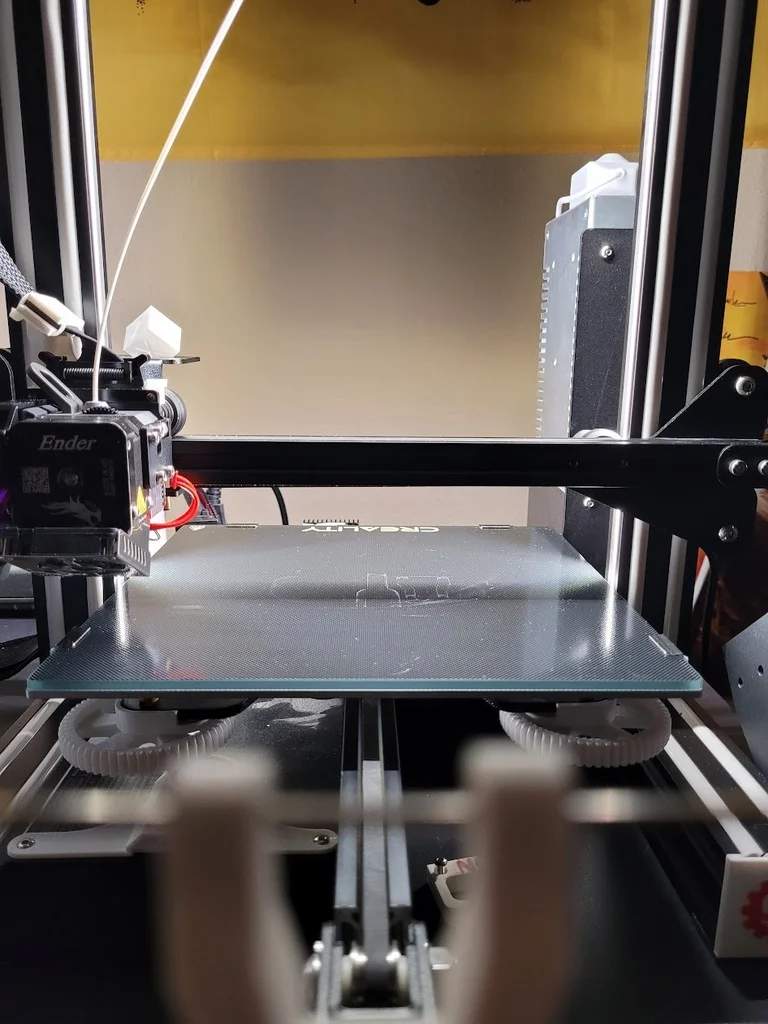
There are two versions of the arm - one bolts in with M4's and T-nuts, one uses the V-slot instead. I like T-nuts, so I printed that one. There is complete clearance of an Ender 3 v1's print bed at full extension and no risk of hitting the print that I can tell.
The articulations go together with M3x20's and a nut. I suggest a washer as well, so minor angle adjustments don't knock things loose. If the arm isn't tall enough for the angle you want to use, just add another fork.
The two mounts that I've made so far use hardware that's already on the camera to install - disassemble them and re-purpose their existing screws and nuts.
On hard hits (like contacting the stops during homing) or with particularly vibrate-y movements you'll get some wobble. During normal printing though, it's been very stable.
Printer: Ender 3
Supports: Yes
Resolution: .2
Infill: 45%
Filament: Hatchbox PLA Pure White
Notes:
Print with a strong material and slice for strength, or it might sag with time!
A note on supports
Cura (5.2.1) did some odd stuff with supports, joining two of them together when they had no overlap. While annoying, it was easy enough to gently rock an xacto through them to break it apart and pull it out. I was rough with it and the part held up fine.
Bytinx_1344834Likes1.2KDownloads6K

 Byarhi_585078Likes64Downloads540

 ByHanzo3dLikes155Downloads413

 ByGeek5DLikes147Downloads484

 ByBrokentooth_designsLikes23Downloads407

 By3DSourcererLikes48Downloads377

 Byartme-3dLikes0Downloads333

 Bybloblis67Likes0Downloads316

 ByWyomingWolf_261196Likes52Downloads428

 Byprusa-researchLikes0Downloads2.7K

 Byzachstofko_3956201Likes88Downloads160

 ByzooppLikes7Downloads163