

Profile in X1C cho CHTNozzle - PA/Nylon (Bambu/Orca-Slicer)

Bộ profile in PA/Nylon đã tune cho Bambu X1C khi dùng đầu phun CHT-style brass 0.4 mm. Tập trung vào flow rate, pressure advance, nhiệt độ và giới hạn volumetric flow. File 3MF tối ưu cho OrcaSlicer/BambuSlicer.
Mô tả
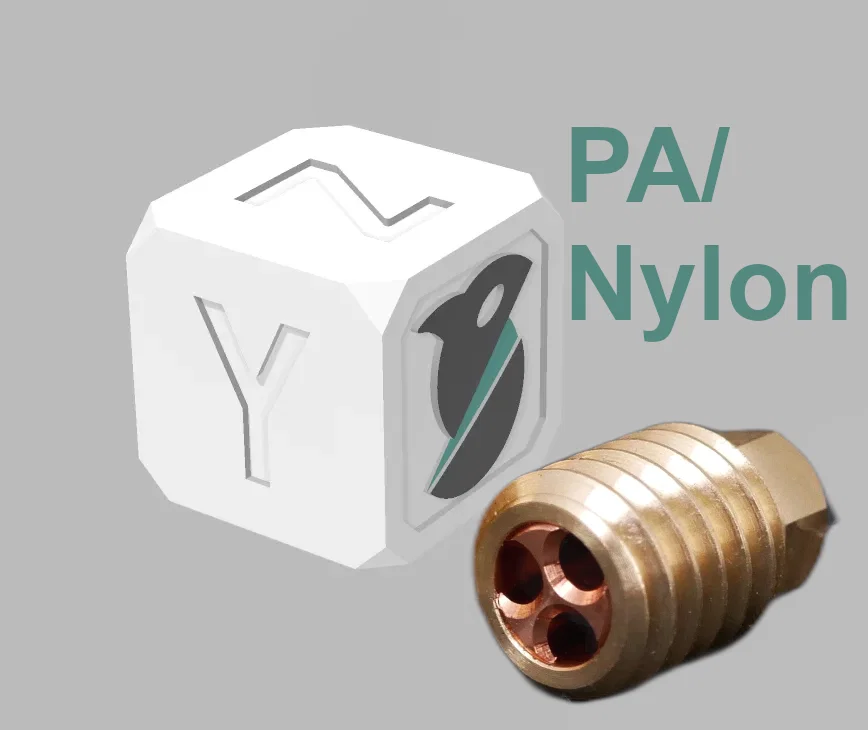
Lưu ý quan trọng: Bộ sưu tập này dành cho đầu phun CHT-Style bằng đồng (0.4 mm) cho máy in Bambu.. KHÔNG phải đầu phun stock. Các đầu phun CHT-style này cho phép flow cao hơn/in nhanh hơn so với hotend stock có thể đạt được. Nếu bạn muốn dùng, bạn sẽ cần mua kit từ aliexpress hoặc một nhà bán lẻ nội địa nào đó. Lưu ý đây KHÔNG phải BondTech CHT chính hãng, mà là bản clone Trung Quốc cho X1/P1P. Mình cũng muốn mua hàng chính hãng để ủng hộ BondTech, nhưng hiện họ chưa có sản phẩm phù hợp. Mình đã kèm hình đầu phun trong phần ảnh để tránh mọi người bị nhầm.
Change log:
- (8/27/23): Thêm Overture Easy Nylon Grey (mục đầu tiên)
Đây là gì:
Đây là một bộ sưu tập toàn bộ profile filament PA/nylon của mình cho tất cả các loại filament mình đã dùng thuộc nhóm này.
Mình sẽ cập nhật khi tune thêm các hãng và màu mới. Nhìn chung các profile được tune theo flow rate, pressure advance, temperature và volumetric flow limits cùng các overrides. Đây là một điểm khởi đầu ổn để dùng cho những ai đang loay hoay với một loại filament nào đó. Mình cũng đã tune các loại filament khác (xem các model của mình tại đây) và bạn có thể tìm theo danh mục:
Standard Nozzle (0.4 mm, Hardened Steel, cũng nên dùng được cho P1P/P1S)
- TPU / Flexibles
- Nylon/PA và các biến thể PACF
- Polycarbonate & Polycarbonate-CF
- PLA / PLA + / Silk PLA
- ABS / ASA
CHT-Nozzle (0.4 mm, Brass)
- PETG
- PLA
- TPU
- [ASA/ABS](<Important note: This collection is for brass CHT-Style nozzle (0.4 mm) with the Bambu printers.. NOT the stock ones. These CHT-style nozzles allow for higher flow/faster printing than the stock hotend is able to achieve. If you want one, you'll need to buy a kit from aliexpress or some local retailer. Note that these are NOT official BondTech CHT nozzles, but a chinese clone for the X1/P1P. I'd buy official ones if I could to support BondTech, but they haven't made anything available. I've included a picture of the nozzle as part of the image so nobody gets confused. Change log: (8/2/23): Added Prusament Sapphire Blue (ASA) (8/2/23). VFR =30.5 (8/9/23): I decided not to shrink-compensate my profiles because I think it's likely to introduce confusion for people who are used to scaling for these filaments, but for people who want to combat the common shrinkage in ABS/ASA, please see my other model here that helps you calibrate. What this is: This is a collection of all of my PETG filament profiles for all filaments I've used of this type. I happen to have a decent amount of California Filaments because I've found that brand works well with this printer, and you can push the flow rates higher with it than some others. I will update it as I tune new filament brands and colors. They are generally tuned for flow rate, pressure advance, and temperature and volumetric flow limits and overrides. They're a good working starting point for anyone struggling with a filament. I've also tuned other types of filaments (see my models here) and you should find, by category: Standard Nozzle (0.4 mm , Hardened Steel, should work for P1P/P1S as well) TPU / Flexibles Nylon/PA and PACF variants Polycarbonate & Polycarbonate-CF PLA / PLA + / Silk PLA ABS / ASA CHT-Nozzle (0.4 mm , Brass) PETG PLA TPU How to use: These 3MF files are designed for use in Orcaslicer/Bambuslicer, but will work best in Orcaslicer, because it supports using a fixed pressure-advance value in the slicer. Load the 3MF file for the filament of your choosing. Files are named as \<Brand>\<Color>\<Type>.3mf. (optional, recommended): Save the filament and/or print presets for your own use to your user presets for future use. Remove the calibration cube dummy object and put your desired object in. Print! But, turn off flow calibration option in your prints! The more reliable PA value stored in the filament profile will be used instead, and you can skip the wasted startup time, too! If you want to use these in Bambu slicer, you won't get the PA values applied automatically sadly, and you'll have to do that with a manual GCODE in the filament's start GCODE. This is really annoying to do for each filament, but it does work. However I suggest you try Orcaslicer for this reason. Important notes: These profiles are tuned on an X1C, with a brass CHT-style 0.4 nozzle installed, for use with a range of layer heights. If you have a different nozzle size or nozzle kind (steel/brass), these will not be good profiles. See my the links above for standard nozzles. Each 3MF also contains some of my own optimized settings for 0.16 mm prints, which I typically use, but these tuned filament profiles are designed/tuned to work across a variety of different print profiles. Background: I use the Orca Slicer variant of Bambu's slicer because it offers finer-grained control over the slicing process and makes tuning and using tuned filament profiles much easier than Bambu's official slicer, which lacks good calibration routines for some of the most important variables in good printing: flow rate, pressure advance, and temperature and volumetric flow limits. This is particularly true for Bambu's Pressure Advance (they incorrectly call this “flow”) calibration, which forces you to run it every time and is unreliable, particularly on the popular textured PEI surface. Each of these profiles has been tuned for: Flow rate (aka extrusion multiplier) Pressure advance (aka linear advance) Temperature (with temp towers) Volumetric flow limits (my settings are a little conservative based on printing the max volumetric flow rate calibration inside Orcaslicer) Overrides (I typically try to avoid using these unless I have to)>)
Cách sử dụng:
Các file 3MF này được thiết kế để dùng trong OrcaSlicer/BambuSlicer, nhưng sẽ chạy tốt nhất với OrcaSlicer vì nó hỗ trợ dùng giá trị pressure-advance cố định ngay trong slicer.
-
Mở file 3MF của loại filament bạn muốn dùng. File được đặt tên theo dạng <Brand>_
_ ..3mf -
(tuỳ chọn, khuyến nghị): Lưu filament preset và/hoặc print preset vào user presets của bạn để dùng lại về sau.
-
Xoá object “calibration cube” giả (dummy) và thay bằng model bạn muốn in.
-
In thôi! Nhưng nhớ tắt tuỳ chọn flow calibration trong lúc in! Giá trị PA đáng tin cậy hơn đã được lưu trong filament profile sẽ được dùng thay thế, và bạn cũng khỏi tốn thời gian chờ phần khởi động calibration.
-
Nếu bạn muốn dùng trong Bambu Slicer thì tiếc là PA sẽ không được áp tự động; bạn sẽ phải làm bằng GCODE thủ công trong start GCODE của filament. Cái này khá phiền vì phải làm cho từng filament, nhưng vẫn dùng được. Dù vậy mình khuyên bạn thử OrcaSlicer vì lý do này.
Lưu ý quan trọng:
- Các profile này được tune trên X1C, với đầu phun CHT-style bằng đồng 0.4 lắp sẵn, dùng cho nhiều mức layer height khác nhau. Nếu bạn dùng đầu phun size khác hoặc loại đầu phun khác (steel/brass), thì các profile này sẽ không phù hợp. Hãy xem các link phía trên cho standard nozzle.
- Mỗi file 3MF cũng có kèm một số thiết lập tối ưu hoá riêng của mình cho in 0.16–0.2 mm (mình hay dùng), nhưng các filament profile đã tune này được thiết kế/tinh chỉnh để chạy được trên nhiều print profile khác nhau.
Bối cảnh:
Mình dùng bản Orca Slicer (biến thể của slicer từ Bambu) vì nó cho phép kiểm soát chi tiết hơn quá trình slicing, và giúp việc tune cũng như sử dụng filament profile đã tune dễ hơn nhiều so với slicer chính thức của Bambu—vốn thiếu các quy trình calibration tốt cho một số biến quan trọng nhất để in đẹp: flow rate, pressure advance, temperature và volumetric flow limits.
Điều này đúng đặc biệt với bài calibration Pressure Advance của Bambu (họ gọi sai là “flow”), vì nó bắt bạn chạy mỗi lần và độ tin cậy không cao, nhất là trên bề mặt textured PEI phổ biến.
Mỗi profile trong bộ này đã được tune theo:
- Flow rate (còn gọi là extrusion multiplier)
- Pressure advance (còn gọi là linear advance)
- Temperature (bằng temp tower)
- Volumetric flow limits (thiết lập của mình hơi “an toàn” một chút dựa trên việc in bài calibration max volumetric flow rate trong OrcaSlicer)
- Overrides (thường mình cố tránh dùng trừ khi bắt buộc)
Giấy phép

File mô hình
Chưa có bản in nào được khoe. Hãy là người đầu tiên!


Chưa có bình luận nào. Hãy là người đầu tiên!