



Bộ sưu tập 11 nhân vật mô hình Mecca Chameleon in 3D vui nhộn
 ByZED4EverLikes313Downloads5.2K
Build another version of this model.
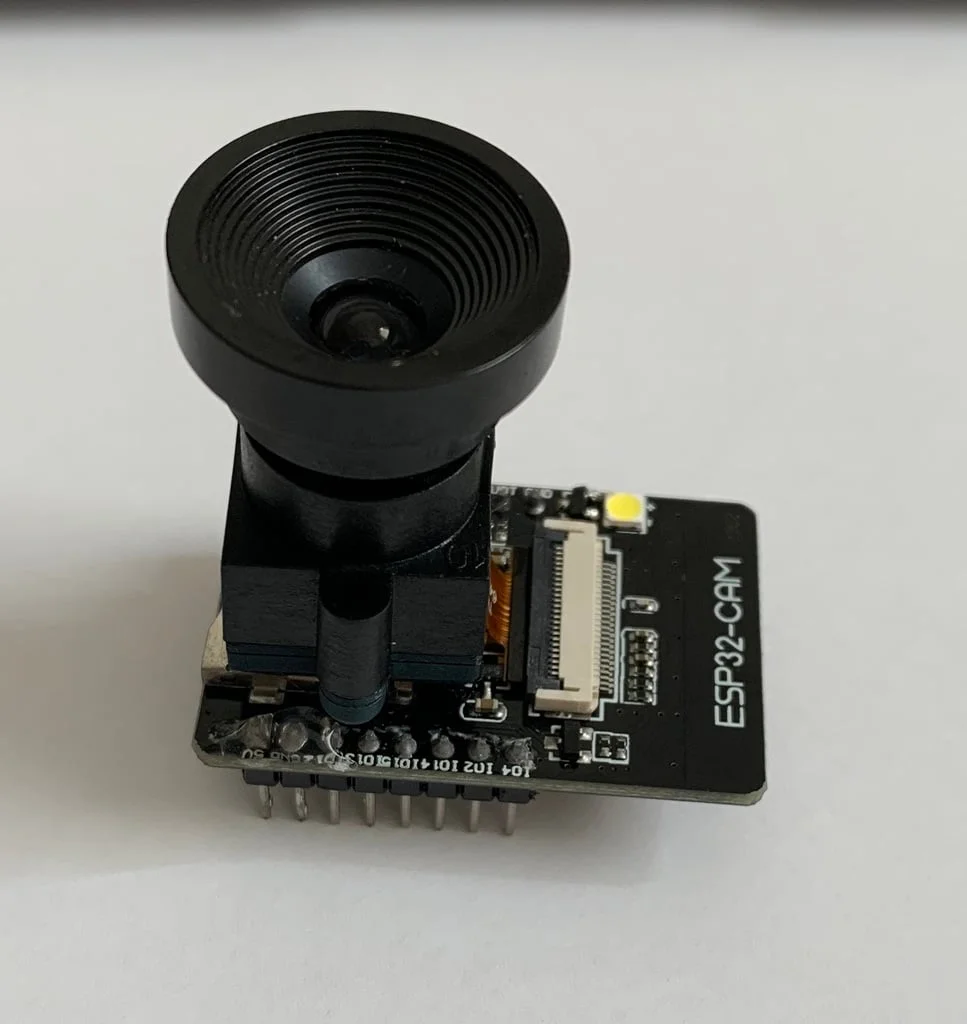
A simple hack to add any M12 lens to you ESP32- Cam Module.
What will you need?
First of all take the camera apart from the ESP32- Module
We have to get rid off the old lens.
Now let's take a look: The lens of the Camera- Module is glued with a drop of glue to the camera body.
Use a small sharp knife and scratch a little bit between the lens and the body. You will see that the glue will come off.
With a pair of pliers you can now try to turn the lens off (counterclockwise).
Be careful with the knife and the lens aswell! It's a little bit difficult and takes it's time.
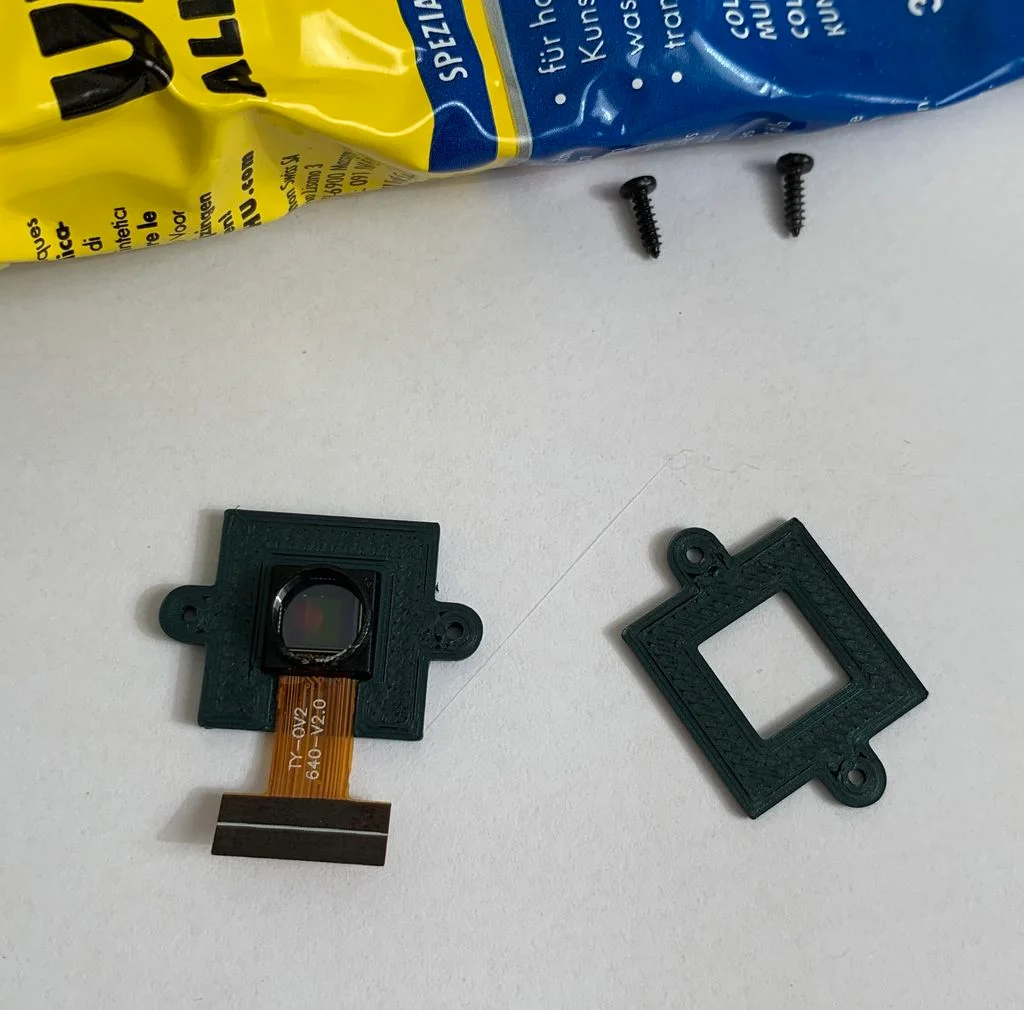
Now put a drop of UHU Allplast glue to the center of the printed bottom part and put the camera module on it.
Put the printed top on the module. It isn't really necessary to add glue here. The screws will hold it perfectly anyways.
You can now screw the the M12 Bodycase to the camera.
Finally mount your desired M12 lens.
You're done.
Printer Brand:
Prusa
Printer:
i3 MK3
Rafts:
Doesn't Matter
Supports:
No
Infill:
15%
Filament:
Gentemans Grey
Category: Electronics
ByZED4EverLikes313Downloads5.2K

 ByAdam Záhořák ZáhořákLikes39Downloads257

 ByVC_DesignLikes271Downloads753


 ByfifindrLikes500Downloads4K

 Bymrfixit_324954Likes65Downloads473

 ByDan Schwartz SchwartzLikes744Downloads3.4K


 ByBrokentooth_designsLikes83Downloads449


 Bytomi-oneLikes0Downloads234

 Byvc-designLikes0Downloads3.2K