



Ốp lưng cho Samsung S22 Ultra
 ByckthLikes148Downloads2.4K
Build another version of this model.
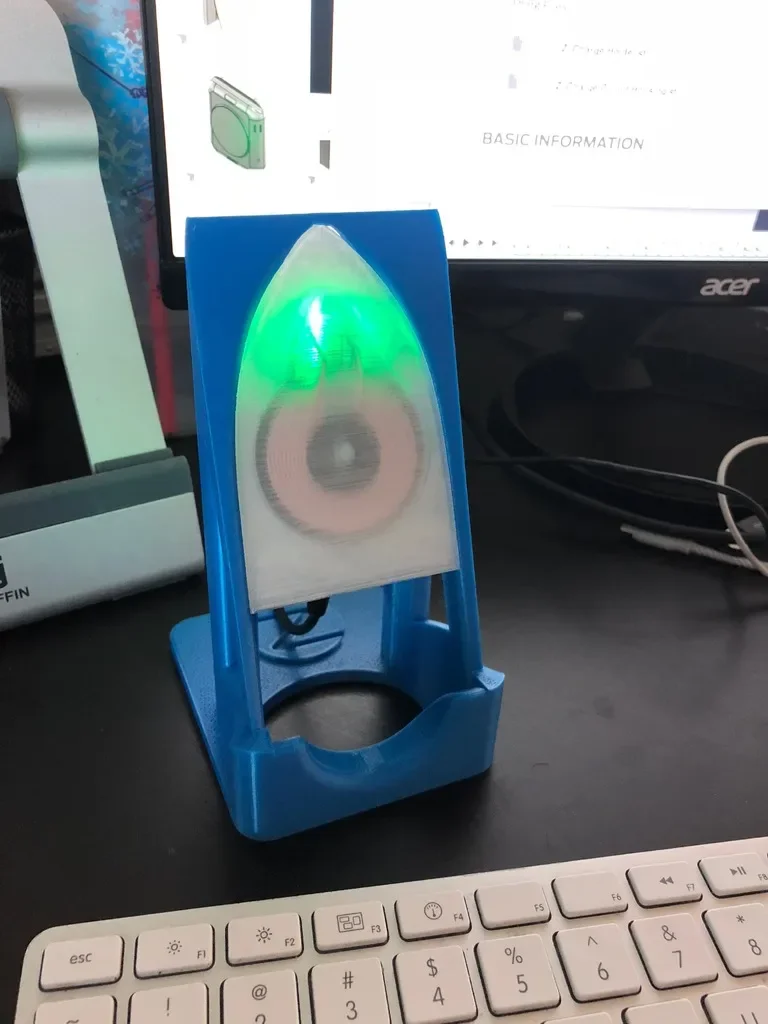
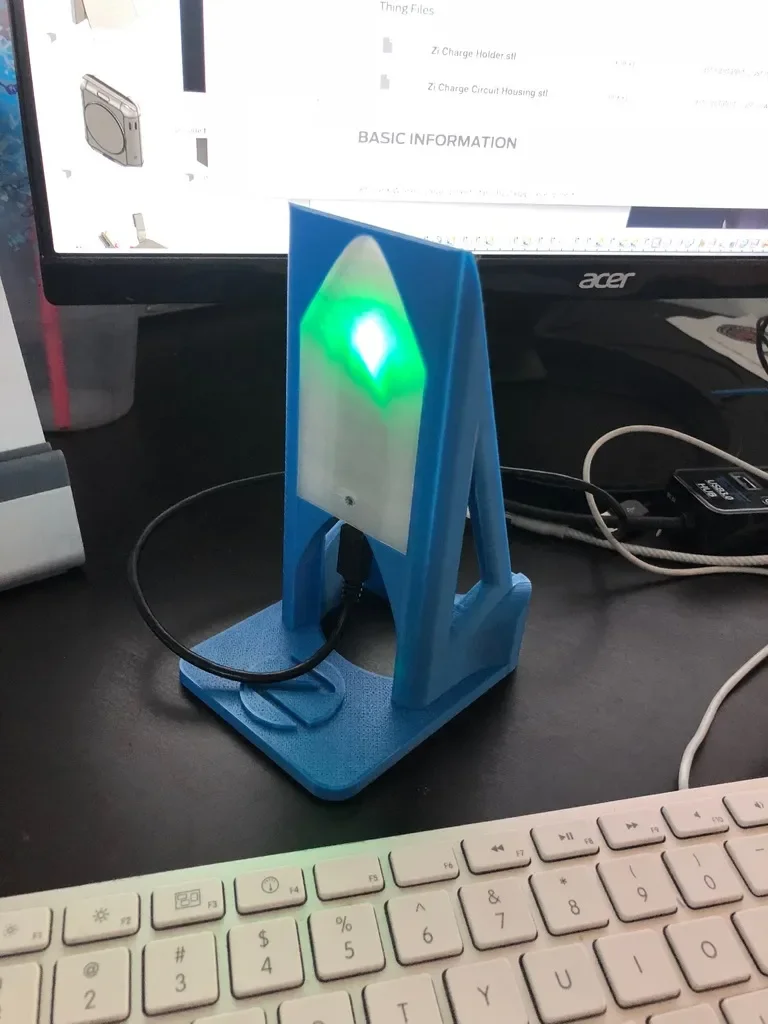
This stand solves a number of development challenges thanks to the new advancements is hardware and software. The stand is designed so that you can sit it on your desk while coding, run your code on device with it at a proper angle in order to be able to just look at your phone to unlock it, and be able to continue debugging when you need to test your code with other hardware.
The stand is designed so that you could use it with, or without the Qi circuit.
iOS 11 and Xcode 9 introduced the option for wireless debugging. This is an invaluable tool for working with other hardware.
Printer Brand:
Wanhao
Printer:
Wanhao Duplicator i3 V2
Rafts:
No
Supports:
Yes
Resolution:
0.2mm
Infill:
20%
Notes:
The charge circuit insert does need supports for the coil mount nub, but the stand itself can be printed without and supports and should print beautifully without them.
Both the stand and the charge circuit insert are best printed in their existing orientation. I used a clear filament for the insert so that the charge indicator light would be visible.
To glue or not to glue...
Assembly is pretty straight forward. I used a small, 5mm long 3mm cap screw to fix the PCB in place. was able to snap in the coil without any glue when printed vertically, but when printed horizontally I had to put some superglue on the coil and held it in place for a few minutes with some binder clips.
The coil backing is made out of some ceramic material that is fragile, be careful if you can snap it in place not to break the back plate. I cracked one of mine a little, but it stayed together. YMMV.
I have found that the insert should mostly snap into place and not require any glue to stay in the stand properly. Depending on your printer tolerances and the filament you use, this may not be the case. You should be able to add a little superglue to the edges of the insert and to the rear mid platform in order to secure the insert in place.
Fusion 360
This was designed using a dummy model of an iPhone X from GrabCad, an attached Canvas of the Qi circuitry inside the iPhone X from iFixit, and the rest was modeled by me.
Where to get the circuit.
The insert is modeled to fit this particular circuit. Since I am not sure how long this might be available, I hereby make an exception to the no-derivitives portion of the license for the charge circuit housing only. Feel free to find other Qi circuits an modify the insert file accordingly.
CARPRIE Qi Wireless Charger from AliExpress
Category: Mobile Phone
ByckthLikes148Downloads2.4K

 BynasikLikes0Downloads282

 Bylarp3dLikes0Downloads1.4K

 ByTomDDLikes89Downloads583

 By3dwakeLikes0Downloads368

 ByBroBuilds3D_4455044Likes32Downloads460

 Bytovelaermans_3355197Likes63Downloads429

 BylclabLikes0Downloads297

 ByftoerringLikes79Downloads195

 ByDiscotehkLikes35Downloads160


 ByTimSomeCallMeLikes35Downloads247