


New
Fortnite Pirate Shop Token
 Bylarp3dLikes0Downloads1.4K
Build another version of this model.
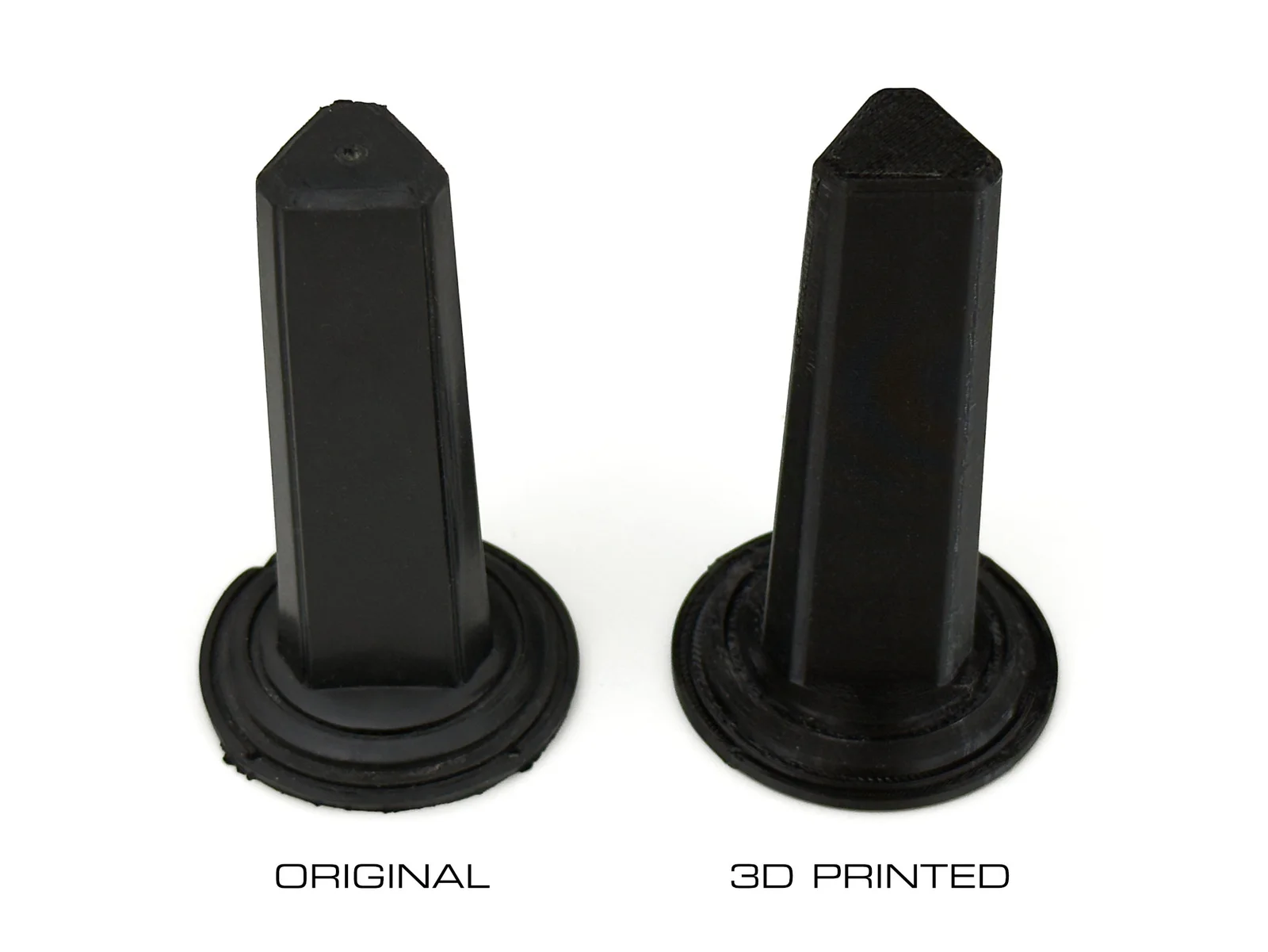
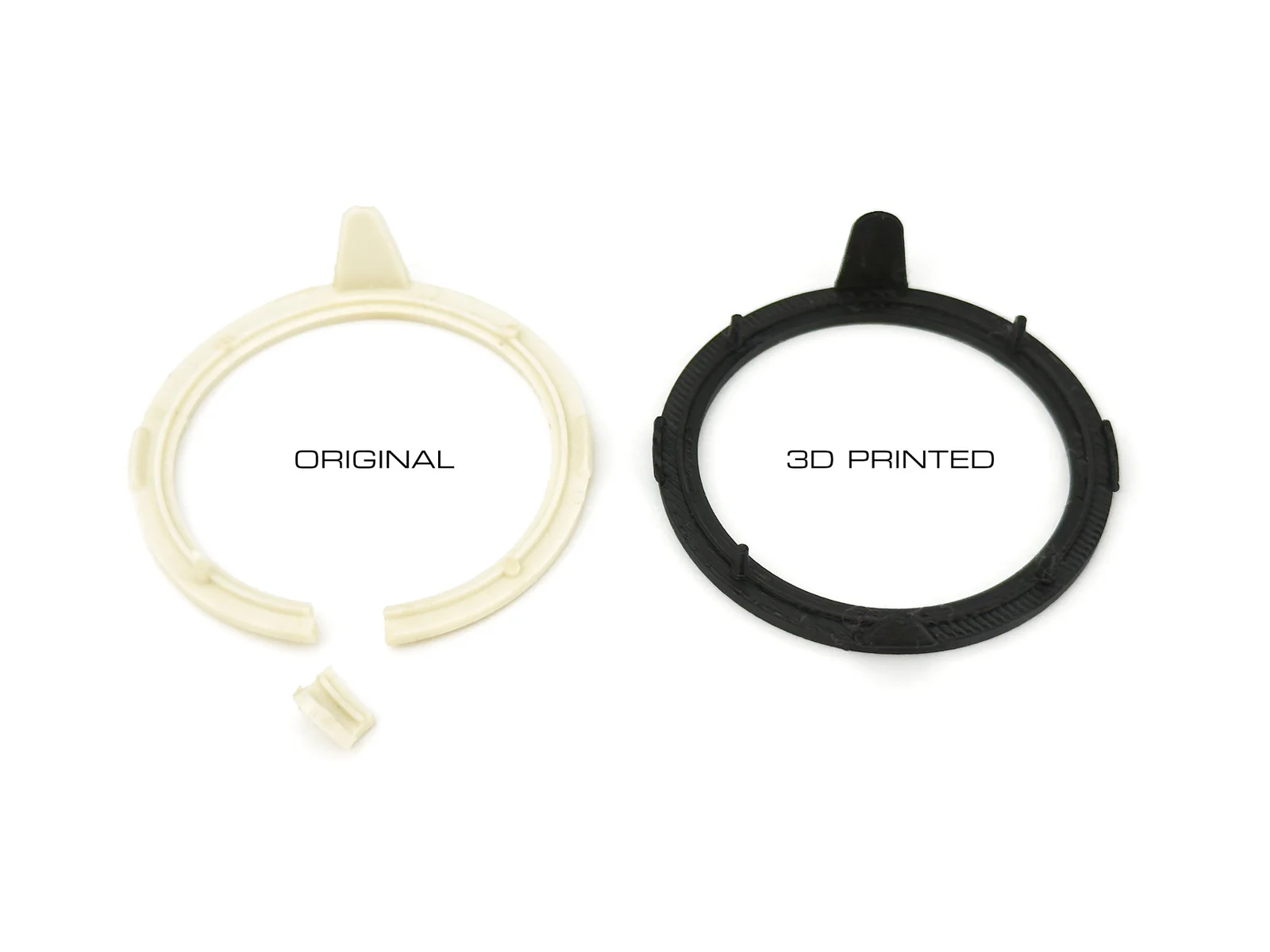
I had a Commodore 1311 joystick without the rubber cover for the stick, and with a broken lock ring. Luckily, I have a few complete ones, so I designed the two missing/broken pieces in FreeCAD.
I printed the stick using black TPU 95A. I had to reduce the thickness of the stick because TPU 95A is harder than the original rubber. I suggest printing with variable layer height so that the base has better resolution. The supports on the stick may not come off easily; I used a pair of pliers to remove them from the cavity in the stick.
It is better to use PETG for this piece. No supports are needed. If you use PLA, the small hooks will break either when you put the ring in place or when you start using the joystick. Since I don't have a matching colour, I printed it in black to make it blend in with the stick.
Look at the square formed by the four holes in the base of the stick; turn the stick until you have the square sides parallel to the joystick base, and the base of the triangle of the stick at the bottom. Make sure you clean the holes before inserting the ring.
The biggest hook on the ring must be positioned on the bottom.
Look at the image below for reference.
Insert the ring on the stick, paying attention not to break the pins, then put the two pieces in place. Slightly flex the ring to snap the side hooks to the holes on the base.
Bylarp3dLikes0Downloads1.4K

 ByJaronLikes310Downloads1K

 Byw3rN42Likes127Downloads938

 ByTomDDLikes89Downloads578

 ByJwidessLikes34Downloads376

 ByBroBuilds3D_4455044Likes32Downloads457

 ByckthLikes148Downloads2.4K

 Bynexgen-3d-printingLikes0Downloads395

 ByVikingptty_1943738Likes50Downloads235

 By3dwakeLikes0Downloads363

 ByBrokentooth_designsLikes30Downloads227

 Byslava-kuzminLikes0Downloads284