



Kẹp giữ sợi Filament
 Bytinx_1344834Likes1.2KDownloads6K
Build another version of this model.
https://www.youtube.com/channel/UCBjyI1E1HROh1BAYgeRZy7g
Support my work: (click on image)
https://www.buymeacoffee.com/savagelau
You can get commercial license from here: (click on image)
https://www.patreon.com/SavageLau
______________________________________________________________________________________________________________
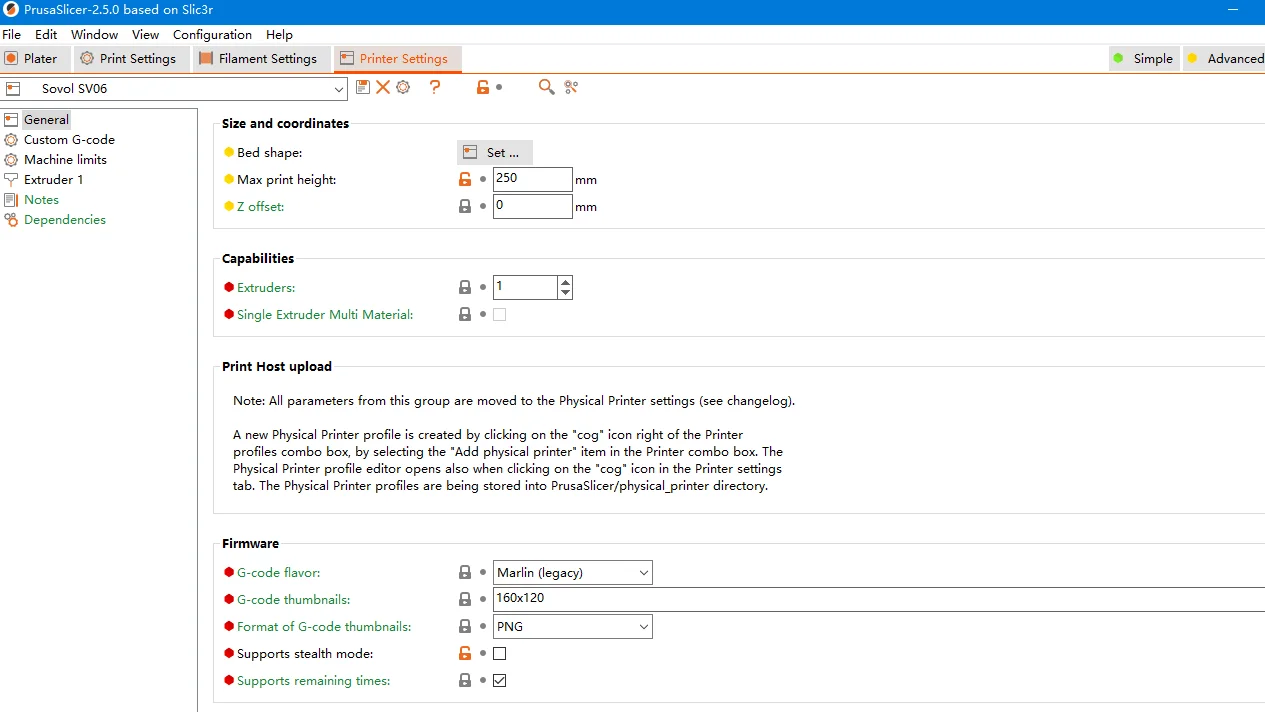
Printer Configuration that I am using on Prusa Slicer.
Download config from “Other file”
You need to download the configuration file and Prusa Slicer. In order to aovid bug, please make sure your prusa slicer version is 2.5.0.
As shown:
Now, it will store on your computer.
Hope that will help.
Bytinx_1344834Likes1.2KDownloads6K

 Byprusa-researchLikes0Downloads2.7K

 Bypjs37Likes0Downloads155

 Bygafyx3dLikes0Downloads120

 Byduo3dprintLikes0Downloads152

 BylaserbaconLikes0Downloads171

 ByswimLikes0Downloads108

 Bylk-3d-printsLikes0Downloads204

 Byarhi_585078Likes64Downloads540

 ByleopoldmozartLikes0Downloads135

 By3d-mmakerLikes0Downloads114

 Bynadir-cn3dLikes0Downloads110