



New
SolderMate - Fully 3D Printed Desk Soldering Companion
 ByleonicLikes0Downloads1.4K
Build another version of this model.
Use these as a base for a jig for your xTool F1 laser cutter/engraver or the Slide Extension for your F1. Either make a jig in your slicer, import the STEP file into your CAD program of choice, or create a fork of my design in OnShape! I've set the license for this as Share Alike w/ Attribution which means that you can use this for commercial use. If you share or sell a derivative work, I only ask that you give credit to me and link back to this post.
You can find the CAD for this template here with a handful of parameters you can use to configure the model:
The standard model doesn't need any post-processing and should be good to go right off the bat. It should print without supports and does fine with 3 or 4 wall loops and low infill (~15% is more than enough).
The Slide Extension model can be split right in the middle and don't need to be glued since the magnet mounts have alignment features that will keep the two halves aligned. Just use a splitting plane to slice the two halves apart after you've modified it to suit your application.
To assemble this jig, use some M3 heat sets in the slide anchors and squeeze (and possibly glue) in a handful of 3mm x 6mm magnets into the bottom of the jig and the top of the anchors. Make sure that the magnet orientation will cause the bottom of the bed to stick to the top of the anchors. Slide the anchors into the slide extension bed until they bottom out then use some M3 bolts to lock the anchors in place. Set the bed(s) on top and the magnets should hold them in place.
There are sketches in each of the designs that you can export as a DXF to align your jig in your laser software. I'd suggest importing the sketches into your own CAD and projecting your jig's key alignment features before you actually use the DXF files so that the alignment you need for your project is accounted for.
F1 standard DXF
Slide Extension DXF
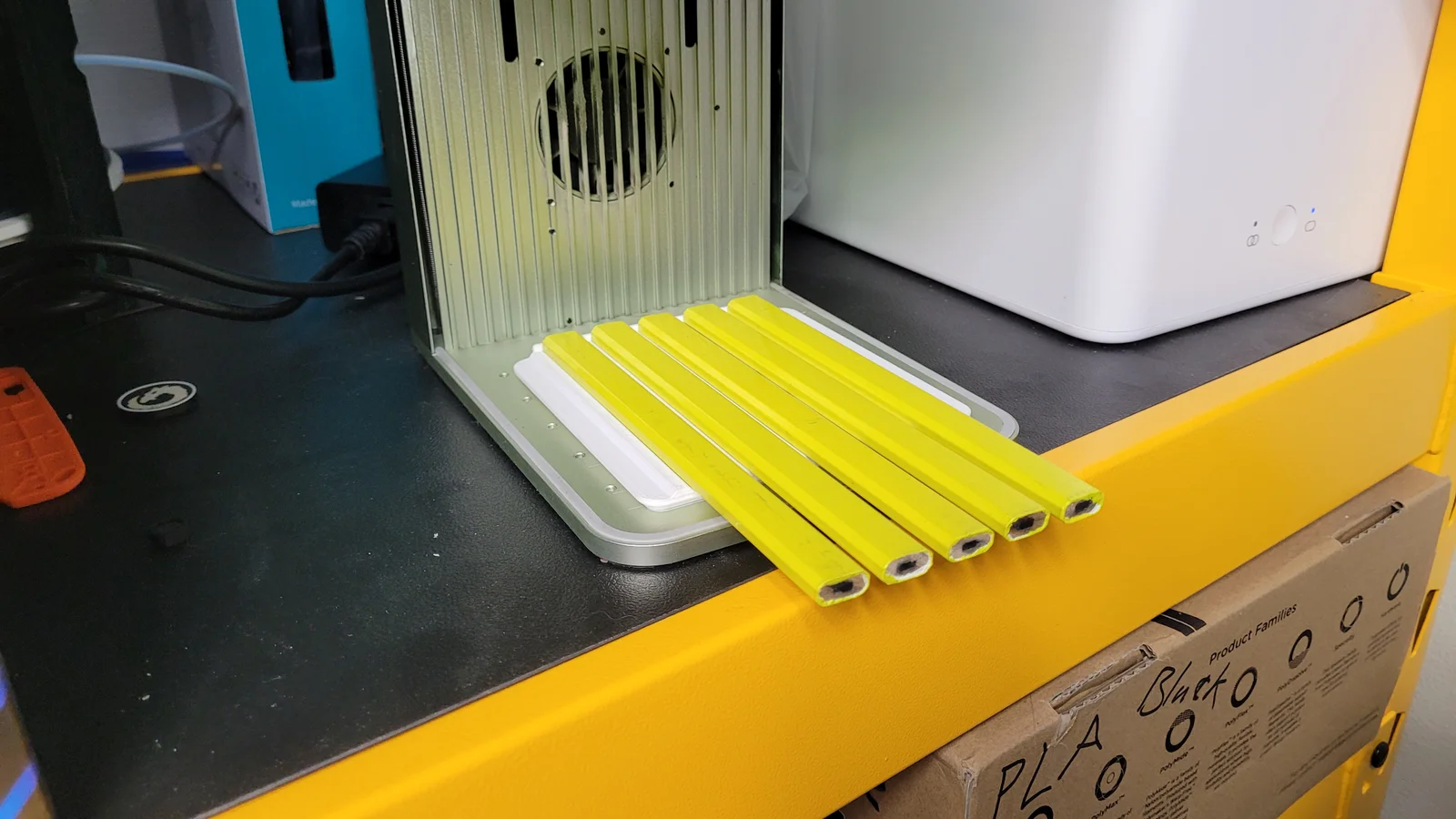
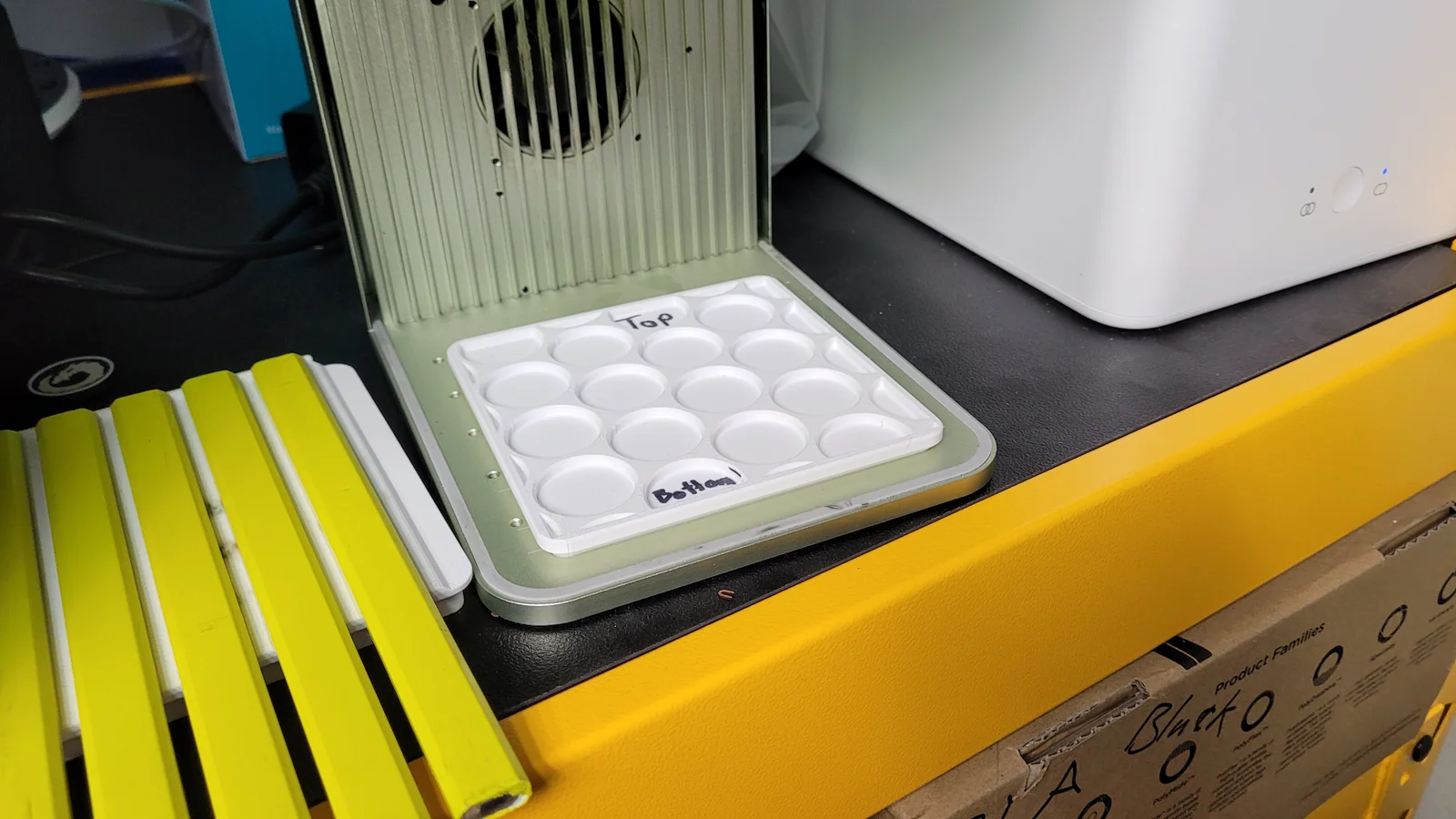
Here's a few example projects I've made with this
Playing Cards
DXF: Layout
Sewing Pattern Weights
DXF: Layout
RPG Tokens
Carpenter Pencils
DXF:
static--carpenter_pencil--layout_templateslide_extension--carpenter_pencil--layout_templateByleonicLikes0Downloads1.4K

 ByfifindrLikes500Downloads4K

 ByVC_DesignLikes679Downloads3.6K

 ByDan Schwartz SchwartzLikes744Downloads3.4K

 Bychubbs8697_2027893Likes585Downloads1.7K

 Byquibeck_3353173Likes965Downloads1.9K

 Byjacob-cordiaLikes0Downloads148

 ByRungeKuttaLikes229Downloads1.2K

 ByRobertoGalloc_356815Likes549Downloads1.8K

 ByJeremyVillalo_760366Likes68Downloads767

 ByZED4EverLikes313Downloads5.2K

 Bykjus_448782Likes314Downloads674