



Giá Đỡ 3 Nút Nhấn Gắn Dưới Bàn
 ByBrokentooth_designsLikes30Downloads226
Build another version of this model.
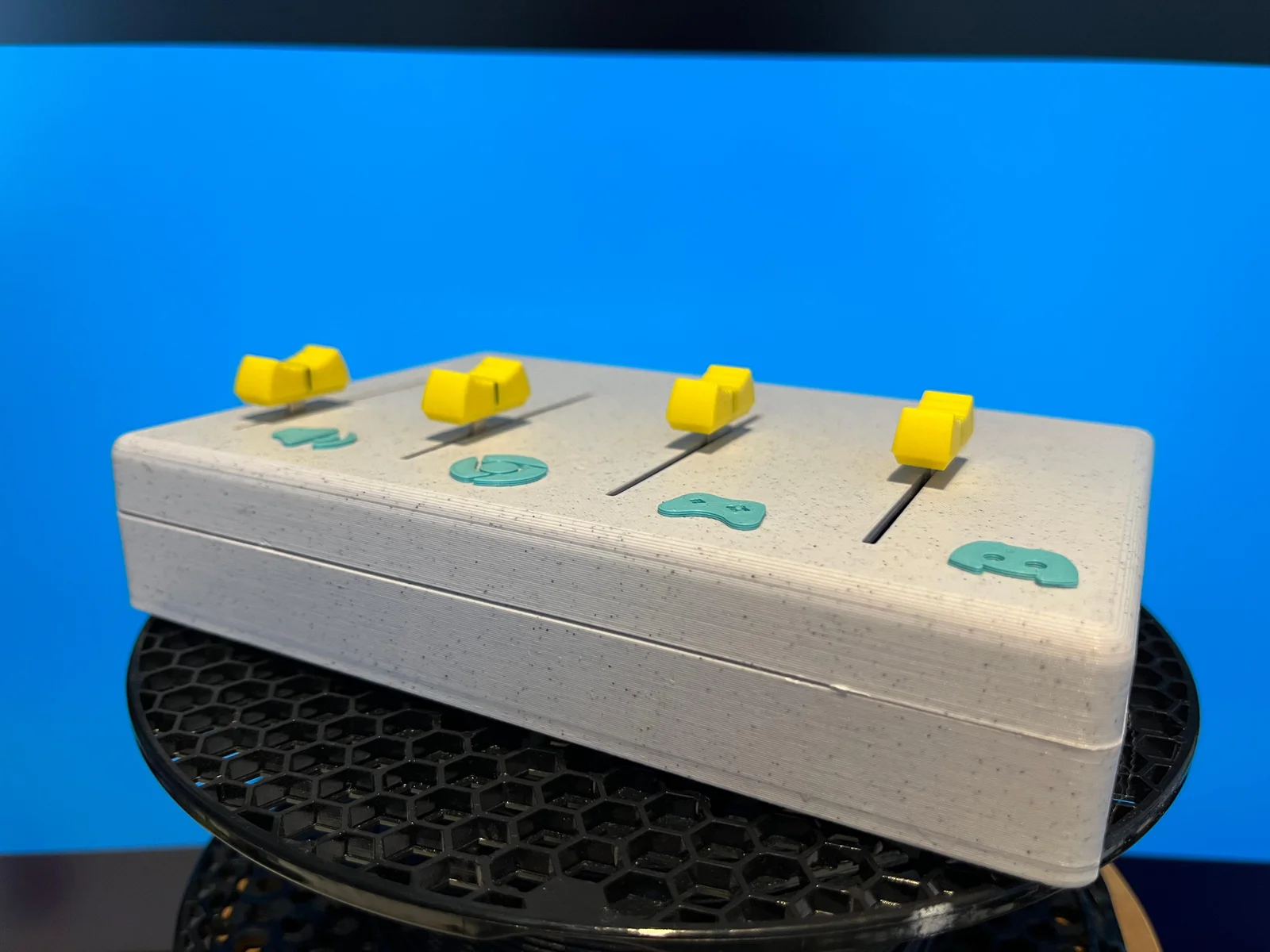
Built using just four sliders an Arduino Nano, a few wires, and a USB cable it’s a simple yet powerful way to control your system volume manually.
Fully compatible with the DEEJ software, this project lets you assign each slider to control audio levels for:
System sounds, Discord, Spotify, Chrome, games, and more.
Compact, easy to assemble, and perfect for streamers, gamers, or multitaskers who want physical control over their audio.
Include a detailled manual a the end of this page.
Includes STL and STEP files so you can customize the case or layout to your liking.
Printed using PLA only.
An ideal beginner-friendly electronics project that’s both fun and useful.
For more info about Deej: https://github.com/omriharel/deej
https://instructions.online/?id=19131-soundmixer
or instruction qr code
The download link for Deej:
https://github.com/omriharel/deej/releases/tag/v0.9.10
My wiring diagram:
The arduino code that i use:
const int NUM_SLIDERS = 4;
const int analogInputs[NUM_SLIDERS] = {A0,A1,A2,A3};
int analogSliderValues[NUM_SLIDERS];
void setup() {
for (int i = 0; i < NUM_SLIDERS; i++) {
pinMode(analogInputs[i], INPUT);
}
Serial.begin(9600);
}
void loop() {
updateSliderValues();
sendSliderValues(); // Actually send data (all the time)
// printSliderValues(); // For debug
delay(10);
}
void updateSliderValues() {
for (int i = 0; i < NUM_SLIDERS; i++) {
analogSliderValues[i] = analogRead(analogInputs[i]);
}
}
void sendSliderValues() {
String builtString = String("");
for (int i = 0; i < NUM_SLIDERS; i++) {
builtString += String((int)analogSliderValues[i]);
if (i < NUM_SLIDERS - 1) {
builtString += String("|");
}
}
Serial.println(builtString);
}
void printSliderValues() {
for (int i = 0; i < NUM_SLIDERS; i++) {
String printedString = String("Slider #") + String(i + 1) + String(": ") + String(analogSliderValues[i]) + String(" mV");
Serial.write(printedString.c_str());
if (i < NUM_SLIDERS - 1) {
Serial.write(" | ");
} else {
Serial.write("\n");
}
}
}
Note: Not all the provided information are guaranteed to work perfectly for this project — please check compatibility before purchase.
ByBrokentooth_designsLikes30Downloads226

 Byw3rN42Likes127Downloads935

 BykukulinLikes77Downloads520

 ByckthLikes148Downloads2.4K

 ByTimSomeCallMeLikes35Downloads244

 ByFredRaket_1274632Likes60Downloads283

 ByKastnerd_192794Likes21Downloads230

 BynasikLikes0Downloads273


 ByjoranLikes0Downloads212

 ByJaronLikes310Downloads1K

 ByTurbosol_2577940Likes53Downloads91