



Kẹp giữ sợi Filament
 Bytinx_1344834Likes1.2KDownloads6K
Build another version of this model.
Snapmaker J1s input shaping tune wizard have a bug - not saving picked values. (FW 2.7.1) https://www.facebook.com/groups/snapmakerj1/permalink/1112429939797317/
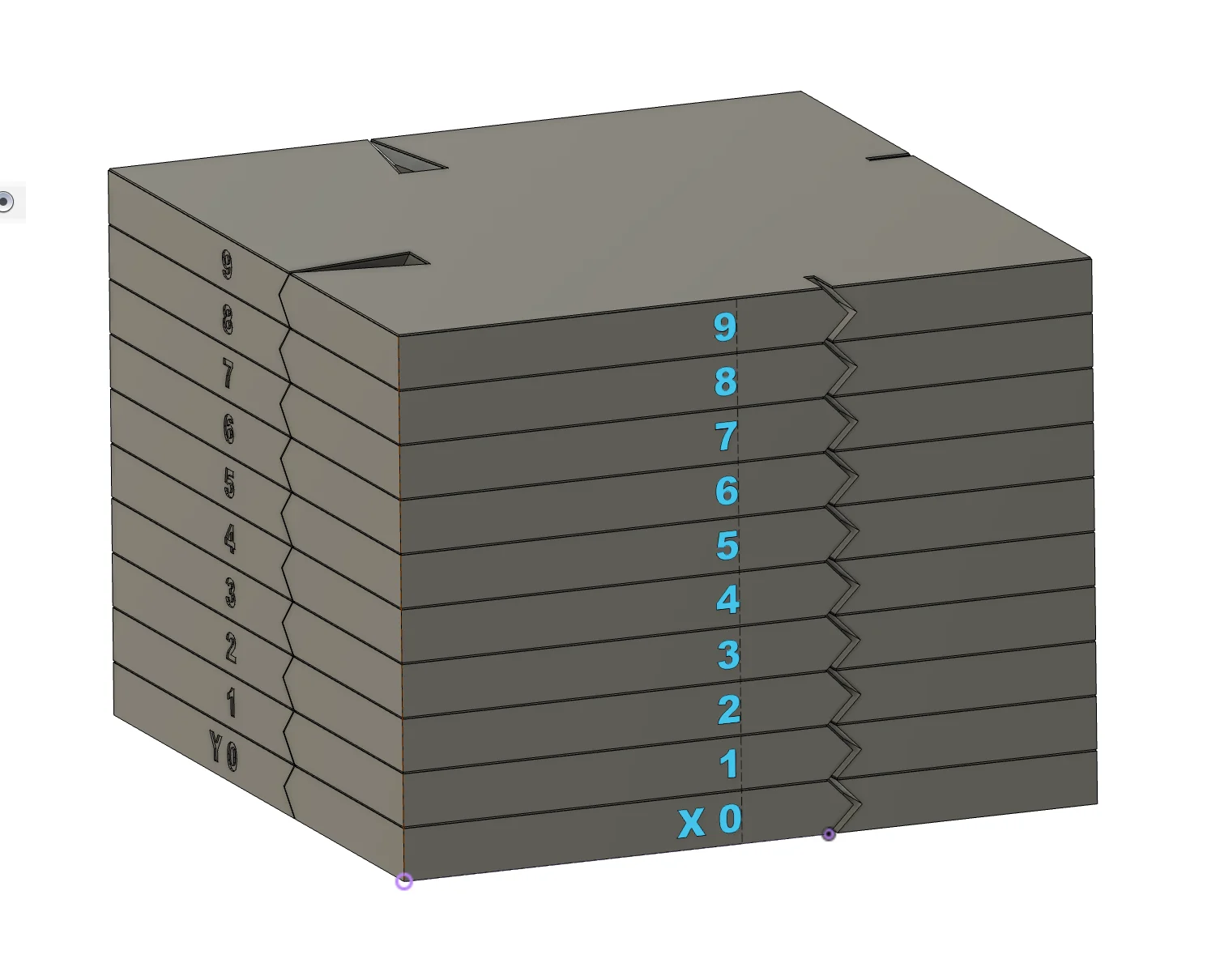
To tune input shaping this model created. Why? There is a standard Ringing Tower model model to tune input shaping. Check it first.
https://marlinfw.org/docs/gcode/M593.html
But I wanted to do similar but different model by yourself. In Fusion360. I think it have some advantages.
But maybe it has disadvantages too. I do not have enough expertise.
How I calibrated my IS values and additional info can be found here: https://www.facebook.com/groups/snapmakerj1/permalink/1112429939797317/
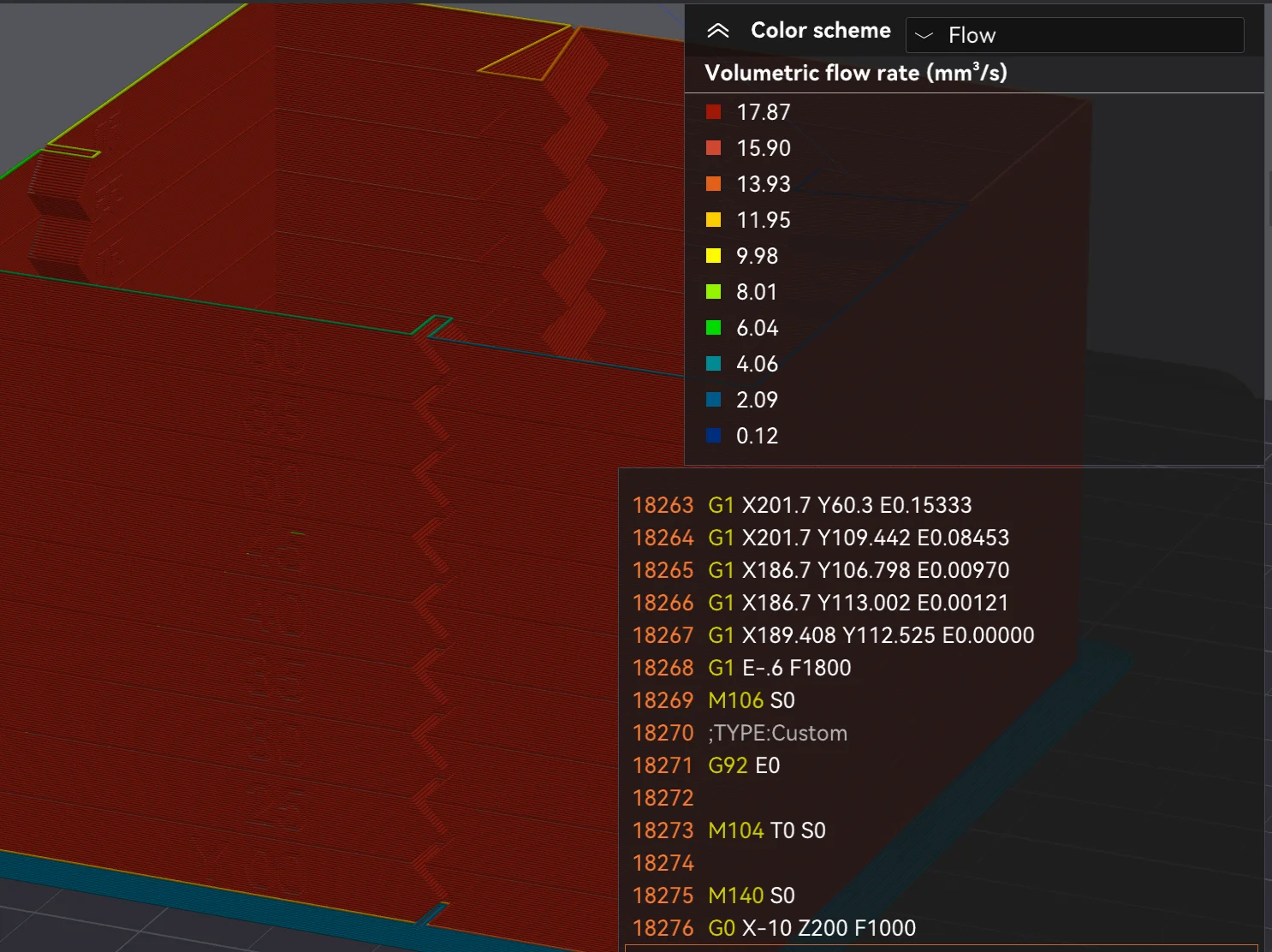
How I sliced:
To gradually increase input shaping values by 5Hz step to achive next distribution:
Row 9 - 65Hz
…
Row 2 - 30Hz
Row 1 - 25Hz
Row 0 - IS is OFF
Layer change gcode:
; layer_num: [layer_num]
; 0 layer print brim - it can be printed with current IS and LA
{if layer_num==1}
; disable LA and IS
M900 K0
M593 P0
{endif}
{if layer_num==30}
;enable IS and then set current value
M593 P1
{endif}
{if layer_num>=30}
M593 F{(25 + 5 * round((layer_num - 30) / 30))}
{endif}
G92 E0
Bytinx_1344834Likes1.2KDownloads6K

 Byprusa-researchLikes0Downloads2.7K

 Bypjs37Likes0Downloads155

 Bygafyx3dLikes0Downloads120

 Byduo3dprintLikes0Downloads152

 BylaserbaconLikes0Downloads171

 ByswimLikes0Downloads108

 Byarhi_585078Likes64Downloads540

 ByleopoldmozartLikes0Downloads135

 By3d-mmakerLikes0Downloads114

 Bynadir-cn3dLikes0Downloads110

 ByHanzo3dLikes155Downloads413