



Pocket Memory — SD & microSD Case | Print in Place
 By3dwakeLikes0Downloads367
Build another version of this model.
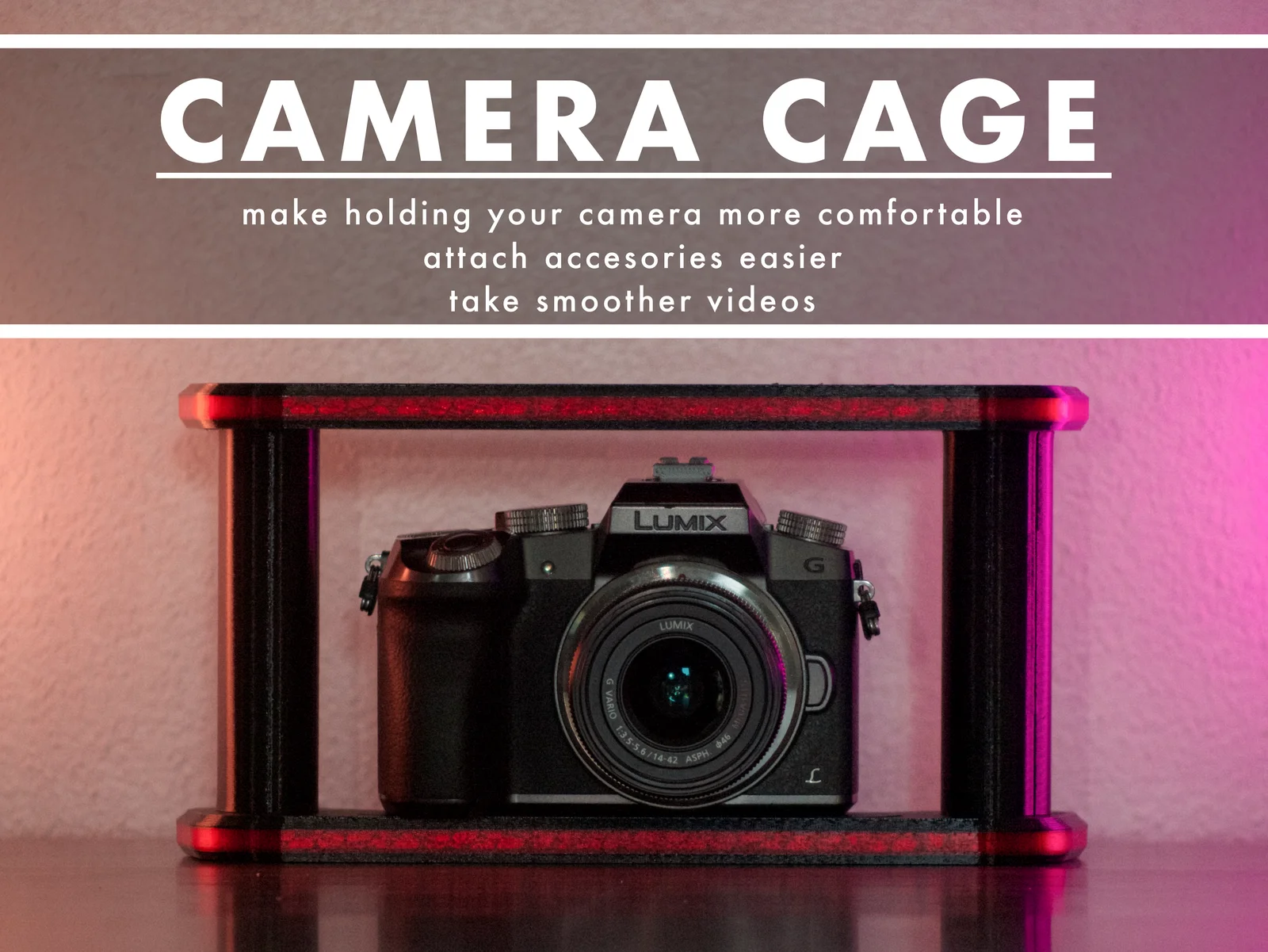
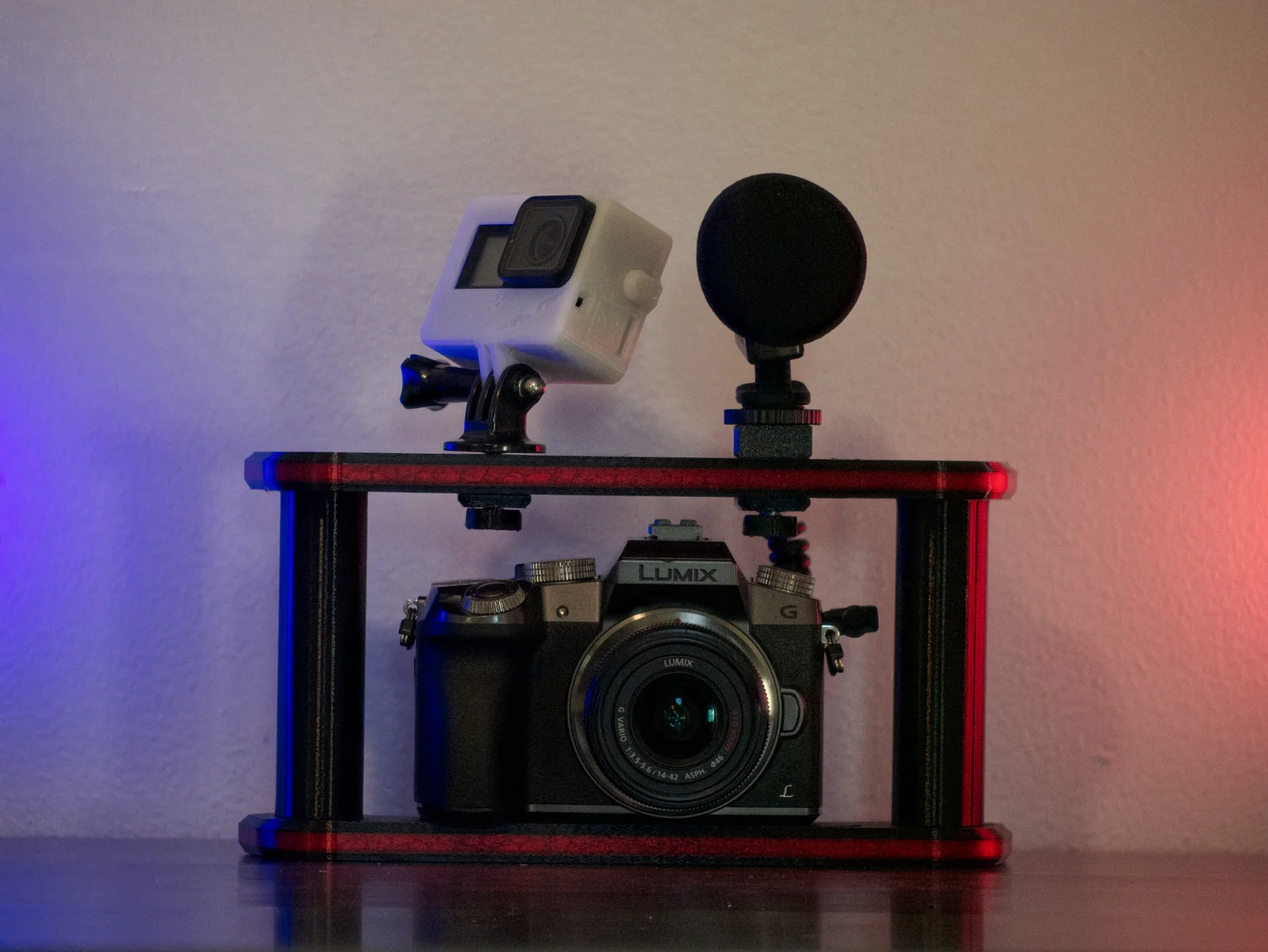
I have an unsteady hand when taking video with my camera. I wanted to build a camera cage to decrease the amount of shaking my video would have. While I may not shoot planned movies, I wanted something to make the camera easier for me to hold and also give me the options to easy add any attachments I have. Having the two arms makes it significantly easier to pan and tilt for me. This is a great accessibility add-on for my camera. My right hand no longer hurts after using my camera for any amount of time.
There are two versions for the arms of the cage. One with holes sized to screw in your bolts and cut your own threads in the plastic. The other one has slightly bigger holes to add in metal inserts. But they worked flawlessly for me. I would recommend the one with metal inserts if you are planning to break it down often in order to store easier, since the plastic treads may wear out over time. I have upped the perimeters in both of these sliced files.
I used 1/4"-20 threads for all the hardware, except for using M6 for the arms. This was only because I made an error ordering the threads. If I was doing it over, I would use 1/4" threads for everything to maintain consistency. I made two versions hex head caps to help me finger tighten the attachments. Both have a 2mm base. The difference is the nut one will fit a 5.4mm, while the bolt one will fit 4mm. I printed all the files in PETG.
Files included:
Main
CameraCage-Arm_v2.stl
CameraCage-Arm_v3_ForInserts.stl
CameraCage-Base_v2.stl
CameraCage-Arm_v2.3mf
CameraCage-Arm_v3_ForInserts.3mf
CameraCage-Base_ColorChange_v2_0.3mm_PETG_MK3S_3h29m.3mf
CameraCage-Arm_v2_0.3mm_PETG_MK3S_1h42m.gcode
CameraCage-Arm_v3_ForInserts_0.3mm_PETG_MK3S_1h43m.gcode
CameraCage-Base_ColorChange_v2_0.3mm_PETG_MK3S_3h29m.gcode
Attachments
CameraCage-attachments-CameraBase_v4.stl
CameraCage-attachments-ColdShoe_1-4Nut_v3.stl
CameraCage-attachments-FlushBase_1-4Nut_v3.stl
CameraCage-attachments-HexThumbScrew_1-4Bolt_v2.stl
CameraCage-attachments-HexThumbScrew_1-4Nut_v2.stl
CameraCage-attachments-RaisedHead_1-4Nut_v4.stl
CameraCage-attachments-CameraBase_v4_0.3mm_PETG_MK3S_22m.3mf
CameraCage-attachments-ColdShoe_4x_1-4Nut_v3_0.3mm_PETG_MK3S_1h20m.3mf
CameraCage-attachments-FlushBase_4x_1-4Nut_v3_0.3mm_PETG_MK3S_23m.3mf
CameraCage-attachments-HexThumbScrew_9x_1-4Bolt_v2_0.2mm_PETG_MK3S_1h18m.3mf
CameraCage-attachments-HexThumbScrew_9x_1-4Nut_v2_0.2mm_PETG_MK3S_1h31m.3mf
CameraCage-attachments-RaisedHead_4x_1-4Nut_v4_0.3mm_PETG_MK3S_39m.3mf
CameraCage-attachments-CameraBase_v4_0.3mm_PETG_MK3S_22m.gcode
CameraCage-attachments-ColdShoe_4x_1-4Nut_v3_0.3mm_PETG_MK3S_1h20m.gcode
CameraCage-attachments-FlushBase_4x_1-4Nut_v3_0.3mm_PETG_MK3S_23m.gcode
CameraCage-attachments-HexThumbScrew_9x_1-4Bolt_v2_0.2mm_PETG_MK3S_1h18m.gcode
CameraCage-attachments-HexThumbScrew_9x_1-4Nut_v2_0.2mm_PETG_MK3S_1h31m.gcode
CameraCage-attachments-RaisedHead_4x_1-4Nut_v4_0.3mm_PETG_MK3S_39m.gcode
FreeCad file
I made a video guide on the assembly of the cage. I occassionally struggle with talking and forgeting words mid-sentence since a past health issue. Hopefully this is clear.
A test of usage (with me rambling way too much):
By3dwakeLikes0Downloads367

 ByNK01_3850118Likes13Downloads222

 ByMandicReallyLikes0Downloads142

 Bylarp3dLikes0Downloads1.4K

 BycharlieLikes0Downloads125

 ByckthLikes148Downloads2.4K

 ByvideograndpaLikes36Downloads289

 BylclabLikes0Downloads297

 BynasikLikes0Downloads281

 ByBaGooNLikes64Downloads148


 ByjoranLikes0Downloads219