



Grippy Broom Holder
 Byvc-designLikes0Downloads3.2K
Build another version of this model.
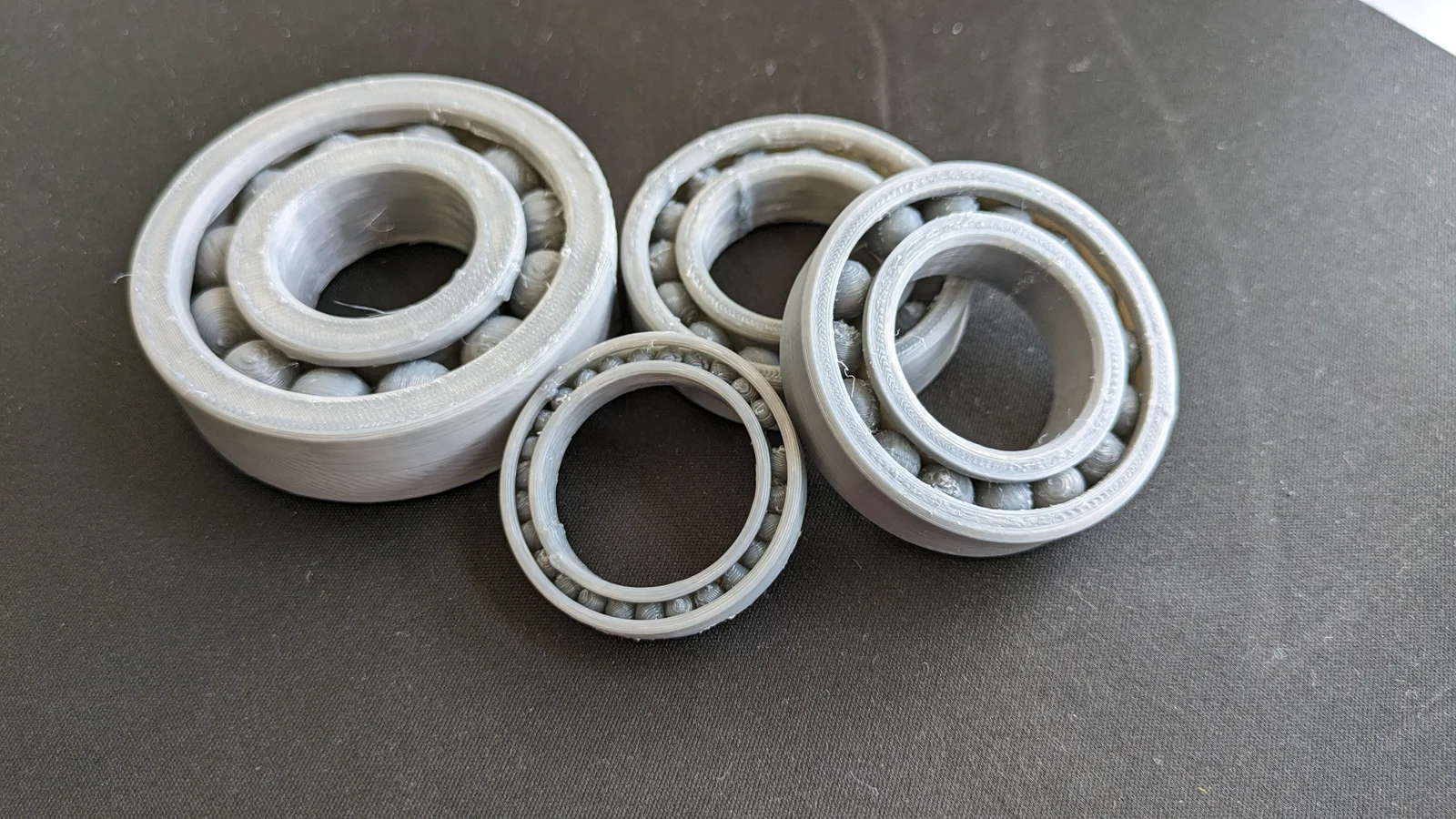
PIP Parametric Ball Bearings
Made in Ondsel(FreeCAD), change the parameters in the spreadsheet (Bearing Data)
Parameters included:
Refer to the spreadsheet below:
Insert the values in A (row 3, not row 2), consequently you can add values in A through E and change the configuration of Inner Race in the Property View as shown below
Note: [Although I don't recommend cycling through configs as the FreeCAD solver messes it up sometimes, I suggest changing values in A, one at a time, and updating to get the required result]
You can get your needed values from SKF catalogue for deep groove ball bearings.
Special Note: Do not use layer height 0.3mm or higher, the smaller the bearing go finer layer heights, 0.2mm is a good start, but I recommend going lower than that to prevent defects.
I recommend loosening the bearing a bit in post processing by spinning it a few times before use.
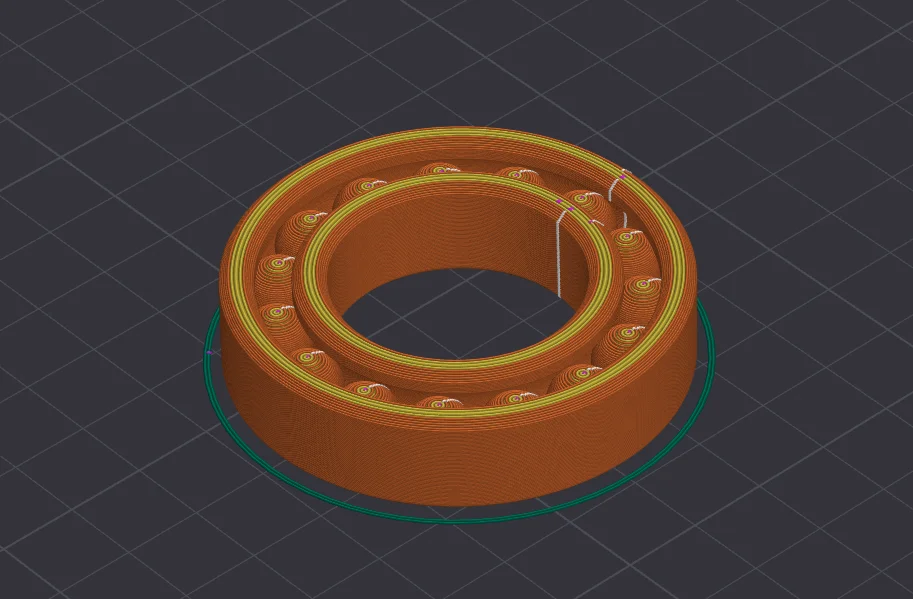
Print Settings:
Printer: Ender 3 V3 SE
Layer Height: 0.2mm/0.12mm
Infill: 20%
Wall Count/Shell Thickness: 3 or more
Supports: Yes
Only on Build Plate: ON
Filament: PLA
Byvc-designLikes0Downloads3.2K

 BySeppoTakaloLikes960Downloads1.9K

 ByRobertoGalloc_356815Likes549Downloads1.8K

 ByleonicLikes0Downloads1.4K

 ByZED4EverLikes313Downloads5.2K

 ByfifindrLikes500Downloads4K

 BymoonyxLikes0Downloads701

 ByVC_DesignLikes679Downloads3.6K

 ByKNIN_CustomLikes112Downloads440

 ByDan Schwartz SchwartzLikes744Downloads3.4K

 Bythorin-oakenshieldLikes0Downloads534

 Bytorii-creative-studioLikes0Downloads451