

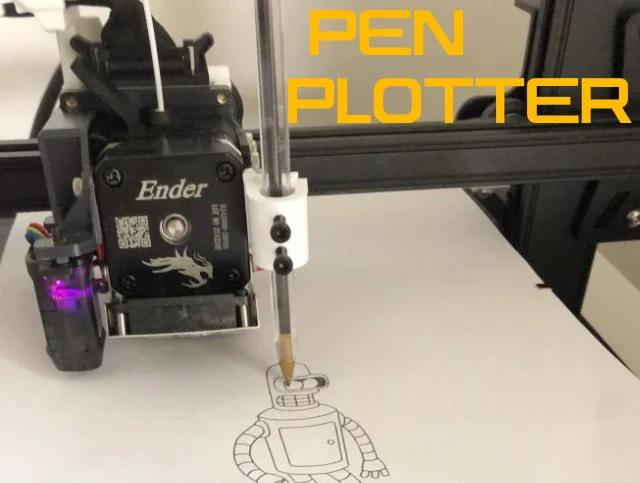
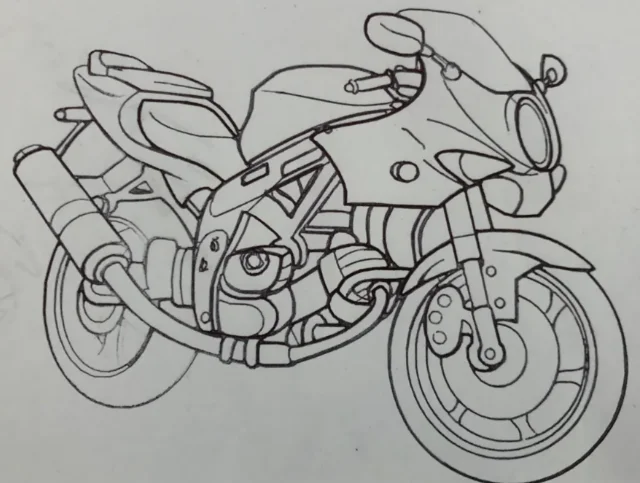


Kẹp giữ sợi Filament
 Bytinx_1344834Likes1.2KDownloads6K
Remix of Prusa Mini Pen Plotter - Ngàm gắn bút cho đầu in Prusa Mini By ThreeDucksina_163851
Build another version of this model.
 Ngàm Gắn Bút Pen Plotter Cho Máy In Ender-3 V3 SEBy0xD34D_797818 · 05/03/2026
 Gá kẹp bút Pen Plotter cho máy in 3D Ender 3 V3 SEByLucasRibeiro_1251048 · 05/03/2026
Also see our Latest Project Launching on Kickstarter 30th April 2023
https://www.kickstarter.com/projects/fizzychickens/3d-printable-antikythera-mechanism
Remix of Three Ducks in a Bear Suit Pen Plotter
Requires 2 x M3 Bolts (To hold Pen in Place)
I use the spare M4 bolt that comes with the Sprite Extruder.
EASY CONFIG!
Configuration:
In Cura, you'll need to offset the extruder so your printer knows where your pen is. The easiest way to achieve this is by adding a new printer, and pasting the Start and End G-code in their place.
; Ender 3 S1 Start G-code
G92 E0 ; Reset Extruder
G28 ; Home all axes
G92 E0 ; Reset Extruder
Ender 3 S1 End G-code
G91 ; Relative positioning
G1 Z10 ; Raise Z more
G90 ; Absolute positioning
G1 X0 Y{machine_depth} ; Present print
M84 X Y E ; Disable all steppers but Z
Select: Extruder 1 and, for the Ender 3 S1, I recommend a Nozzle Offset of:
X20 Y-60
“Must Have” Slicer Settings:
Convert Jpeg into STL Files Here:
https://anyconv.com/jpeg-to-stl-converter/
Side Notes:
Bytinx_1344834Likes1.2KDownloads6K

 ByreddLikes216Downloads2.2K

 ByExagono3D_4006360Likes1Downloads3

 ByJasonOlliff_519145Likes241Downloads2K

 Byarhi_585078Likes64Downloads537

 ByHanzo3dLikes155Downloads411

 ByGeek5DLikes147Downloads482

 ByBrokentooth_designsLikes23Downloads403

 By3DSourcererLikes48Downloads374

 Bybloblis67Likes0Downloads312

 Byzachstofko_3956201Likes88Downloads153

 ByzooppLikes7Downloads161