

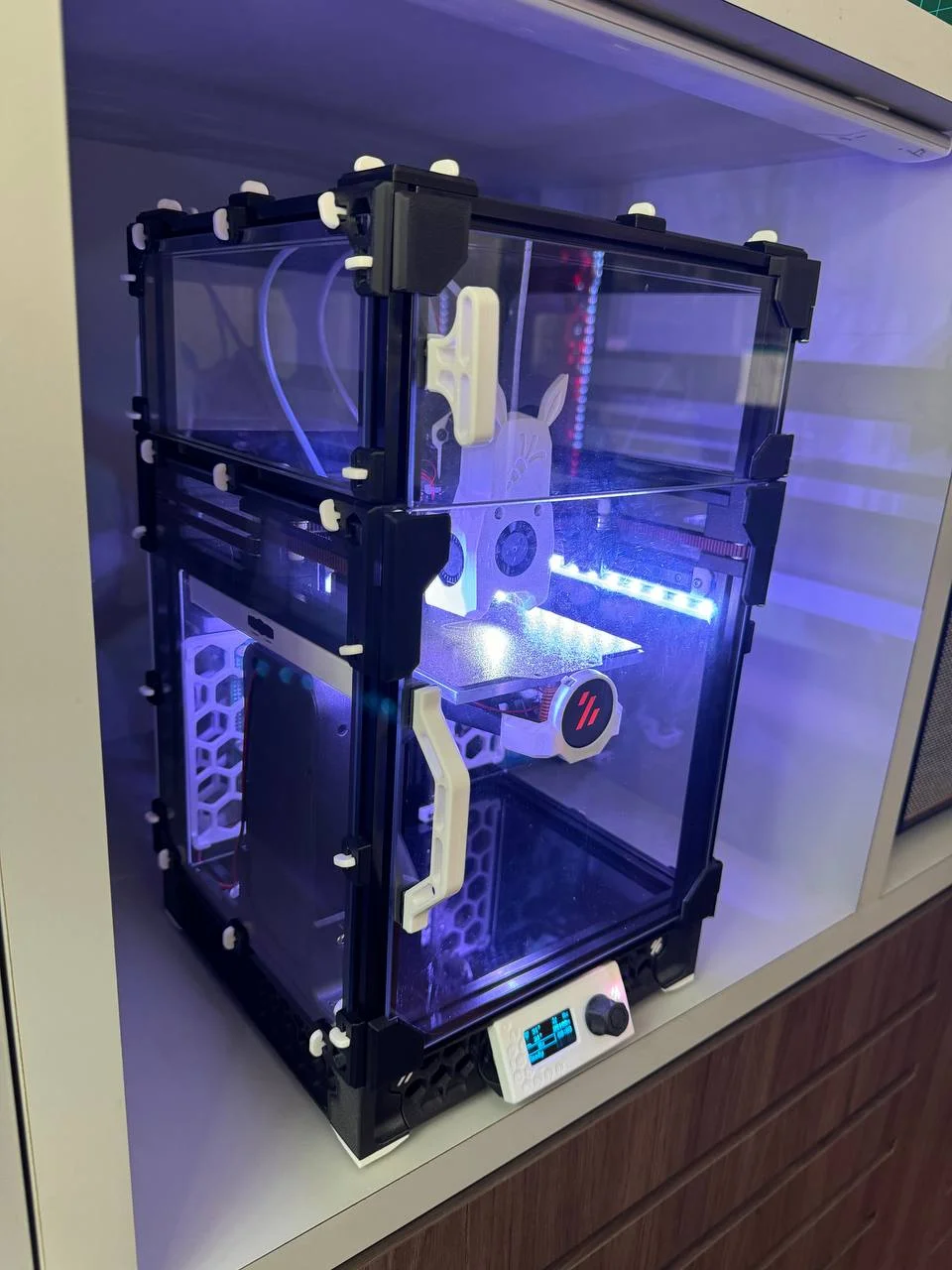
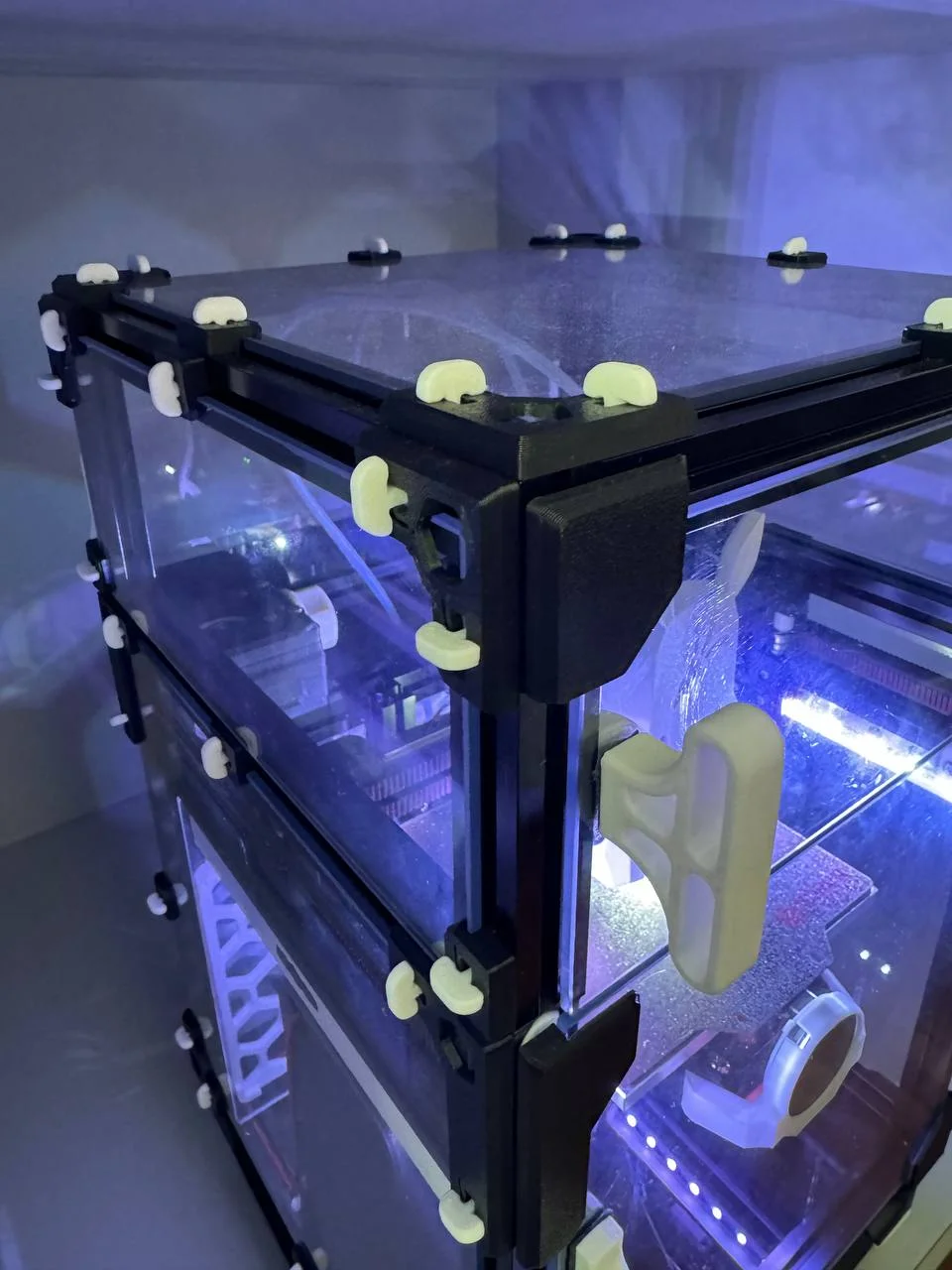


Kẹp giữ sợi Filament
 Bytinx_1344834Likes1.2KDownloads6K
Build another version of this model.
As requested, the FT Panel Clips have been shrank down to work with 1515 extrusions. This Printables post is specifically Voron V0/V0.1/V0.2 printers.
FT Panel Clips are designed to replace the panel clips that typically use M3 hex nuts + screws in the Voron V0, Micron and similar printers that use 1515 extrusions.
These panel clips were designed to make servicing the printer easier with the quick release design. All parts to mount the panels are printed and serve as a direct replacement for the original panel mounts freeing up all of those M3 nuts and M3x8 BHCS screws.
IMPORTANT NOTE: - If the clips are too lose. Check your printer calibration as it is likely that the Brackets have too much squish which would affect the actual height the keys are to lock in place.
These are the easiest Panel clips to date as they do not require 1mm or 3mm foam tape to be used (not supplied in the Voron V0 kits). These panel clips are designed to replace the original parts without the nut and screws.
For NEW printer builds
For existing printers
Should you have any queries reach out to us on Discord
Hope that you appreciate the amount of time and effort to turn around such a big modification. If you like my designs and would like to contribute to fund filaments and other equipment required for prototyping, please do so at my paypal.me or Ko-fi. Your support is greatly appreciated :)
Do let me know if there are any other combination thickness panels and foam tape that you want to use and additional STL's can be provided.
Bytinx_1344834Likes1.2KDownloads6K

 ByJasonOlliff_519145Likes241Downloads2K

 Byprusa-researchLikes0Downloads777

 ByAnthonyDouri_1604724Likes24Downloads218

 Byarhi_585078Likes64Downloads540

 ByhartkLikes59Downloads118

 ByHanzo3dLikes155Downloads413

 ByPrintStructorLikes0Downloads129

 ByGeek5DLikes147Downloads484

 ByNadirLikes25Downloads114

 BySmolboiLikes39Downloads119

 ByBrokentooth_designsLikes23Downloads405