



New
Pocket Memory — SD & microSD Case | Print in Place
 By3dwakeLikes0Downloads360
Build another version of this model.
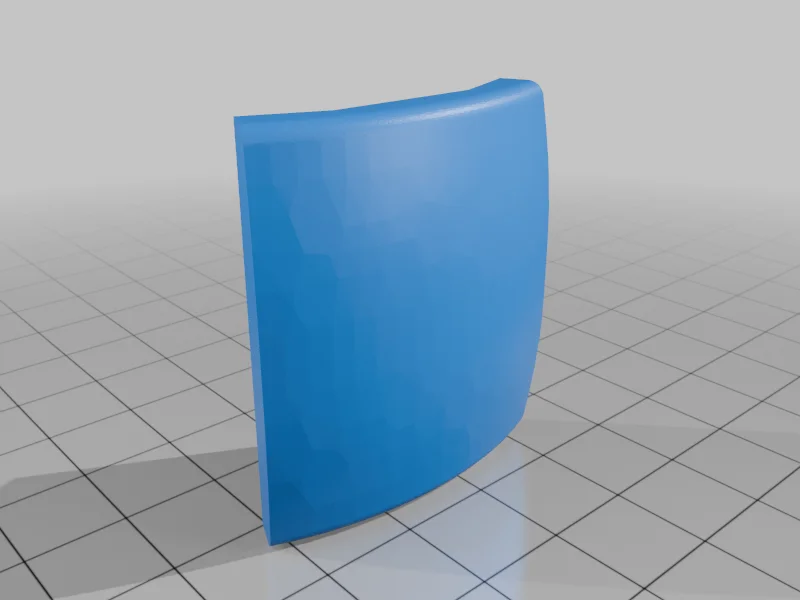
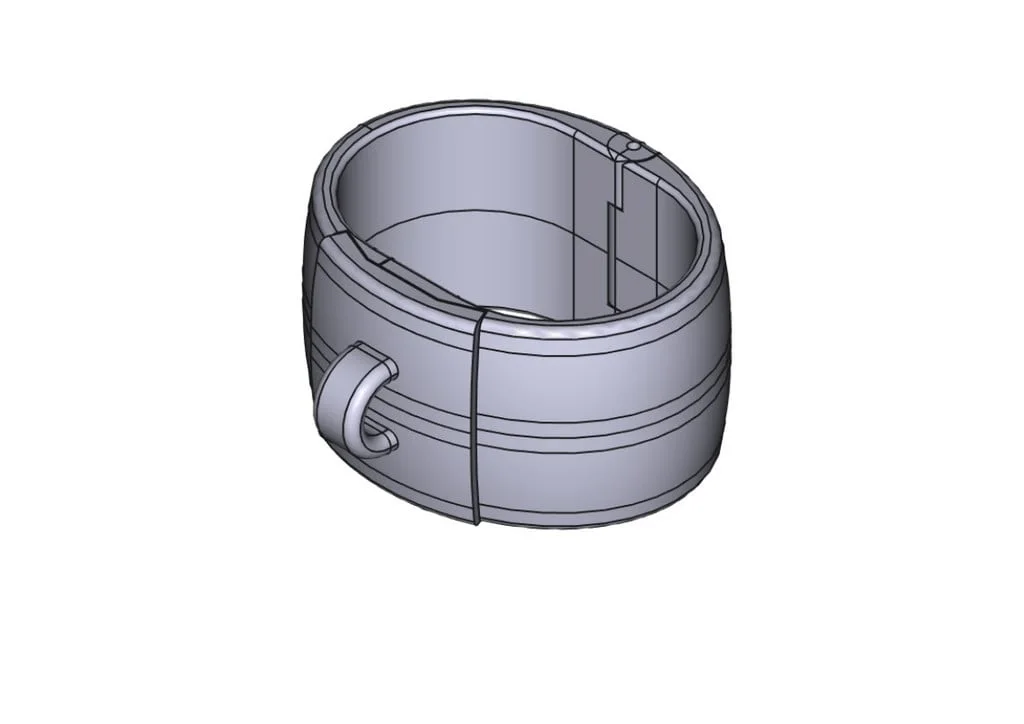
Cuff that closes with sliding face plate. Can be made so it locks closed, and unlocks with a magnetic key. You will need to purchase some rare earth magnets, 8 mm diameter by 3 mm deep to make the locking version (only if you ever plan to unlock it!). It can also be printed with or without attachment for metal ring.
Four versions of the Face Plate are included, one for each combination of Ring Attachment and Locking: FP - non-locking, no attachment for ring FP-R - no lock, with ring attachment FP-L - locks, no ring attachment FP-RL - locks, with ring attachment
Inside Dimensions: 64 x 45 mm, 40 mm tall.
Printer Brand:
Snapmaker
Printer:
J1
Supports:
Yes
Be prepared to spend some time with a small file and sandpaper to smooth the printed parts, so they slide over each other without too much effort. 3D printed models have lots of little ridges, that makes sliding difficult unless you smooth them out a bit. I have recently discovered a setting on my slicer, "fuzzy skin", that hides layer lines. I'm still experimenting with it.
To add a metal ring, I block supports for the upper part of the ring attachment loop, then pause the print at a point where I can drop a ring into place. Then, resume printing.
Be very careful when cleaning support material from around the spring tab - it is easy to break it! I print with ASA and HIPS for support material that can be dissolved with Limonene.
As mentioned in the description, you will need to buy a set of magnets, 8 x 3 mm, for the unlocking mechanism. One magnet goes in the locking tab on the cuff, and the other into the key. Make sure the magnets are oriented so that they repel each other when brought close together! The magnet should fit snugly into the pocket in the tab. Don't force it, or you will break the tab. The pockets should be snug enough that you don't need any glue to keep the magnets in place.
Test the function of the key by sliding the face plate over the right cuff only, leaving the side of the locking tab open to view. If the magnet isn't strong enough to unlock it, you can use a paper clip to pull the tab down to release the face plate. Depending on how accurate your printer is, and how strong your magnets are, you may need to file down the tip of the locking tab a bit to get it to unlock reliably. Make sure no support material prevents the tab from moving freely up and down.
This cuff is sized for my wrist. If you need one larger or smaller, post the desired dimensions in the comments, and I will try to accommodate.
Category: Gadgets
By3dwakeLikes0Downloads360

 Bytovelaermans_3355197Likes63Downloads428


 ByDerTapirLikes34Downloads175

 Byrorys3DLikes0Downloads325

 ByAustin Wolt WoltLikes162Downloads382

 ByLecso_113752Likes76Downloads337

 ByTomDDLikes89Downloads577

 ByAlexMuLikes41Downloads333

 ByckthLikes148Downloads2.4K

 ByTangoOscarMik_505113Likes31Downloads252

 ByBroBuilds3D_4455044Likes32Downloads456