
F3D
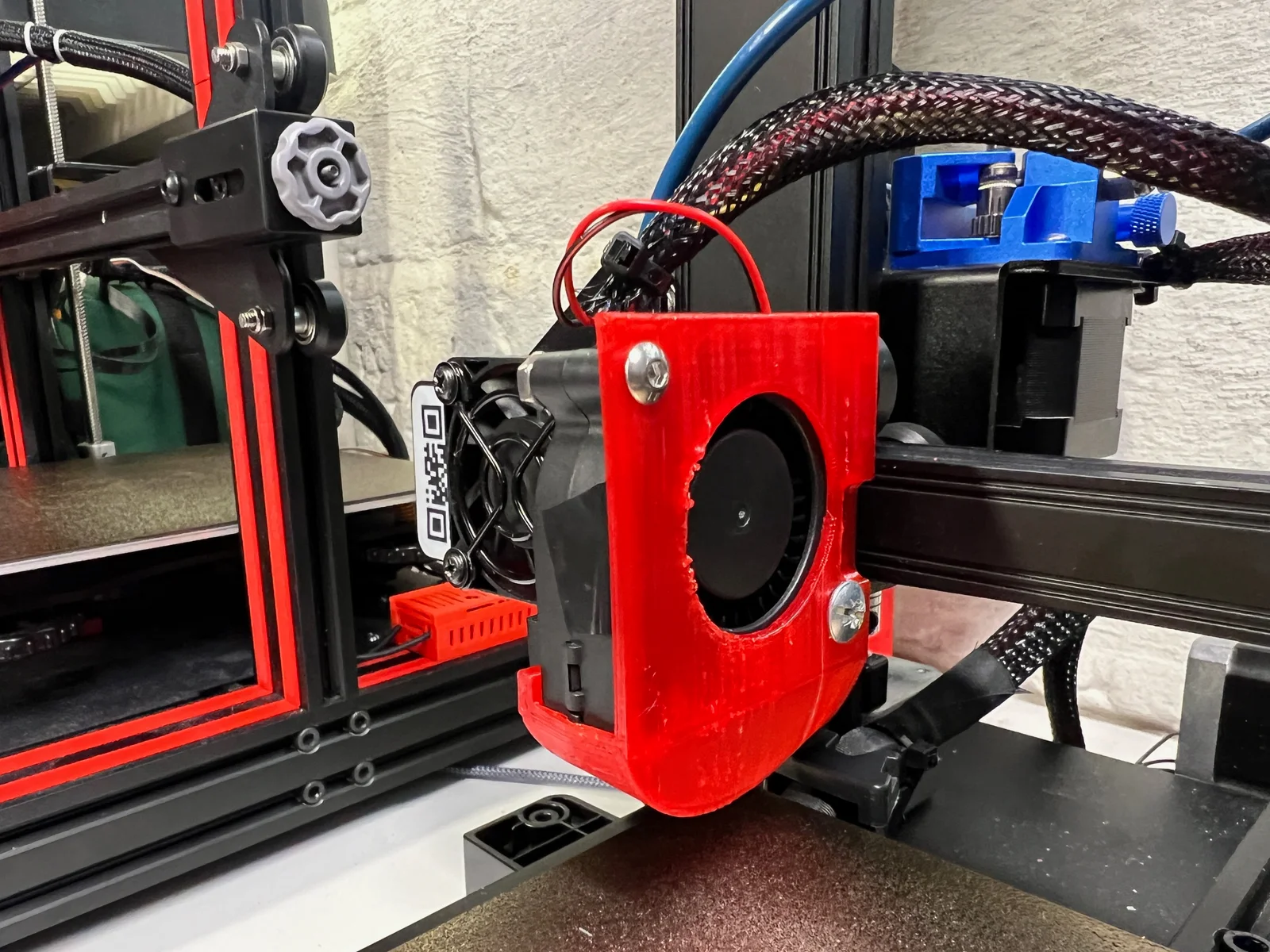
Ender 2 Pro Tối Giản Gắn Quạt 5015 1

4 images

Máy In 3D

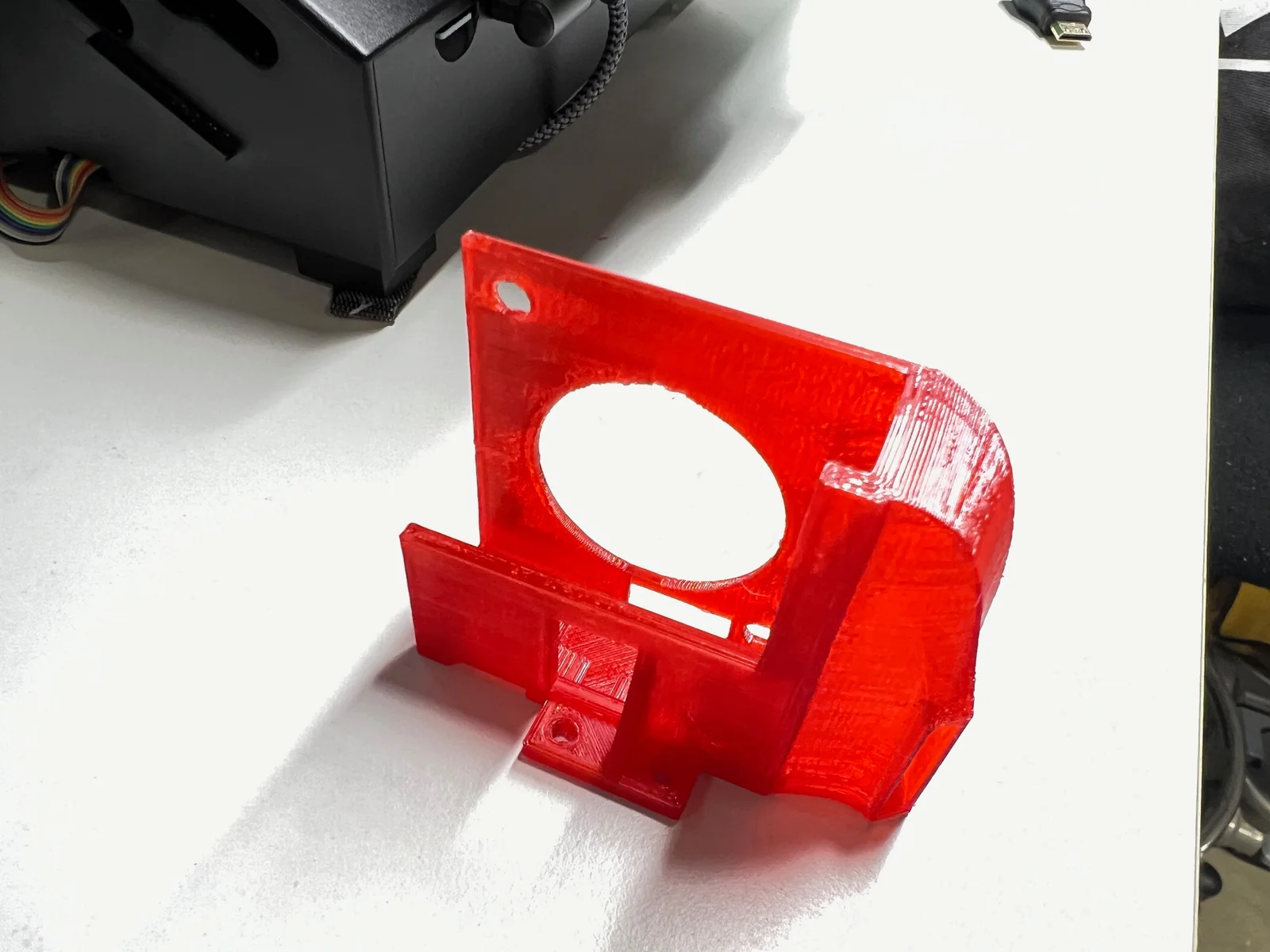
Ender 2 Pro Tối Giản Gắn Quạt 5015

Remix of Giá đỡ quạt hot-end tối giản cho Creality Ender 2 Pro By Sebazzz

By brian Hengelsberg Hengelsberg

Downloads
44
Likes
9
Views
476

Files 2 1.8 MB

  • Ender_2_5015_Final_1766177267.stlSTL · 1.4 MB
  • Ender_2_50mm_Fan_Mount_Only_1766177268.stlSTL · 401.8 KB

Make a variant with AI

Build another version of this model.

Open Studio

Details

Model ID
#135911
Category
Máy In 3D
Published

Description

I Kliperized my Ender 2 with the desire to print faster.  Stock fan does not move enough air; enter a 5015 fan mount.  Two files available; one replaces entire right side of minimalist mount, the other is mount for just the new fan.  I like the strength of the full replacement personally.  I used PETG for the prints, PLA may work as not in contact with nozzle.

  • Remove stock hotend shroud
  • Detach all fans from shroud
  • Cut existing part cooling fan wires only and save fan for another project ;-)
  • Remove part cooling fan plate
  • Print left side mount from original Minimalist mount 
    • Mount using existing carriage holes using M3 bolts.
  • Print file in this remix for right side.
    • Insert 3mm nut into captured area on the plate side of the print.
    • Insert 4mm nut into captured area to hold fan.
    • Insert 5015 fan prior to mounting the print.
    • Pull fan wire through the square hole in the print, or run it at the back of the fan.
    • Secure with 4mm bolts, one 4x25 into the captured nut, and one 4x20 through the print to the fan.
    • Install on carriage with 2-3mm bolts using the original cooling fan plate holes.
    • Install 3mm bolt through back of plate into the 3mm captured nut.
  • Install hot-end cooling fan on the front of both printed pieces with 3mm bolts.
  • Solder 5015 fan wires to existing wires for part cooling.
  • Test to ensure wires are correct and fan is functional.
  • Cleanup wire and wire loom.

I have found 50% part cooling fan speed works well when printing at 200mm/s with acceleration at 3000 mm/s squared with a dual gear extruder.  Enjoy much better cooling!

Read more Show less

Print spec

Formats
stl
Model files
2
Total size
1.8 MB
Largest file
1.4 MB

0 comments

See all