




Kẹp giữ sợi Filament
 Bytinx_1344834Likes1.2KDownloads6K
Build another version of this model.
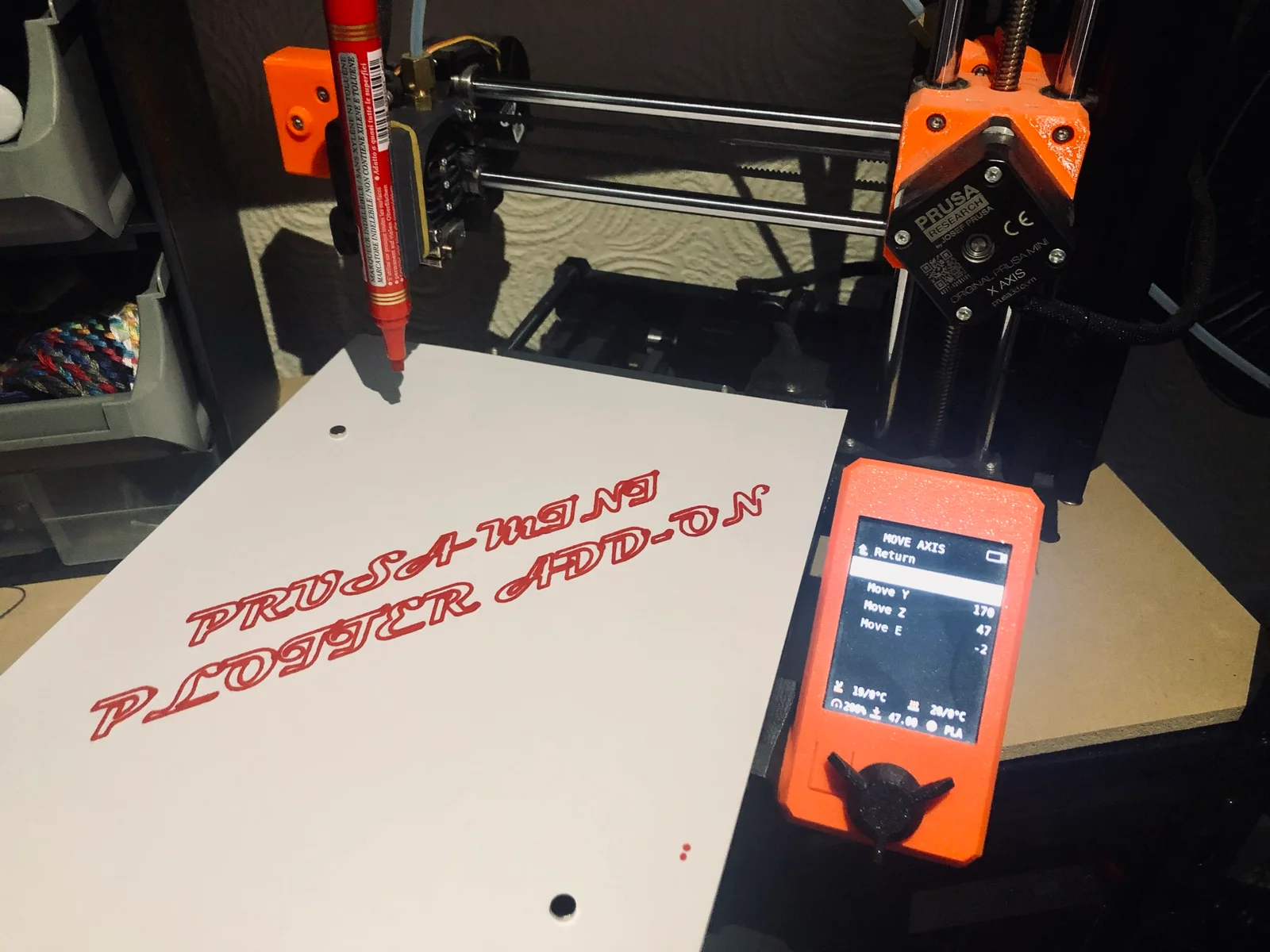
For all those times when you need to draw but you can't. Good thing you bought that 3D printer. You can stop the 3DBenchy production live to write a card to all those people who told you you'd only use your printer for stupid toys, now you can use it for stupid cards too!!!
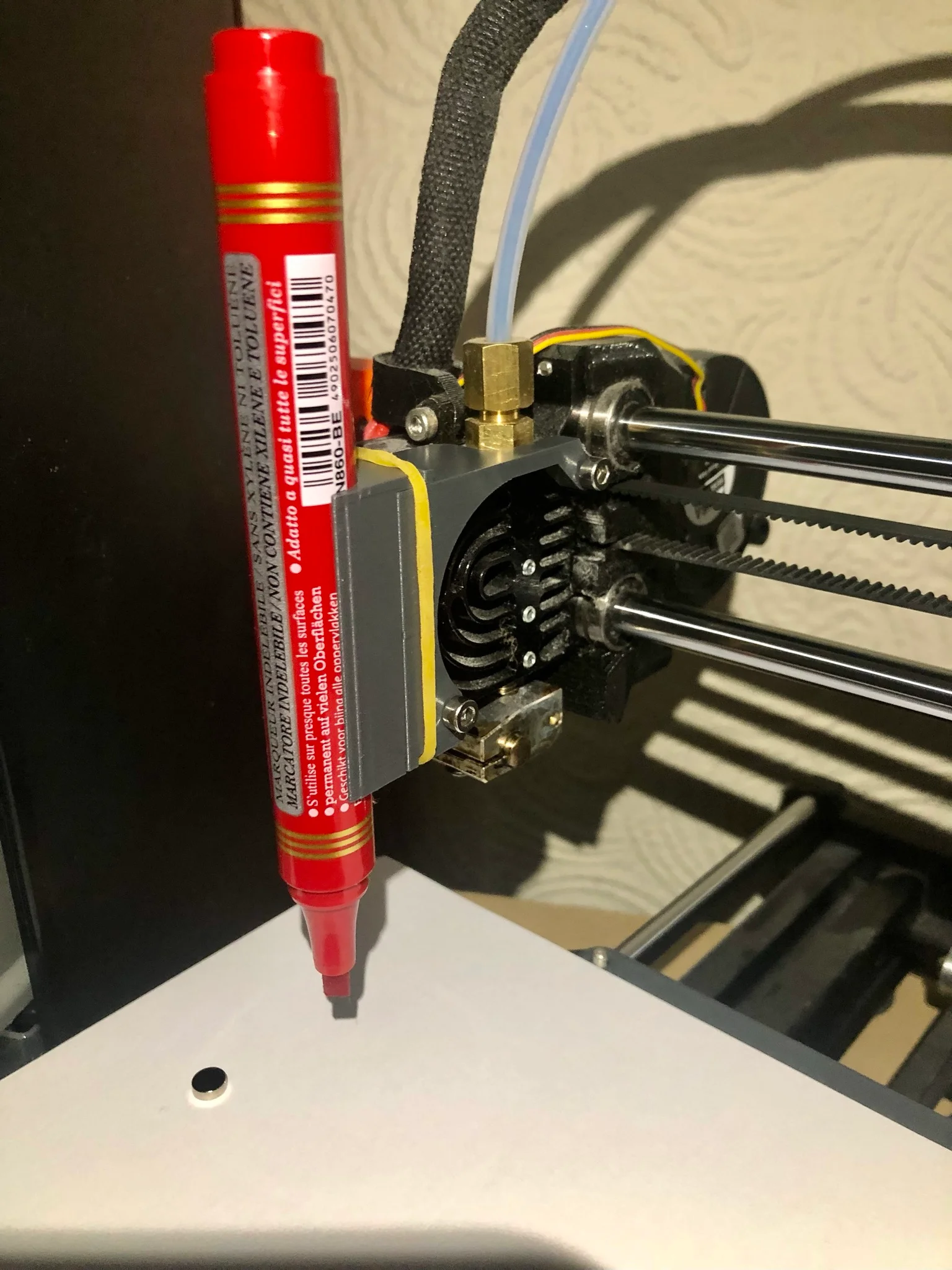
The STL comes with a holder for a 15mm diameter permanent marker, if the pen you want to use is a different size you can modify the design by opening the Fusion360 files. You can easily change the Clearance parameter if the pen holder doesn't slide into the extruder mount and the PenDiameter parameter to change, as you might have guessed, the diameter of the holder hole for the pen you intend to use.
Once the components come out the printer you will need 2x10mm M3 screws (you can get those from the extra part baggy that came with your Prusa MINI) a rubber band and a pen/sharpie or other writing device. Some magnets will come in handy too to keep the paper firmly in place on the steel bed.
The Extruder mount is fixed to the extruder with the 2 M3 nuts. The pen holder can then be slid into place and a rubber band used to secure it in place. The spacer is meant to go behind the steel bed, so you can use it to support the paper and use all the workspace of the printer.
The best way I found to produce Gcode for the plotter is Inkscape. You can follow this tutorial by Uri Shaked on medium (https://urish.medium.com/how-to-turn-your-3d-printer-into-a-plotter-in-one-hour-d6fe14559f1a). I uploaded a picture of the settings I used for the feeds and speed. Once you have the Gcode, upload it on USB stick, MANUALLY HOME YOUR PRINTERS' AXIS and start the print like you normally would. In any case if the printer is moving too fast or too slow you can always adjust the speed from the printer's interface.
Thank you for downloading this design, I hope you will have fun with your new 2D printer!
ItsameWolf
Bytinx_1344834Likes1.2KDownloads6K

 Byarhi_585078Likes64Downloads540

 ByHanzo3dLikes155Downloads413

 ByGeek5DLikes147Downloads484

 ByBrokentooth_designsLikes23Downloads407

 By3DSourcererLikes48Downloads377

 Byartme-3dLikes0Downloads333

 Bybloblis67Likes0Downloads317

 Byprusa-researchLikes0Downloads2.7K

 Byzachstofko_3956201Likes88Downloads160

 ByzooppLikes7Downloads164

 ByJDOsolutions_280237Likes85Downloads126