

Bộ gá BTT Smart Filament Sensor V2 (SFSv2 Mount) cho Ender 5 Pro

Bộ gá đơn giản cho BTT Smart Filament Sensor V2 (SFSv2), thiết kế theo vị trí filament zin của Ender 5 Pro. Kèm thông số in và đoạn cấu hình Klipper/Mainsail để tự bật/tắt sensor khi in.
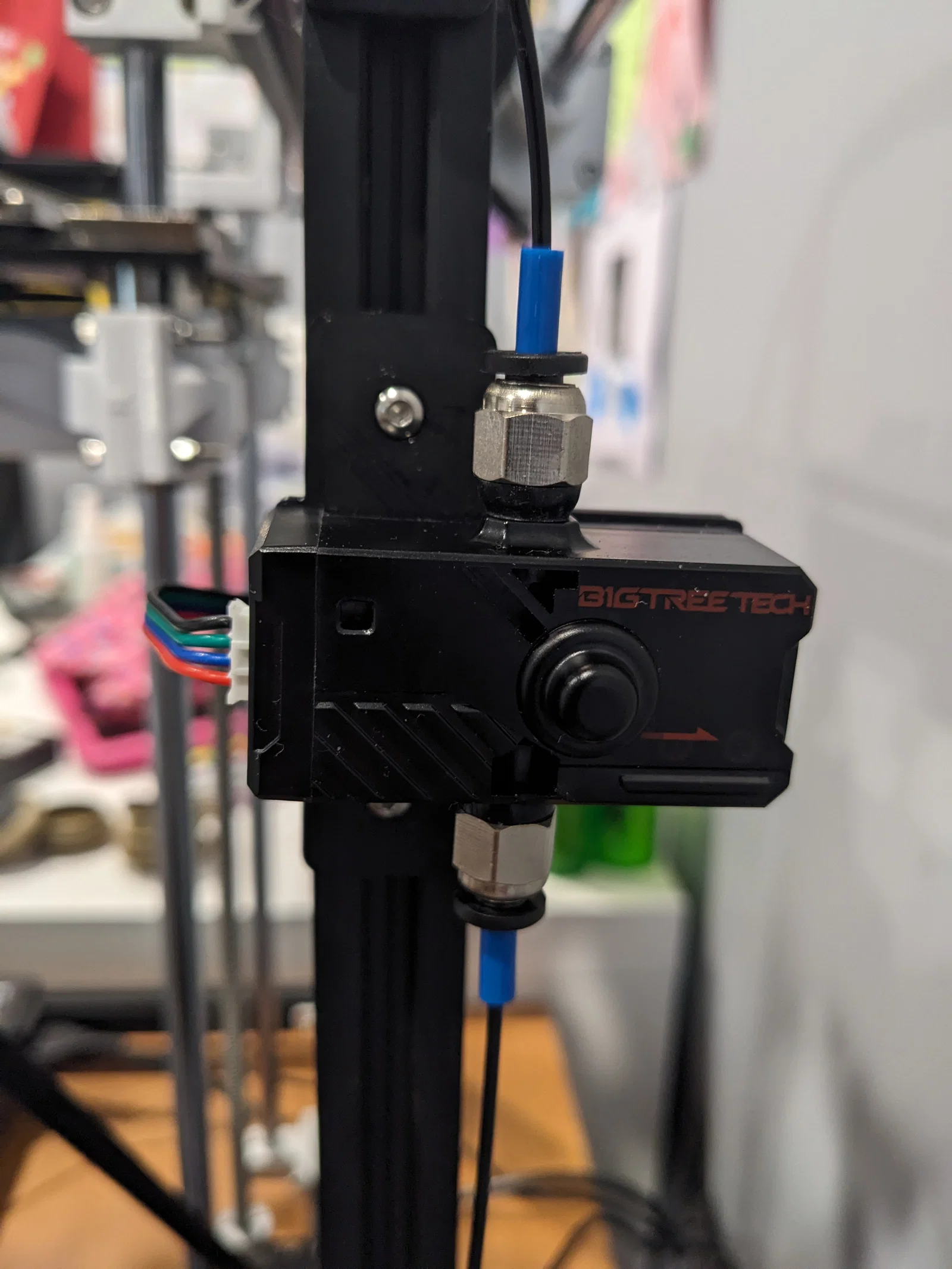
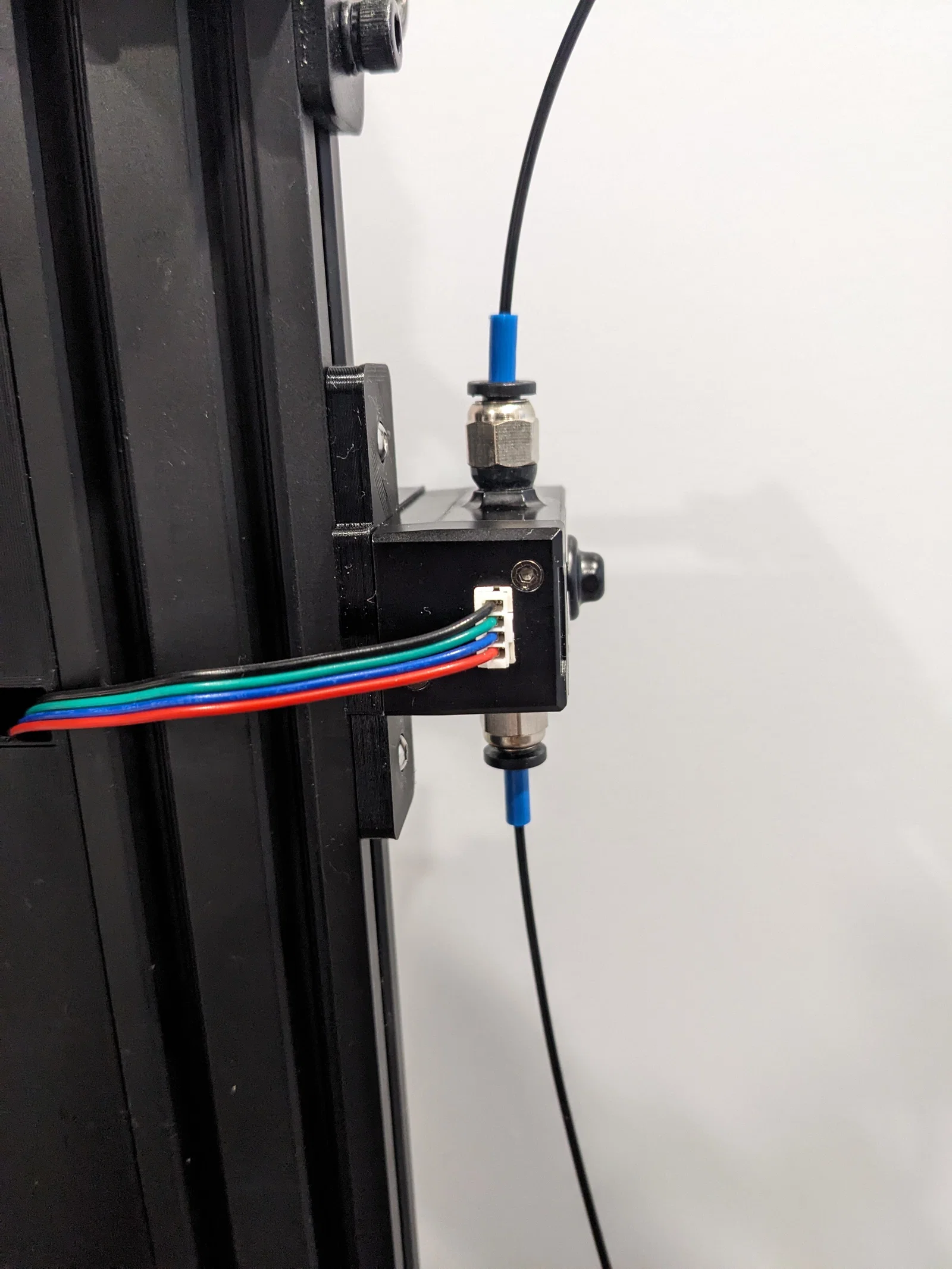
Mô tả
Cài đặt in (Print Settings)
Hãng máy in: Creality
Máy in: Ender 5 Pro
Rafts: Không
Supports: Có (nhưng chắc là không cần)
Độ phân giải (Resolution): 0.2mm
Infill: 20% nhưng bạn muốn để bao nhiêu cũng được.
Vật liệu: eSun PETG
G-code trong Klipper printer.cfg cho SFSv2:
[filament_switch_sensor runout_sensor]
switch_pin: PA4
pause_on_runout: False
runout_gcode:
  M117 Filament switch runout
  PAUSE # [pause_resume] is required in printer.cfg
#insert_gcode:
#  M117 Filament switch inserted

[filament_motion_sensor motion_sensor]
switch_pin: PA7
detection_length: 4
extruder: extruder
pause_on_runout: False
runout_gcode:
  M117 Filament motion runout
  PAUSE # [pause_resume] is required in printer.cfg
#insert_gcode:
#  M117 Filament motion inserted

[delayed_gcode DISABLEFILAMENTSENSOR]
initial_duration: 1
gcode:
  M117 Motion FIL. SENSOR OFF.
  SET_FILAMENT_SENSOR SENSOR=runout_sensor ENABLE=0
  SET_FILAMENT_SENSOR SENSOR=motion_sensor ENABLE=0
Thêm vào start g-code trong slicer: (để máy in tự động bật (ON) sensor khi file slice được load lên máy in)
SET_FILAMENT_SENSOR SENSOR=motion_sensor ENABLE=1
SET_FILAMENT_SENSOR SENSOR=runout_sensor ENABLE=1
Thêm vào [gcode_macro CANCEL_PRINT] trong Mainsail.cfg và end g-code trong slicer: (để máy in tự động tắt (OFF) sensor khi huỷ print hoặc in xong)
SET_FILAMENT_SENSOR SENSOR=motion_sensor ENABLE=0
SET_FILAMENT_SENSOR SENSOR=runout_sensor ENABLE=0Giấy phép

File mô hình


Chưa có bản in nào được khoe. Hãy là người đầu tiên!


Chưa có bình luận nào. Hãy là người đầu tiên!