



Thùng rác in Vase Mode
 BybobmakesLikes2.5KDownloads17.5K
Build another version of this model.
 Bộ khung giá treo tranh 3D tùy chỉnh tiện lợi cho mọi không gianBySimonO_111890 · 05/02/2026
 Móc Treo Khung Hình Tùy Chỉnh Bằng KẹpBySpaceAce_1318784 · 12/12/2025
I needed a bunch of picture frames, and have a 3D printer. What else could I do?
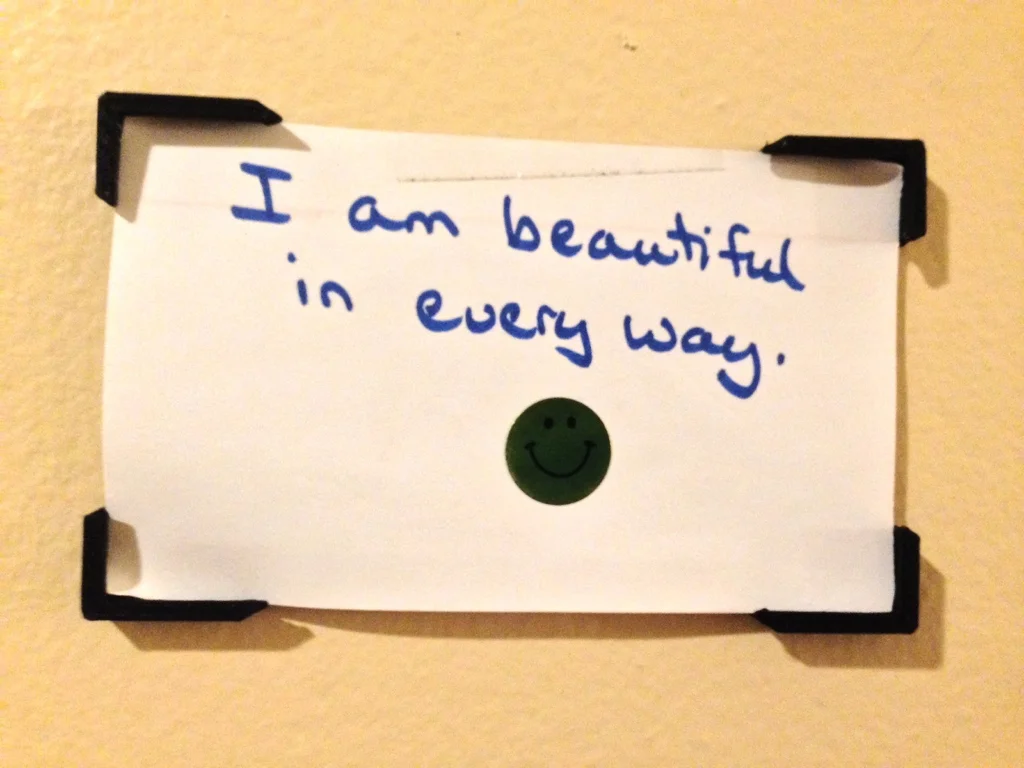
Have a picture or photograph or sign that needs hanging? Now you can 3D print a picture frame to fit it exactly, even if it's larger than your 3D printer's print bed.
Check out the 'remixes' to see sizes that are already generated. Or Customize to fit your picture!
Open in Customizer and enter the picture's dimensions, and the size of the screw. You can enter either inches or mm, but not both. Note that for pictures to snap into the frame, they either need to be fairly stiff or be held in place by a cover sheet.
The screw needs to be counter-sunk, and the right type for the wall. That is, a drywall screw, concrete screw, wood screw, etc.
If you want to protect the pictures, you can use clear plastic sheet, cut to match the pictures. For example: http://www.amazon.com/Polycarbonate-Sheet-Transparent-Thickness-Length/dp/B000FP83P4/ref=pd_sim_sbs_op_3?ie=UTF8&refRID=0SCB23X8HSNNHS6CSGCY.
The print all of the parts in the plate, or individually:
Drill a hole in the wall where you want the center of the picture. The hole should be smaller than the screw, so it serves as a guide but leaves material for the threads to grip.
Put the screw through the center, and screw it into the guide hole, leaving it loose .
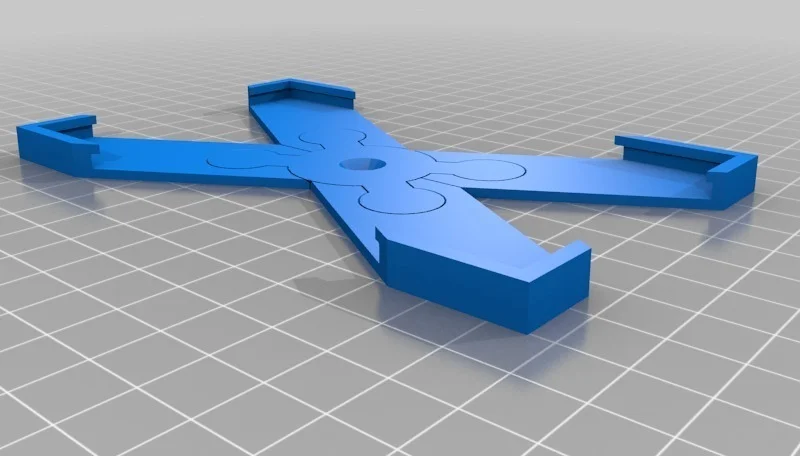
Fit the four arms around the center, so they form an X. The center's four connectors will snap down into the arms. There's a picture showing how the arms fit onto the center.
Rotate the frame to the desired orientation, and tighten the screw down.
Put the picture, and cover if desired, into the frame. You'll have to bend it slightly to fit into the frame's corners, then press it flat and it will snap into place.
Admire your art!
Category: Decor
BybobmakesLikes2.5KDownloads17.5K

 BymakerxLikes0Downloads365

 By178222178222_2484344Likes449Downloads1.7K

 ByVaclav_ZahradkaLikes181Downloads1.2K

 ByGecko089_124026Likes45Downloads226

 BycuplcompgLikes0Downloads173

 ByleonicLikes0Downloads130

 Bysingh-designLikes0Downloads125

 ByAWSWLikes148Downloads589

 ByVinors3DLabLikes393Downloads1K

 Bymatus158Likes0Downloads124

 Byquibeck_3353173Likes545Downloads3K