
Máy In 3D
Giá Đỡ Cuộn Dây Filament Cho Ender 3
- Downloads
- 18
- Likes
- 3
- Views
- 367
- Remixes
- 0
- Comments
- 0
Files 3 4.4 MB
- Nut_filamentroller_1765727674.stlSTL · 418.9 KB
- roller_filamentholder_1765727675.stlSTL · 750.3 KB
- Axle_filamentholder_1765727677.stlSTL · 3.3 MB
Make a variant with AI
Build another version of this model.
Details
- Model ID
- #92419
- Category
- Máy In 3D
- Published
- License
- GNU General Public License v2.0
Description
Design
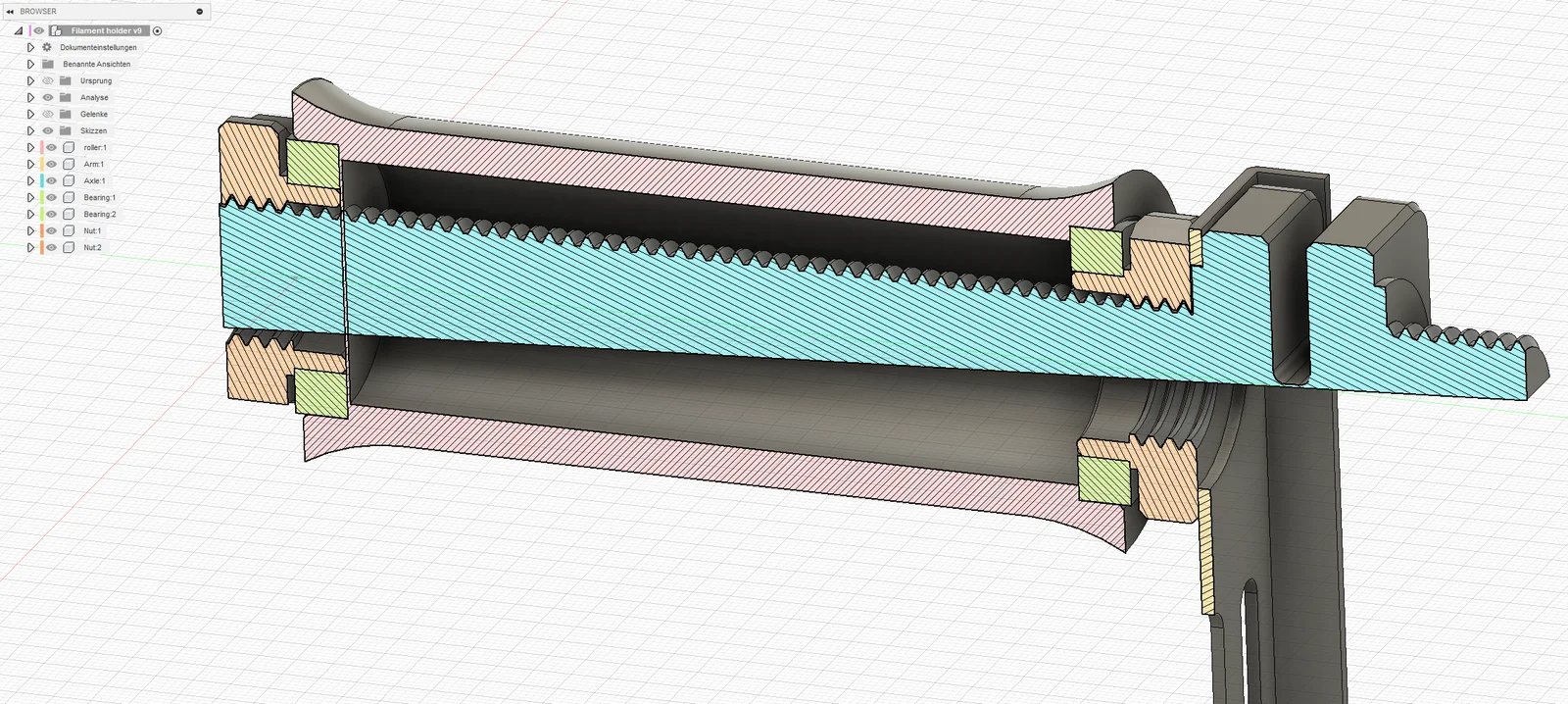
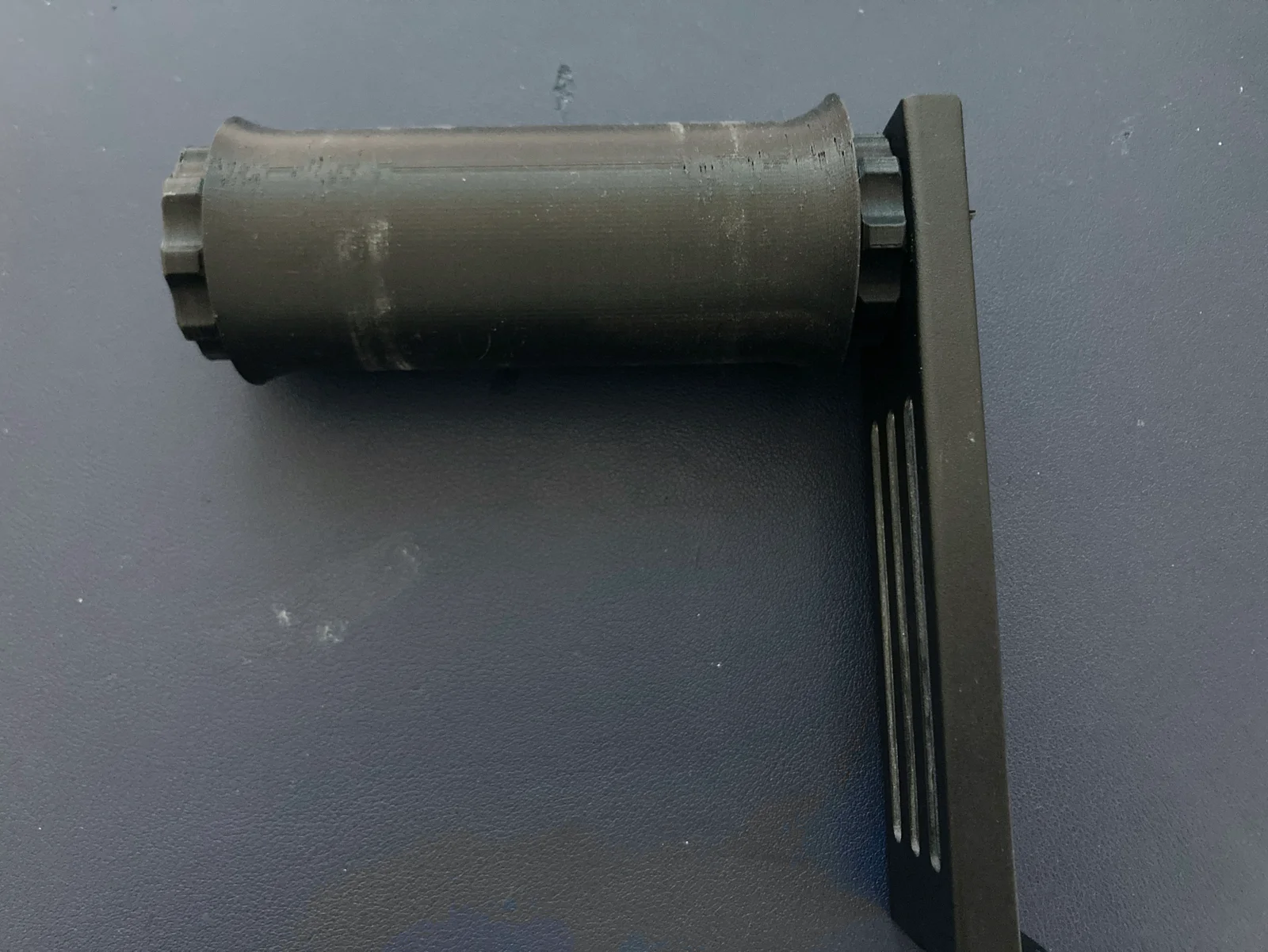
This spoolholder uses two large bearings to ensure minimal resistance during prints. It attaches to the stock metal arm that is shipped with every ender 3 series printer.
Print settings
- 0.4 mm nozzle and line width
- 0.15 - 0.2 mm layer hight
- no supports needed
- print the nut twice
Assembly
- Bend the axle along the thin connecting part to reseble picture 3.
- Insert the axle into the metal bracket that is shipped with the printer. Align the axle such that the square part seats nicely between the two bent over walls of the bracket and the longer half of the axle is towards the top of the arm.
- Screw on one of the nuts. It should now look like picture 4
- Remove the sacrificial layer of the roller and insert one 37x25x7 mm bearing on either side.
- The roller can now be placed over the axle and the flange on the nut.
- Now the second nut can be screwed on. It should now reseble the second picture.
Have fun printing!
If you want to support what I'm doing, you can buy me a coffee. I appreciate it!
Print spec
- Formats
- stl
- Model files
- 3
- Total size
- 4.4 MB
- Largest file
- 3.3 MB
0 comments
You may also like 12 models
See all-

-

-
New -

-

-

-

-

-

-

-

-