



CORE One/+ INDX printed parts
 Byprusa-researchLikes0Downloads2.7K
Build another version of this model.
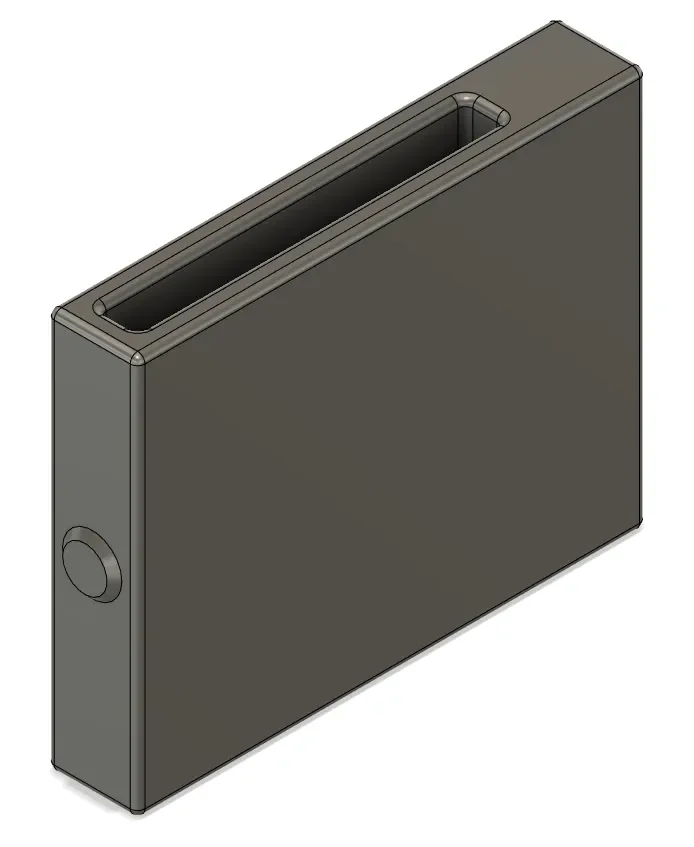
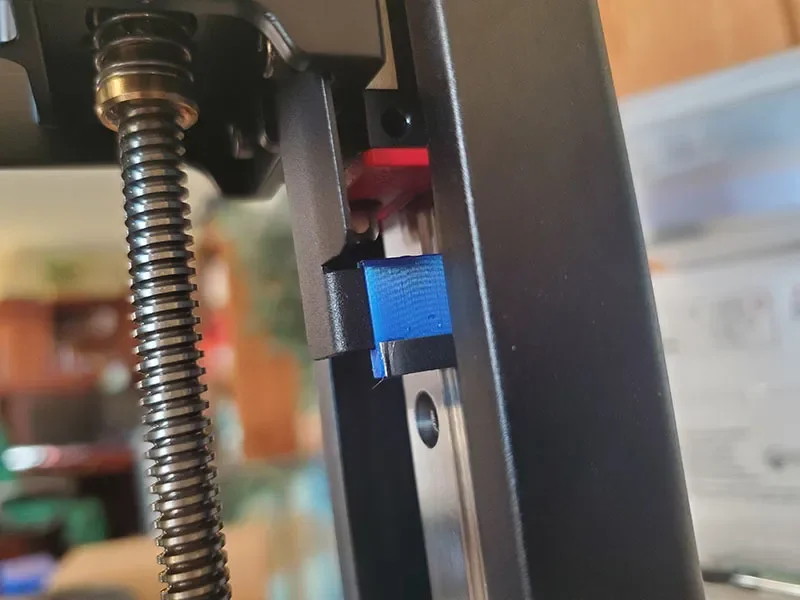
This clip extends the end stop bracket of aMono 4K down to account for the added thickness of theFulaFlex Resin magnet and plate. The FulaFlex install adds about3mm to your Mono 4K build plate, and it will ground into your screen on homing if you do not adjust the end stop bracket.
The Fulament website offers instructions and links to spacers for several models, but they all have end stops that attach withvertical screws. The 4K end stop has a different bracket that attaches withhorizontal screws, so none of the other spacers would work to add the needed bit of extension.
I super-glued a small bit of thin metal to the lower edge of the clip to trigger the optical end stop (I just cut the actuator off an extra mechanical end stop I had laying around).
The clip has araised button on one edge so you can identify the edge that goesup when the clip is installed.
Printer Brand:
Creality
Printer:
Ender 3
Rafts:
No
Supports:
No
Resolution:
.28
Infill:
100
Glue a thin piece of metal to the bottom edge of the clip.
Loosen the screw holding the end stop bracket.
Slide the clip onto the bottom of the bracket, making sure to orient the clip with the correct edge up.
Retighten the end stop bracket screw
Follow the regular instructions to level and zero your build plate.
Category: 3D Printer Parts
Byprusa-researchLikes0Downloads2.7K

 Bydet-manLikes0Downloads177

 Bytinx_1344834Likes1.2KDownloads6K

 BytimLikes0Downloads531

 BydarienLikes0Downloads1K

 ByanatoliikLikes0Downloads124

 Byla-cave-au-chatLikes0Downloads973

 ByvertigomakesLikes0Downloads565

 ByikkiLikes0Downloads172

 Bybane-fpLikes0Downloads357

 Bydarrin01311Likes0Downloads180

 By3DPrintDemonLikes0Downloads334