



Prusa Spoolholders
 Byprusa-researchLikes0Downloads777
Build another version of this model.
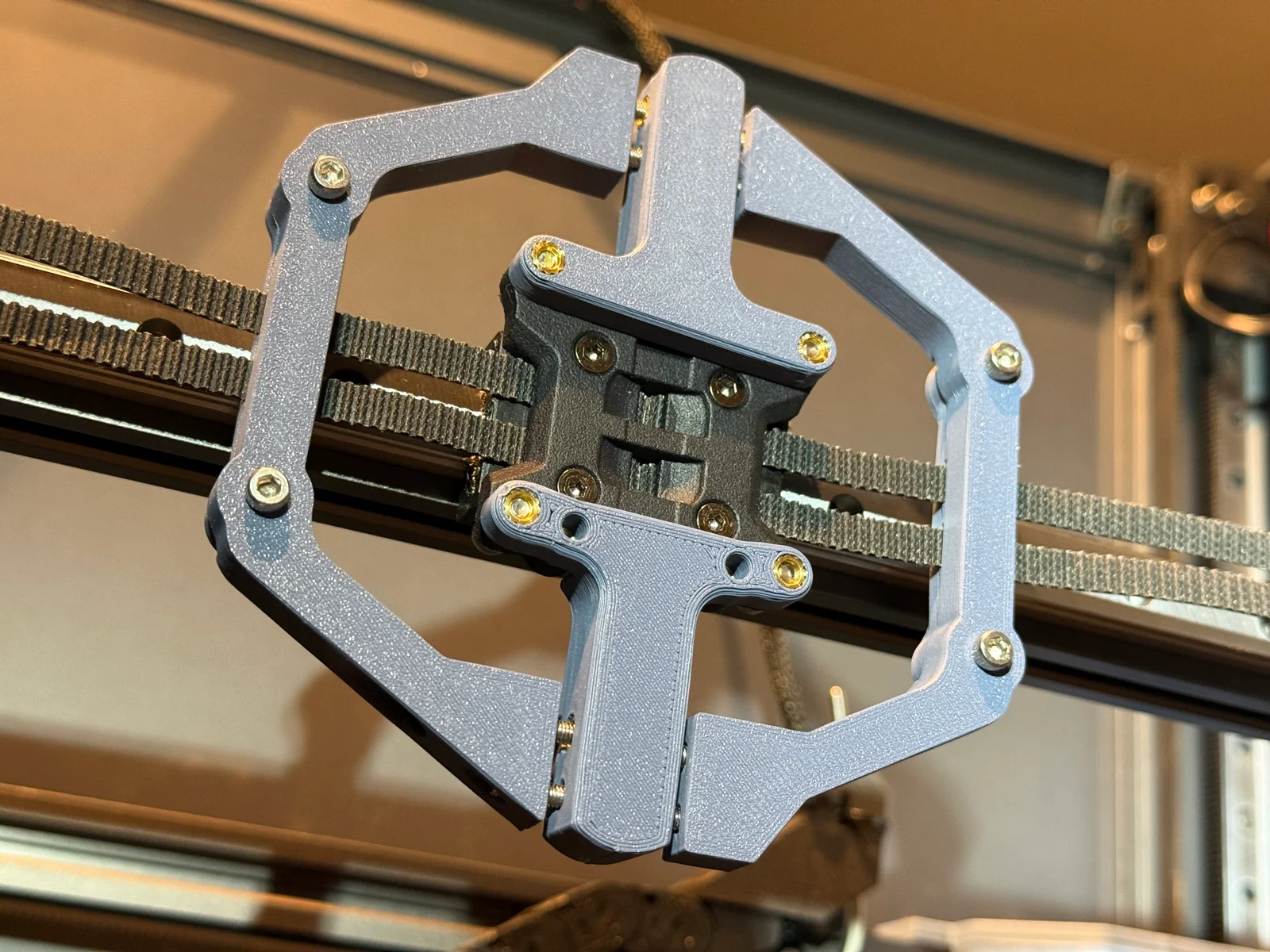
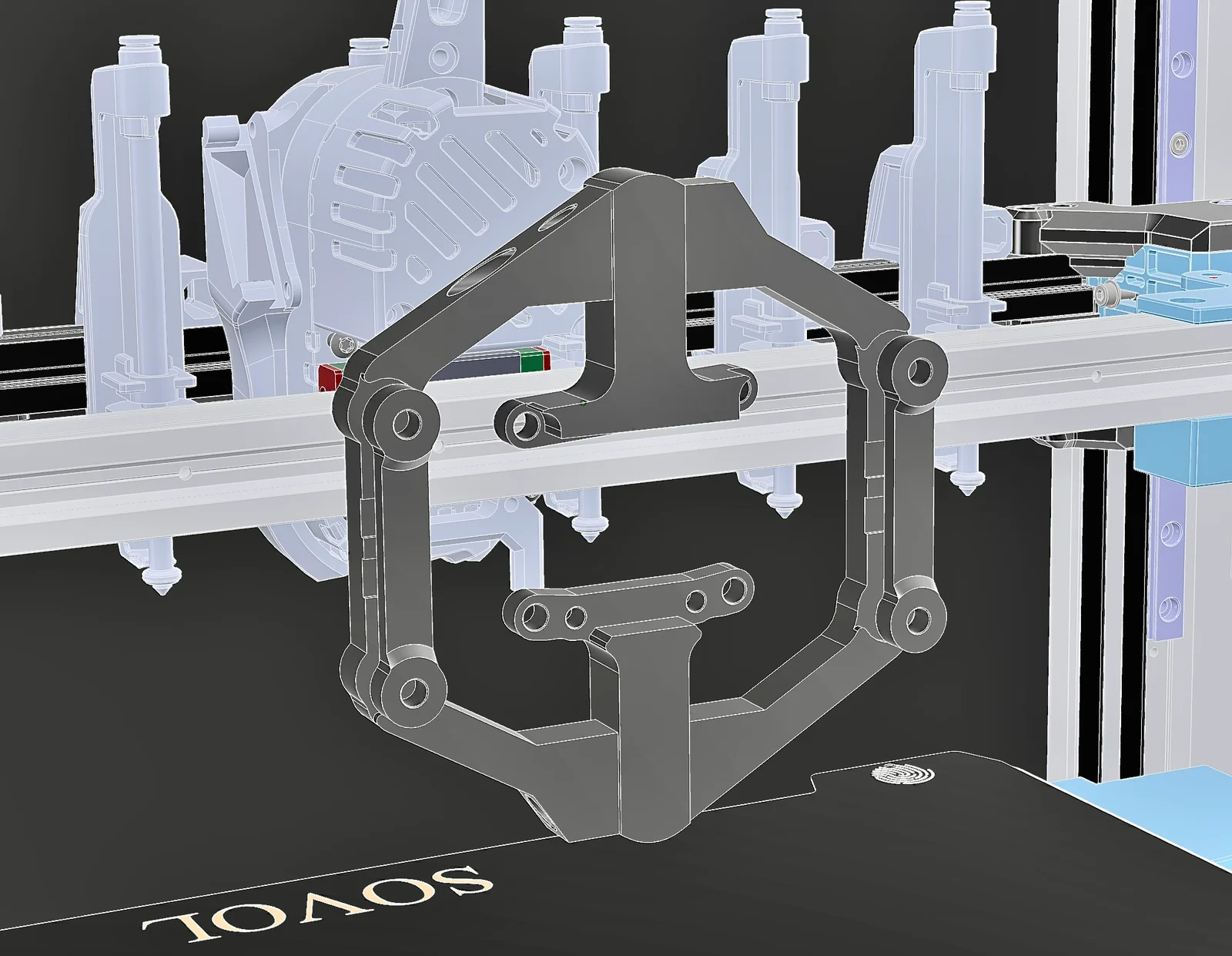
The Demon INDX Belt Helper Tool allows you to keep both hands on the job without loosing track of your belts.
It lets you lock the belts in the correct position relative to each other - so they'll always be the same length next to each other!
It lets you fine tune the belt position with x4 adjustment bolts!
It lets you cut the belts all the way back to inside the mounting plate without any need to handle the loose ends!
It lets you make maintenance crazy easy
It lets you remove & replace your belts to the exact same place & tension they were when you took them off!
...Plus probably some other stuff I haven't written down too! haha
Heat set inserts M3x5x4 x12
16-18mm M3 SHCS x4 - Arm clamps x2 a side
30mm M3 SHCS x4 - Main arm adjuster bolts, x2 top, x2 bottom
10mm M3 SHCS x4 - MGN12 mounting
ASA/ABS reccoemnded - PLA ok
0.2 layers, 3-4 walls, 40% gyroid infill - NO SUPPORTS
Set the arm adjustment at about 50% - so you can move both inwards & out.
Slide your belts into the clamps on each side of the tool.
Align them with the slots in the arms & on the INDX mounting plate
Tighten down the clamps to hold the belts in place
The belts if new should be set to the same position & be of the same length
Install the mounting plate to the MGN12 bearing carriage - LOOSELY
Make sure the belts are still good, make any adjustments to the arms you need
Tighten down all mounting bolts & remove the tool - Job done!
To remove belts from a printer
Add the tool to the installed setup & make sure arms are set equally
Tighten the clamp bolts on the arms to hold the belts
Remove the bolts holding the mounting plate on the MGN12 bearing
The belts will remain in the correct positions as you removed them for the duration of your maintenance work
Mounting hole geometry aligned with the Bondtech INDX mounting plate.
Byprusa-researchLikes0Downloads777

 Bytinx_1344834Likes1.2KDownloads6K

 ByJasonOlliff_519145Likes241Downloads2K

 Bypeter-van-der-waalLikes0Downloads252

 ByhumebeamLikes0Downloads125


 BykingnothingLikes0Downloads179

 Byrobert-samplesLikes0Downloads184

 Byanthony-coombesLikes0Downloads139

 Bynamida-verascheLikes0Downloads147

 ByPrintStructorLikes0Downloads131

 Byp3rr1ff3ryLikes0Downloads147