



Kẹp giữ sợi Filament
 Bytinx_1344834Likes1.2KDownloads6K
Build another version of this model.
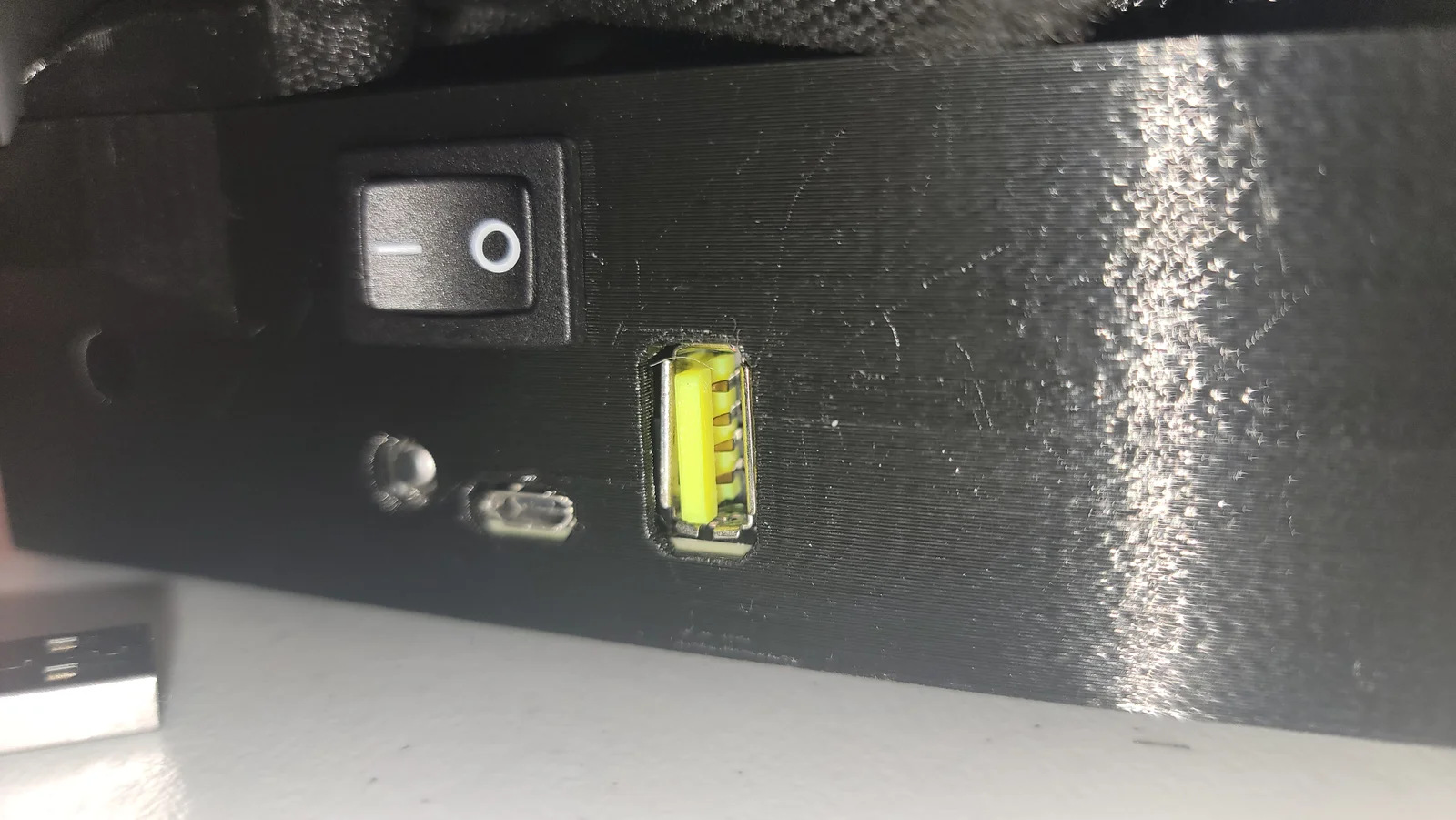
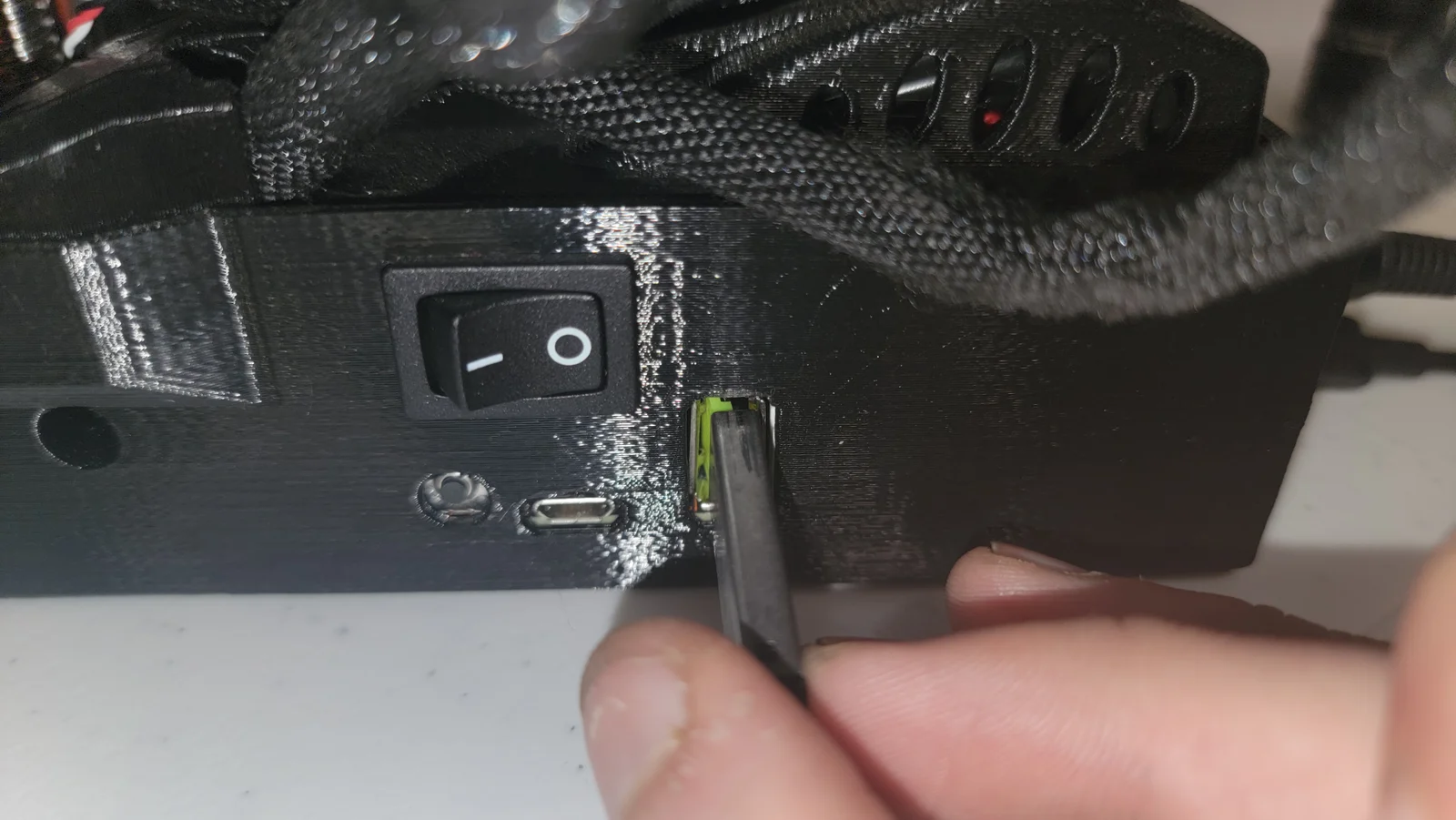
This 3D model was specifically designed to facilitate firmware updates on a Mini+ with a damaged USB-A port. The damage appears to have been caused by the forceful removal of a previously connected device, which resulted in the internal tang of the port being dislodged.
If you're facing a similar issue, first ensure that the pins within your USB port are realigned to their original positions. You can use the interior of a USB stick as a reference to achieve the correct spacing between the pins.
After aligning the pins, insert this custom-designed tang into the port as illustrated in the accompanying images, leading with the shorter edge. The pins' bent sections should settle into the model's valley once the tang is in place. Then, gently guide your USB drive over the tang and into the port.
Please note that while my initial attempt with one USB drive was unsuccessful, a second drive functioned flawlessly, enabling an update from firmware version 4.4.0 to 5.1.0.
Below is the link to the drawing used for designing this tang.
Bytinx_1344834Likes1.2KDownloads6K

 Byduo3dprintLikes0Downloads150

 By3DSourcererLikes48Downloads376

 ByJasonOlliff_519145Likes241Downloads2K

 Byprusa-researchLikes0Downloads777

 Bypeter-van-der-waalLikes0Downloads251

 Byarhi_585078Likes64Downloads540

 ByHanzo3dLikes155Downloads413

 ByPengLordLikes32Downloads110

 Byp3rr1ff3ryLikes0Downloads146

 ByGeek5DLikes147Downloads484

 ByBrokentooth_designsLikes23Downloads405