

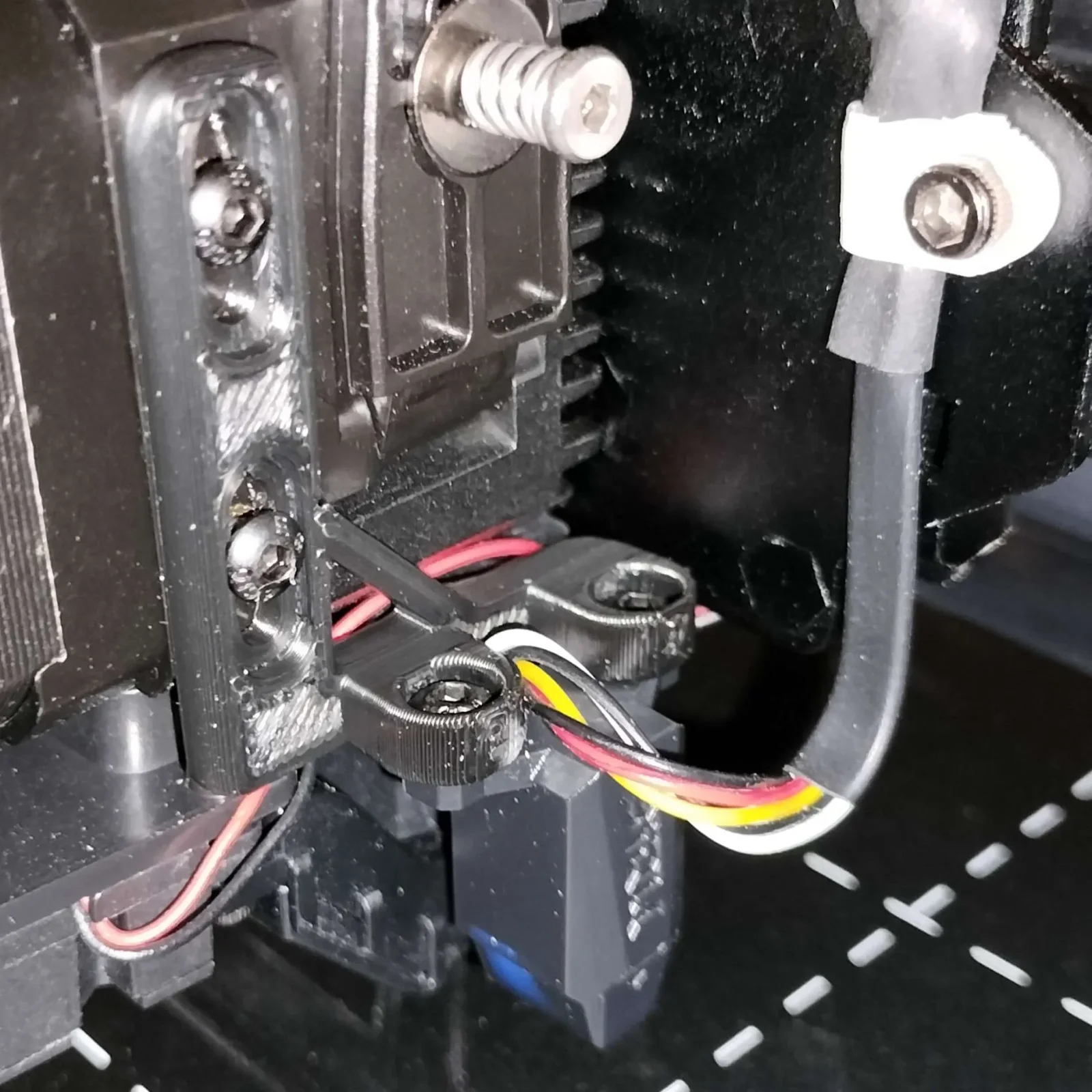


CORE One/+ INDX printed parts
 Byprusa-researchLikes0Downloads2.7K
Build another version of this model.
includes optional cable clip, use as shown
chop the two sets of wires they sent you with the microprobe to an appropriate length and solder them together or buy a cable with the appropriate microblade connectors. this plugs in where your inductive sensor would have gone.
cut the old probe config out of your printer.cfg and replace it with this:
#################################################
#biqu microprobe config
#################################################
[gcode_macro PROBE_DOWN]
gcode:
   SET_PIN PIN=probe_enable VALUE=1
[gcode_macro PROBE_UP]
gcode:
   SET_PIN PIN=probe_enable VALUE=0
[output_pin probe_enable]
pin: PD12  # Set to the control pin on your board
value: 0
[probe]
pin: ^!PD13  # NOTE FOR V2 users: Set this to ^!PC14 to set the low level trigger
deactivate_on_each_sample: False
x_offset: 28.5
y_offset: -4.5
#z_offset: 0  # Will be overridden when you do a PROBE_CALIBRATE
samples: 2
samples_tolerance: 0.05
samples_tolerance_retries: 3
activate_gcode:
   PROBE_DOWN
   G4 P500
deactivate_gcode:
   PROBE_UP
#################################################
#end of biqu microprobe config
#################################################Byprusa-researchLikes0Downloads2.7K

 Bytinx_1344834Likes1.2KDownloads6K

 BydarienLikes0Downloads1K

 ByvertigomakesLikes0Downloads561

 By3DPrintDemonLikes0Downloads326

 Bychris-hillLikes0Downloads261

 Bypeter-van-der-waalLikes0Downloads254

 ByhumebeamLikes0Downloads128


 BykingnothingLikes0Downloads181

 Byrobert-samplesLikes0Downloads186

 Byanthony-coombesLikes0Downloads140