



New
ERGONOMIC CURVED MULTI-COMPARTMENT DESK ORGANIZER & PEN HOLDER (SUPPORT-FREE)
 Byziya-dsLikes0Downloads103
Build another version of this model.
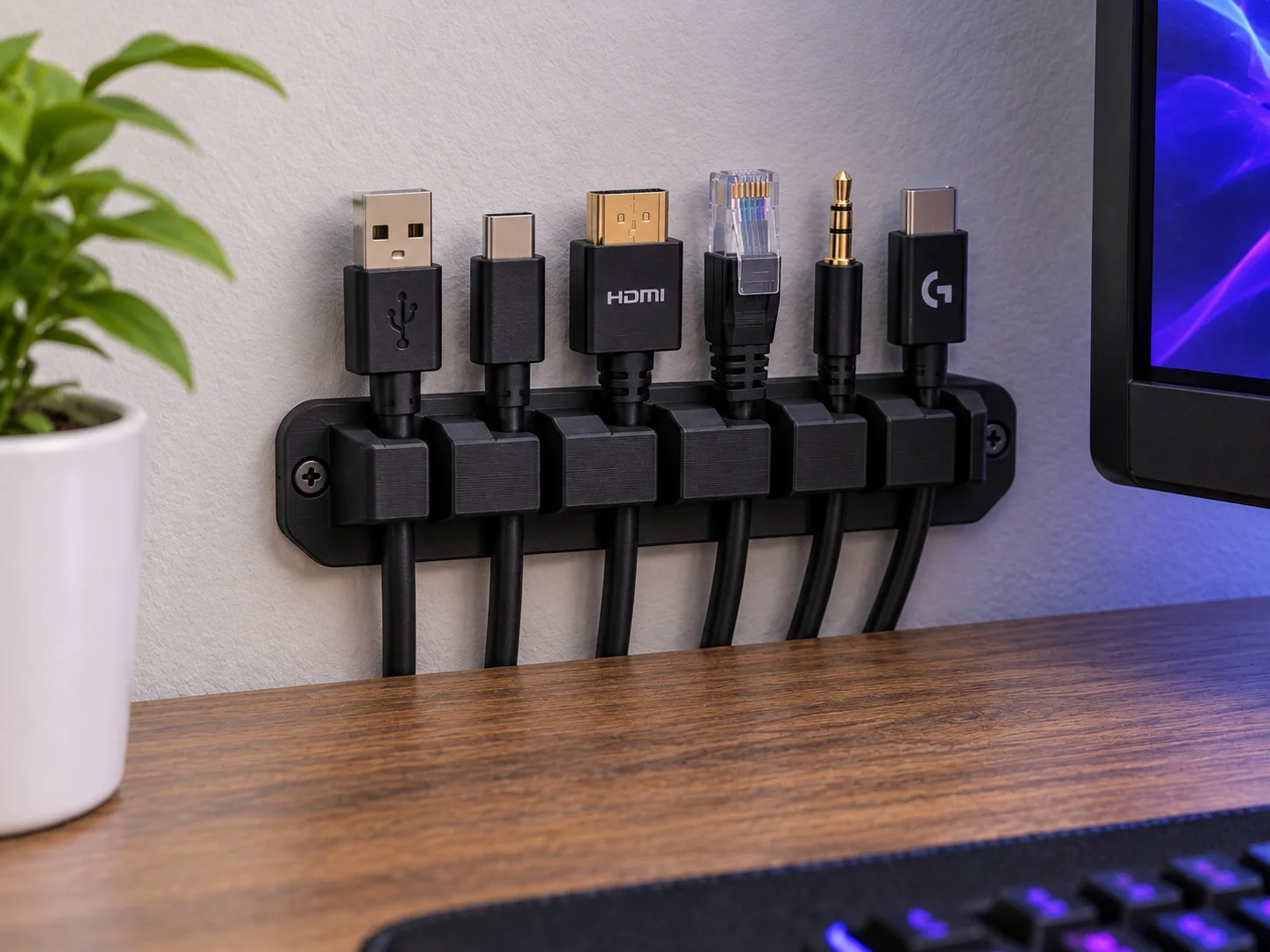
SnapDock – 6-Slot Universal Cable Organizer
Keep your desk clean, organized and free from tangled cables with SnapDock, a compact and practical 3D-printable cable management solution.
SnapDock is designed to keep your most-used charging and data cables neatly organized and always within reach. Its six individual cable holders accommodate different cable sizes, helping prevent cables from slipping behind your desk or becoming tangled.
Whether you use it for USB-C, USB-A, HDMI, audio cables or other everyday connections, SnapDock helps create a cleaner and more professional-looking workspace.
Features
6 individual cable holders – Organize up to six cables.
Different cable sizes – Designed with different channel widths.
Compact design – Doesn't take up much desk space.
Cable retention lips – Help keep cables in place.
Wall-mountable – Can be mounted using screws.
Minimalist appearance – Looks good in gaming setups, offices and workspaces.
Easy to print – Designed for standard FDM 3D printers.
Dimensions
Length: 132 mm
Width: 38 mm
Height: 15 mm
Cable holders: 6
Recommended Print Settings
Material: PETG recommended
PLA: Suitable for testing and normal use
Layer height: 0.20 mm
Wall count: 3–4 walls
Infill: 20–30%
Supports: Try printing without supports
Orientation: Flat on the mounting base
Nozzle: 0.4 mm
Printing Tips
Print the model with the flat mounting base touching the build plate.
Use a brim if you experience adhesion problems.
PETG is recommended because it offers better flexibility for the retaining lips.
Avoid excessive cooling when printing PETG.
Test the cable fit before installing the organizer.
If a cable is too thick, don't force it into the holder.
Installation
SnapDock can be mounted on a suitable flat surface using screws or strong double-sided mounting tape.
For screw mounting, check the mounting surface and use appropriate screws.
What's Included?
STL file for universal slicing compatibility.
3MF file for convenient project importing.
Designed to make cable management simple, practical and clean.
If you print SnapDock, consider sharing a picture of your setup!
Byziya-dsLikes0Downloads103

 By3dwakeLikes0Downloads372

 BynasikLikes0Downloads282

 BytransformatLikes0Downloads125

 BylclabLikes0Downloads304


 Bylarp3dLikes0Downloads1.4K

 ByBrokentooth_designsLikes30Downloads231

 Byrorys3DLikes0Downloads333

 ByAustin Wolt WoltLikes162Downloads389

 ByLecso_113752Likes76Downloads340

 ByAlexMuLikes41Downloads336