



Ốp lưng cho Samsung S22 Ultra
 ByckthLikes148Downloads2.4K
Build another version of this model.
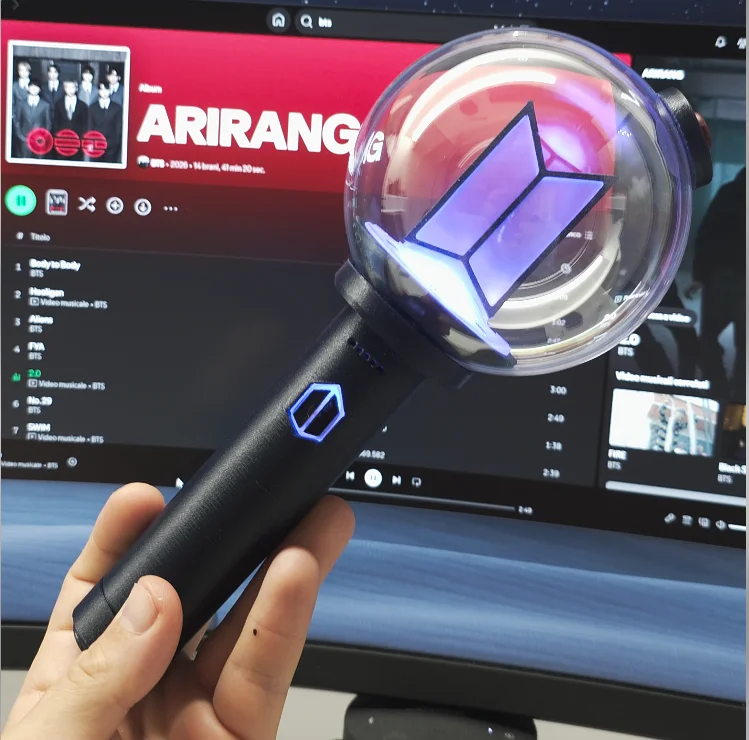
I hope this replica is as faithful to the original as possible, as I based it solely on photos and videos from social media. My intent is in no way to replace the original, but to create an alternative for those who haven't been able to find one because it's not available in their country.
Video -》
To make the result more realistic I recommend printing the following parts in transparent resin (I used SuperPP):
Push_button_base
Push_Button
Light_Base
The dome was recreated using a 10cm transparent Christmas ball for decorations.
The Christmas ball must be drilled with a 30mm hole saw,
the files include a component you can use as a template and guide.
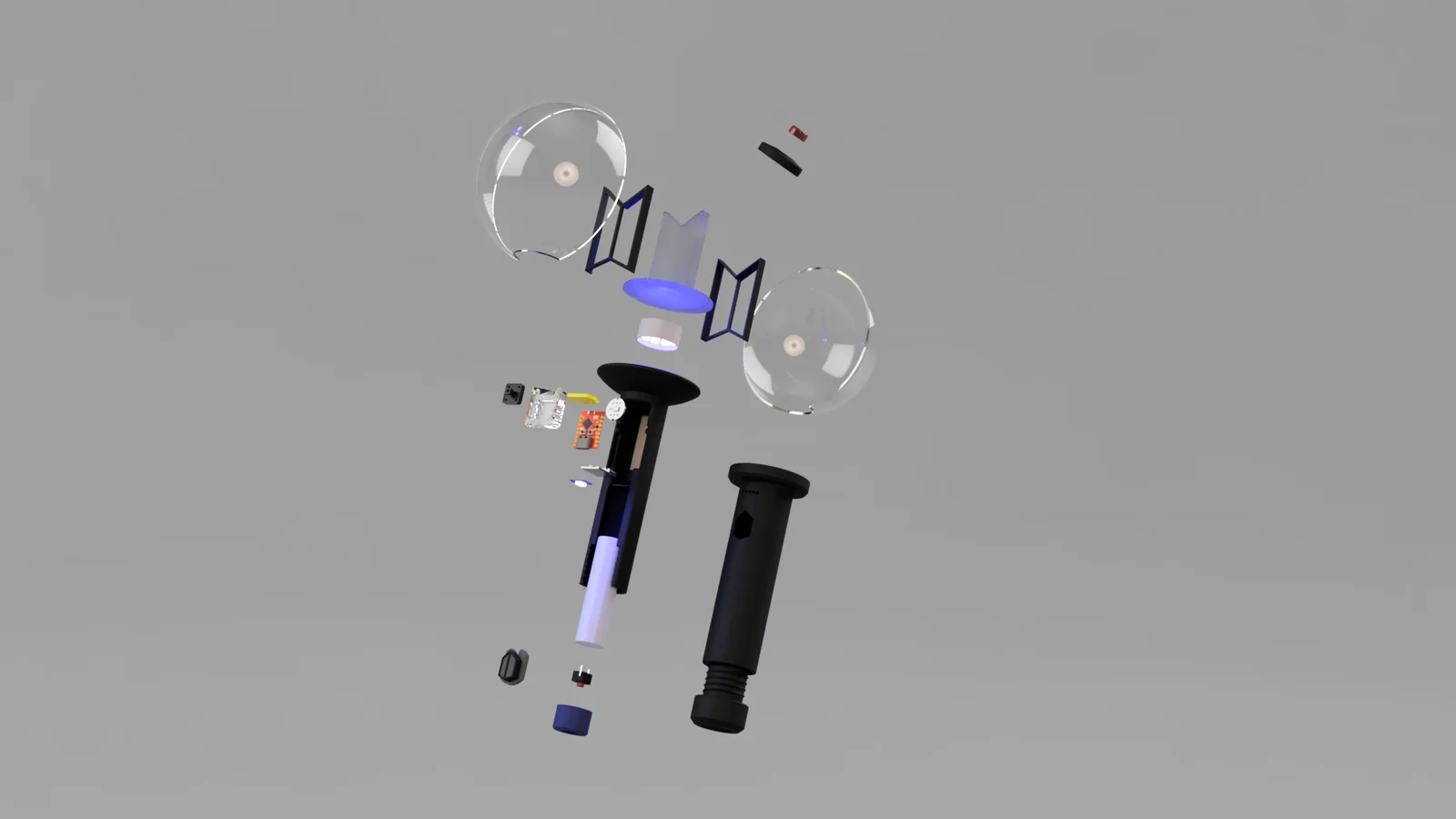
There will be 2 LED strips, one with 2 LEDs and one with 11 LEDs.
Below, I will list all the components you will need:
Esp32 C3 Super Mini: Link
StepUp 5v: Link
Li-ion Battery charger: Link
Strip Led ws2812b ( 144 led 1mt): Link
INMP441 (microphone): Link
Li-ion battery 18650: Link
Momentary Push Button: Link
Sef-Locking switch: Link
Christmas ball 10cm: Link
Wires 28awg: Link
Ceramic Cup Cutter: Link
Before proceeding with the assembly of the electronics, for convenience, connect the ESP32-C3 to your PC with a USB cable (hold down the Boot button and connect it)
After that go to this link and proceed to install the wled firmware, just click on install, a list of devices will appear at the top, select the one with (JTAG) written on it and continue.
Once installed, open the Wi-Fi settings on your smartphone and search for the WLED-AP device. Click on it and a web page will open where you can control your Army Bomb.
Now click on "To the controls", then on "Config" (the gear in the top right), then scroll down and click on "Security & Updates". Now I'll upload my configuration file so that everything is ready. Go down to the backups section and upload the "presets.json" and "cfg.json" files.
ByckthLikes148Downloads2.4K

 ByftoerringLikes79Downloads184

 ByFosphorLikes20Downloads237

 ByDiscotehkLikes35Downloads153

 ByBrokentooth_designsLikes30Downloads225

 ByJaronLikes310Downloads1K

 Byw3rN42Likes127Downloads934

 ByfryseeLikes0Downloads143


 ByAmalthea_559742Likes14Downloads135

 ByTomDDLikes89Downloads574

 ByjbfishLikes5Downloads77