



Kẹp giữ sợi Filament
 Bytinx_1344834Likes1.2KDownloads6K
Build another version of this model.
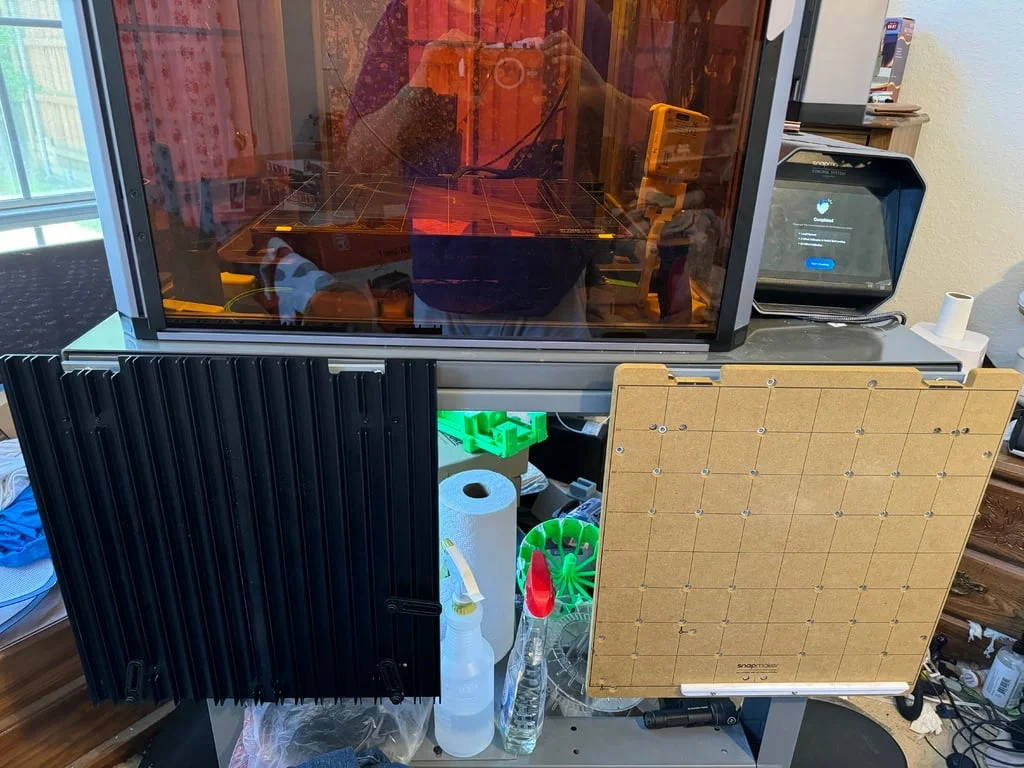
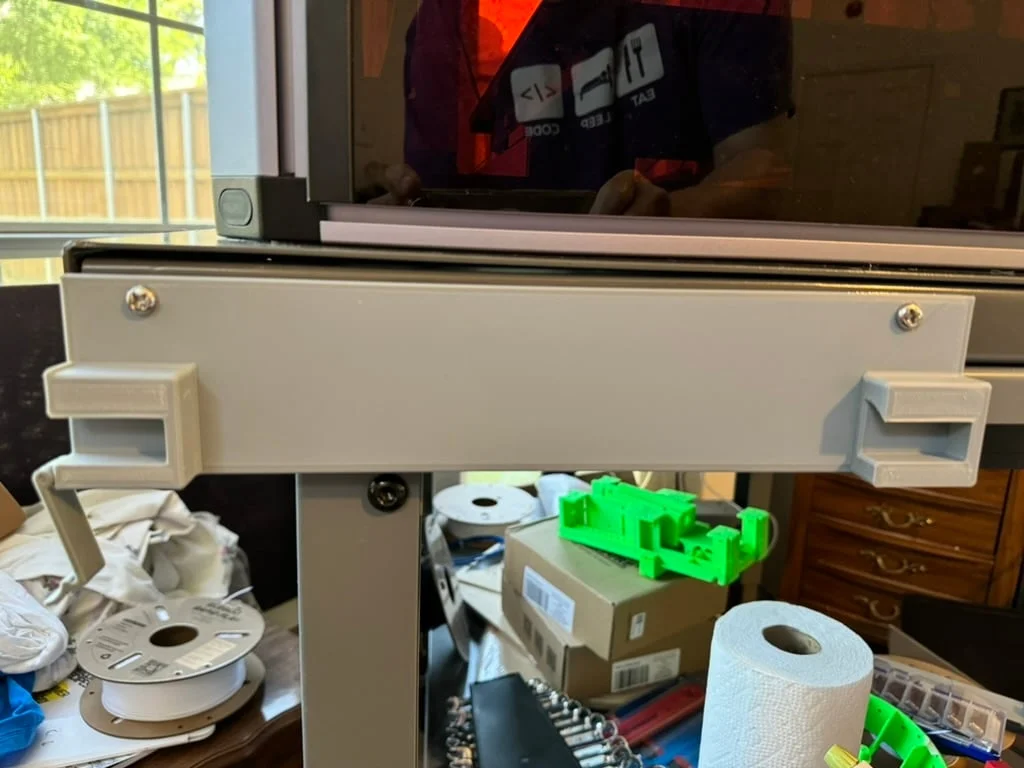
I needed someplace to store my not-in-use Snapmaker Artisan build platforms, so I designed this bracket and clip system.
The bracket has mounting holes spaced 11 inches apart to match the M6 threaded holes in the side of my steel workbench, but I've included a STEP file so you can modify the spacing and size of the mounting holes (or anything else) if needed. The bracket itself can be printed with most any rigid or semi-rigid filament; I used Elegoo Rapid PLA+. If you need two brackets side-by-side, I'd recommend using your slicer to create a mirror image for one of them, as I did.
The clip is optional. I included it because the vibration my workbench undergoes while the Artisan is in action causes the platforms to "walk" themselves out of the bracket otherwise. The clip should be printed using a filament with some amount of flex, such as PETG; I actually used PETG for the clip in my make. It attaches to the ear in the side of the bracket using an M3x16mm flat head machine screw. The clips for complementary brackets can be printed without mirroring.
Printer Brand:
Snapmaker
Printer:
Artisan
Rafts:
No
Supports:
Yes
Resolution:
0.3mm layers
Infill:
30%
Filament: Elegoo (bracket) and M3D (clip) Rapid PLA+ and ABSR, respectively. Gray
Notes:
Supports are only needed for the ear on the side of the bracket and gap between the hinge loops on the clip.
Category: 3D Printer Accessories
Bytinx_1344834Likes1.2KDownloads6K

 ByreddLikes216Downloads2.2K

 ByJasonOlliff_519145Likes241Downloads2K

 Byarhi_585078Likes64Downloads537

 ByHanzo3dLikes155Downloads411

 ByGeek5DLikes147Downloads482

 ByBrokentooth_designsLikes23Downloads403

 By3DSourcererLikes48Downloads374

 ByWyomingWolf_261196Likes52Downloads424

 ByL3nder_202694Likes1Downloads2

 Byzachstofko_3956201Likes88Downloads153

 ByzooppLikes7Downloads161