


Gravity Phone Stand | Auto Clamping Holder
 BynasikLikes0Downloads282
Build another version of this model.
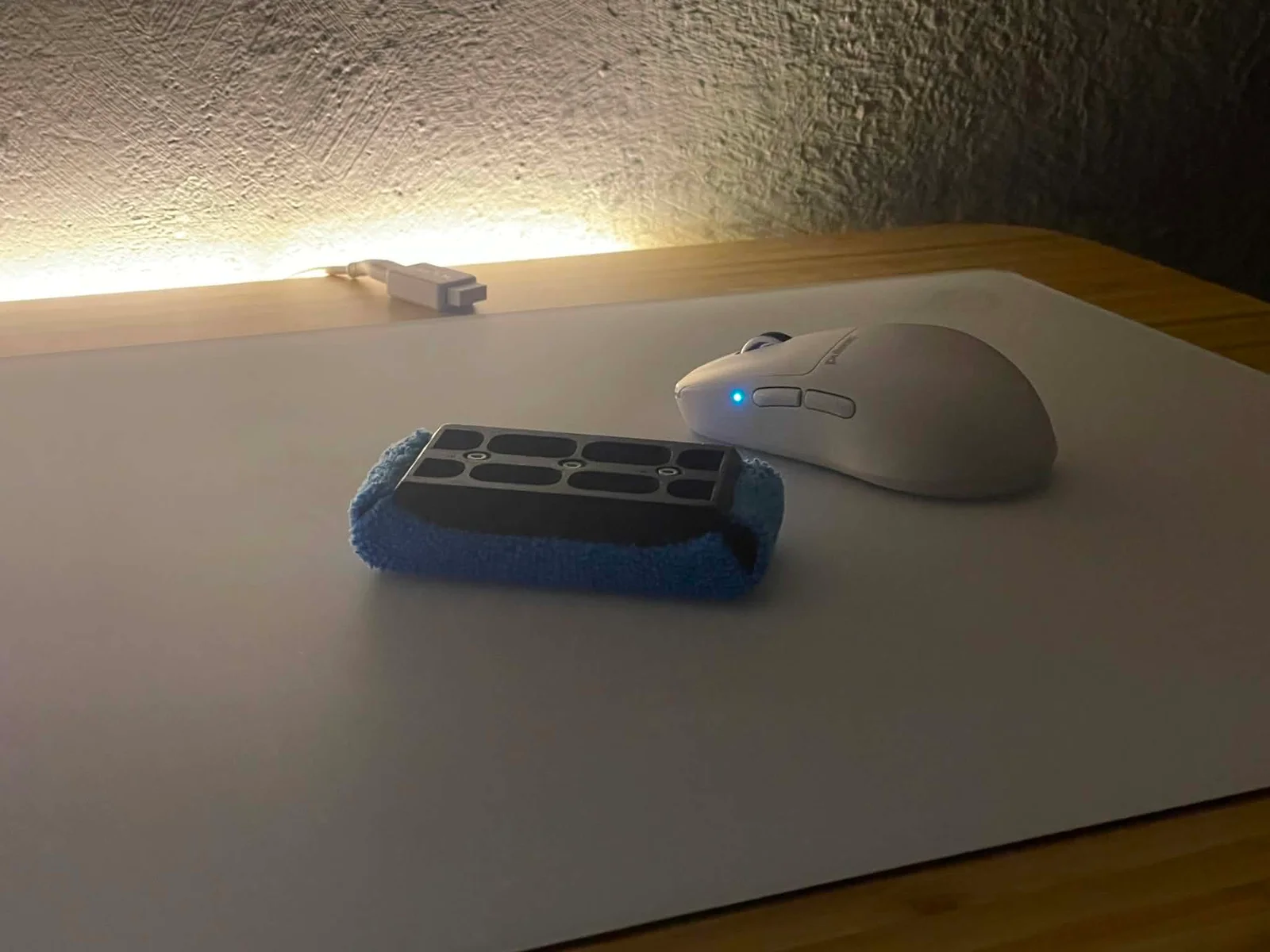
Most glass mousepads do not respond well to alcohol-based cleaning, as coatings or surface treatments can become damaged or lose smoothness. Many common cleaning cloths or wipes are also pre-treated with chemicals, which makes accidental contamination easy and can unintentionally risk permanent damage to the pad.
glassSWEEP XL was created to avoid this entirely by using a clean microfiber cloth with no chemicals. The design allows the cloth to be used dry during gaming sessions for quick dust removal, and then lightly dampened with water after use for a deeper clean. Only water is used, and the cloth can fully dry overnight and be ready again the next day.
The idea also comes from practical gaming use with sleeves, which tend to collect dust, hair, and pet fur. This debris often transfers to the mousepad during gameplay, where it becomes noticeable and distracting. glassSWEEP XL keeps a clean microfiber cloth always ready, making it easy to maintain a clean surface without introducing unwanted contaminants.
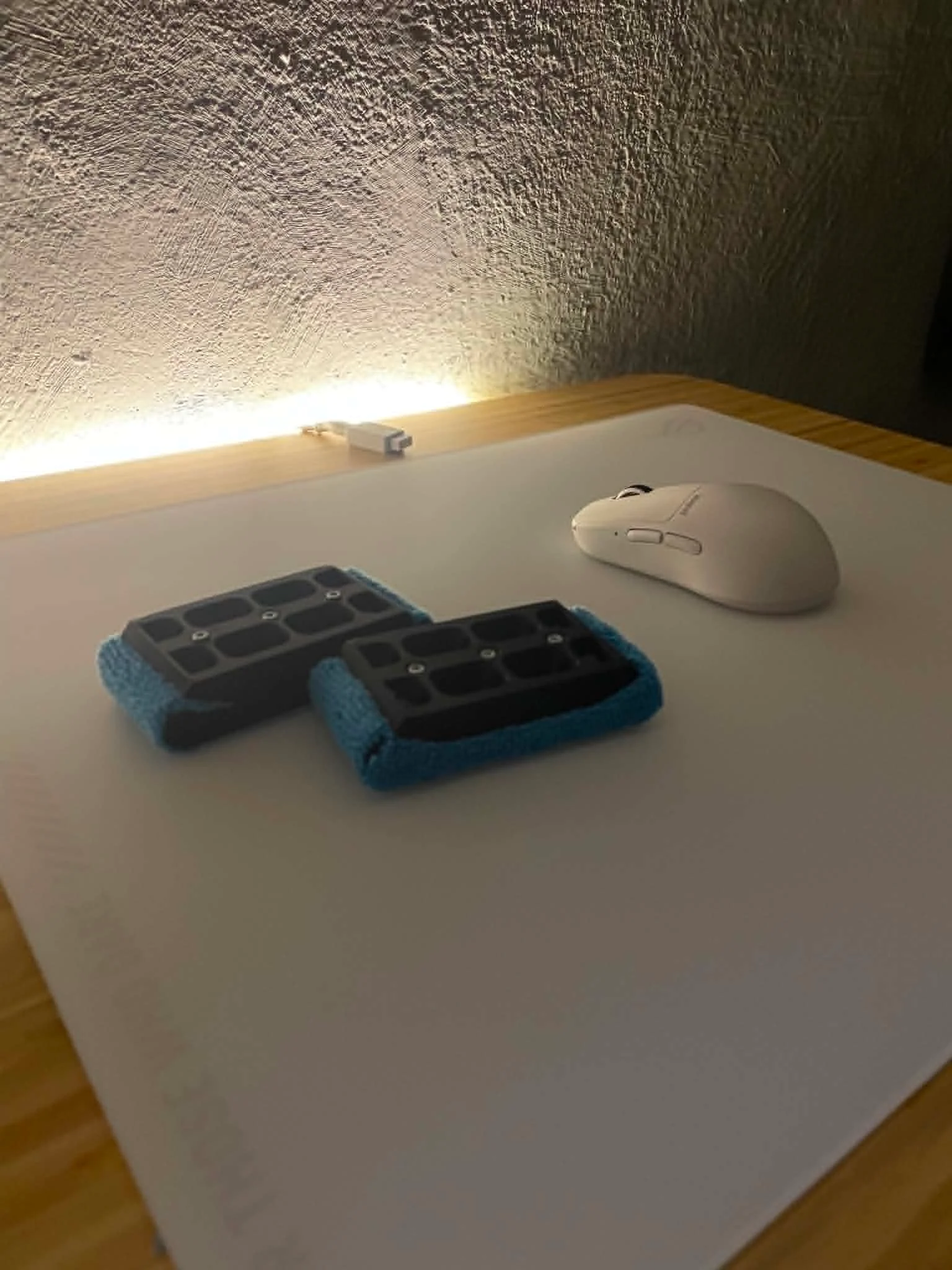
Version A and Version B side by side
Materials
3× M3 screw, 20 mm length (18 mm thread length)
microfiber towel: at least 20×10 cm (exact size depends on the variant below)
Variant A – with wrapped edges (NO LINT)
Cut the microfiber towel to 175×100 mm. For Large version: 190x120 mm
Place the base roughly in the center of the towel.
Fold the longer side of the towel over the base, leaving enough clearance to screw the cover in later.
Based on where the longer side lands, snip the towel at the corner so the shorter and longer sides can be folded separately.
Fold the longer side over the base and hold it in place.
Fold the shorter side over as well and hold it.
While holding all sides in place, set the cover on top and screw in the center screw, this locks everything in position.
Using tweezers, pull the excess towel through the holes in the cover and tension it as tight as possible for a smooth, taut surface.
Screw in the remaining 2 screws. Done.
NOTE: For LARGE version are cuts not needed, you can simply fold the cloth over itself and tuck the rest in and also its much cleaner installation this way (no loose microfibre lint getting stuck to sweeper)
The red lines show the cuts I made when assembling my version. The purple lines indicate optional cuts that make assembly easier, although the final fit may not look as clean
Variant B – without wrapped edges (straight sides)
Cut the microfiber towel to 175×55 mm. For Large version: 190x65 mm
Stretch the towel over the longer side of the base and screw in all 3 screws, but leave the two side screws looser for now.
Take the excess towel on the shorter side and pull it as tight as possible over the overhanging edge.
Tighten the side screws. Done
Optionally trim overhanging cloth
tldr: easier to put together but leaveas microfiber lints unless treated
Printing Instructions:
Print with 3/4 walls and 10/15% honeycomb infill to ensure sufficient vertical strength so the model can withstand pressure during use.
__________________________________________
For experienced 3D printing users, feel free to adjust wall count, infill type, and density based on your own preferences and printer setup.
BynasikLikes0Downloads282

 ByBrokentooth_designsLikes30Downloads231

 Bymateusz-tokarzLikes0Downloads153

 ByJwidessLikes34Downloads382

 By3dwakeLikes0Downloads370

 Bylarp3dLikes0Downloads1.4K

 ByJKMCZLikes11Downloads185

 ByJaronLikes310Downloads1K

 Byw3rN42Likes127Downloads941

 ByUpcrid3D_1585693Likes48Downloads217

 ByTomDDLikes89Downloads584

 ByckthLikes148Downloads2.4K