



Steam Machine Companion Cube / Vỏ đựng Weighted Storage Cube
 ByJaronLikes310Downloads1K
Build another version of this model.
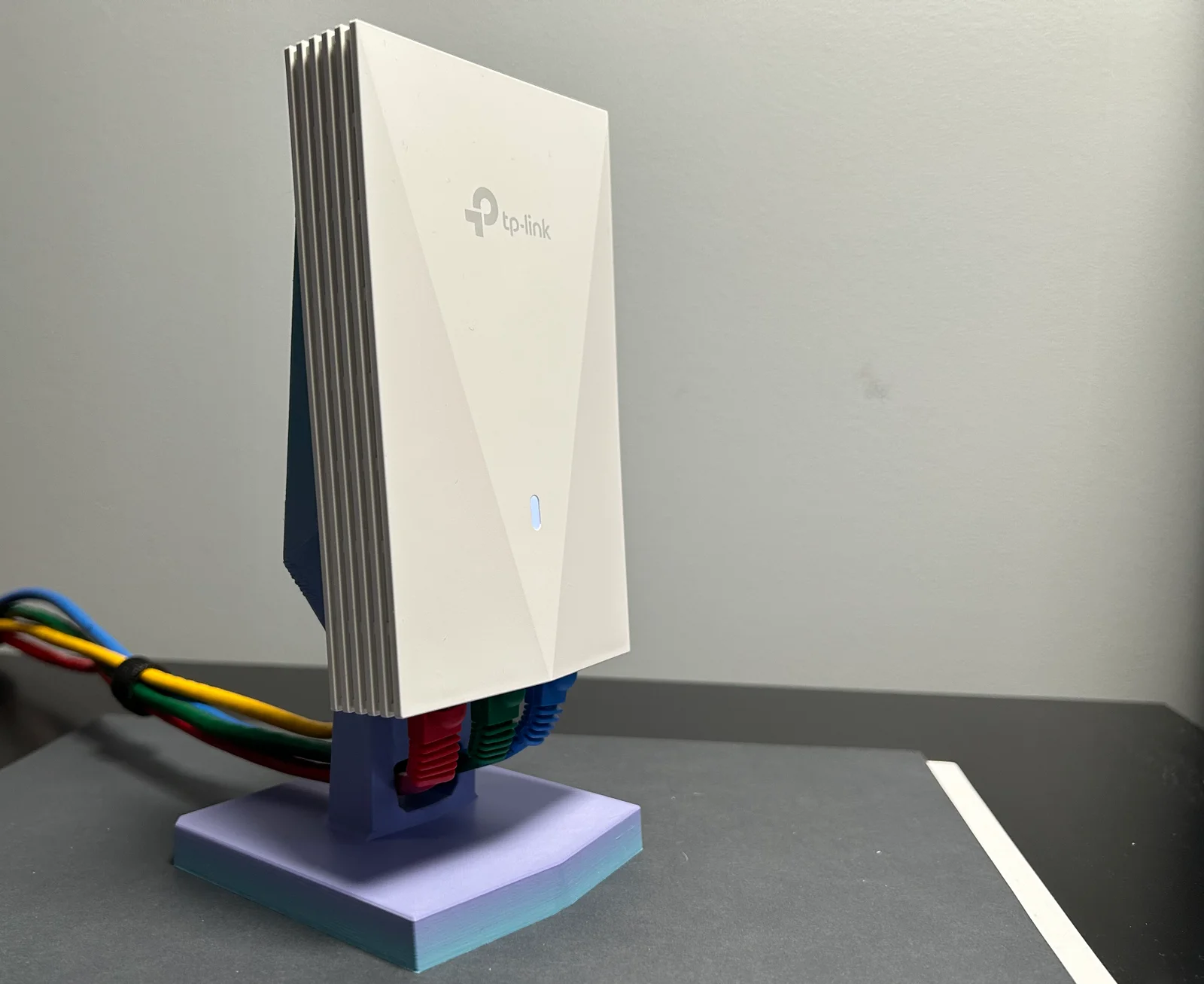
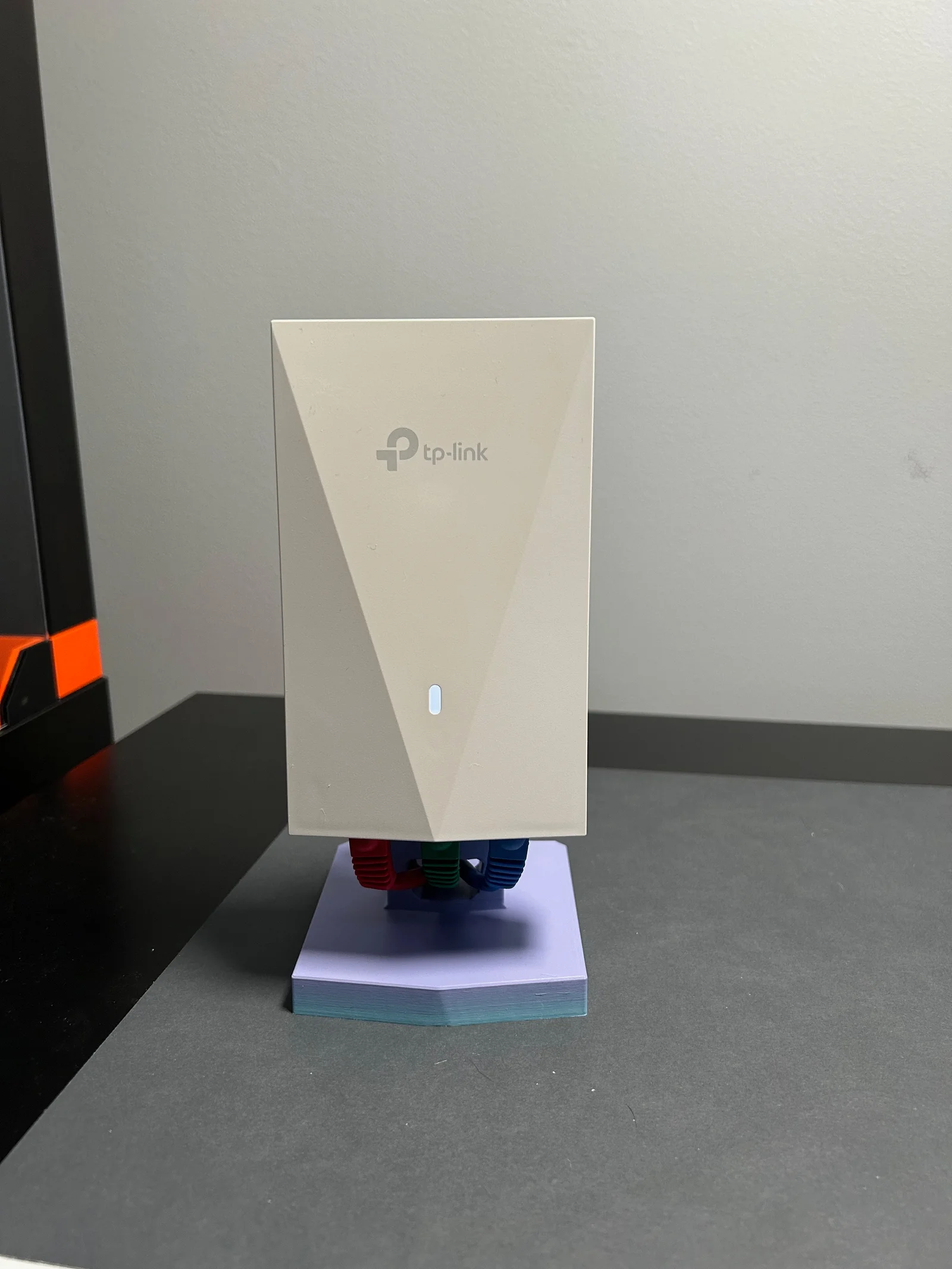
This stand holds a TP-Link Omada EAP655-Wall Wi-Fi access point and sits on a desk or other flat surface. It probably works with other Omada wall access points such as the ESP725-Wall, but I haven't tested that.
I modeled this stand in Autodesk Fusion 360. I've included the CAD files in .f3d and .STEP formats so you can remix it.
Material, infill, and number of perimeters are not critical. I used PLA, 15%, and 2 perimeters (PrusaSlicer defaults). The model is optimized for 0.2mm layer height.
You will need supports for the cable pass-through hole. Support is not need for the rest of the print.
You'll need four M3x20 socket head screws. Pop the front cover off the AP. Screw it to the stand. Reattach the cover. Plug in Ethernet cables.
ByJaronLikes310Downloads1K

 Byw3rN42Likes127Downloads935

 ByTomDDLikes89Downloads574

 ByJwidessLikes34Downloads375

 ByBroBuilds3D_4455044Likes32Downloads454

 ByckthLikes148Downloads2.4K

 Bynexgen-3d-printingLikes0Downloads394

 ByVikingptty_1943738Likes50Downloads234

 ByBrokentooth_designsLikes30Downloads226

 Byslava-kuzminLikes0Downloads284

 ByJKMCZLikes11Downloads178

 Byjodinskylab_3390035Likes144Downloads168