



New
Build another version of this model.
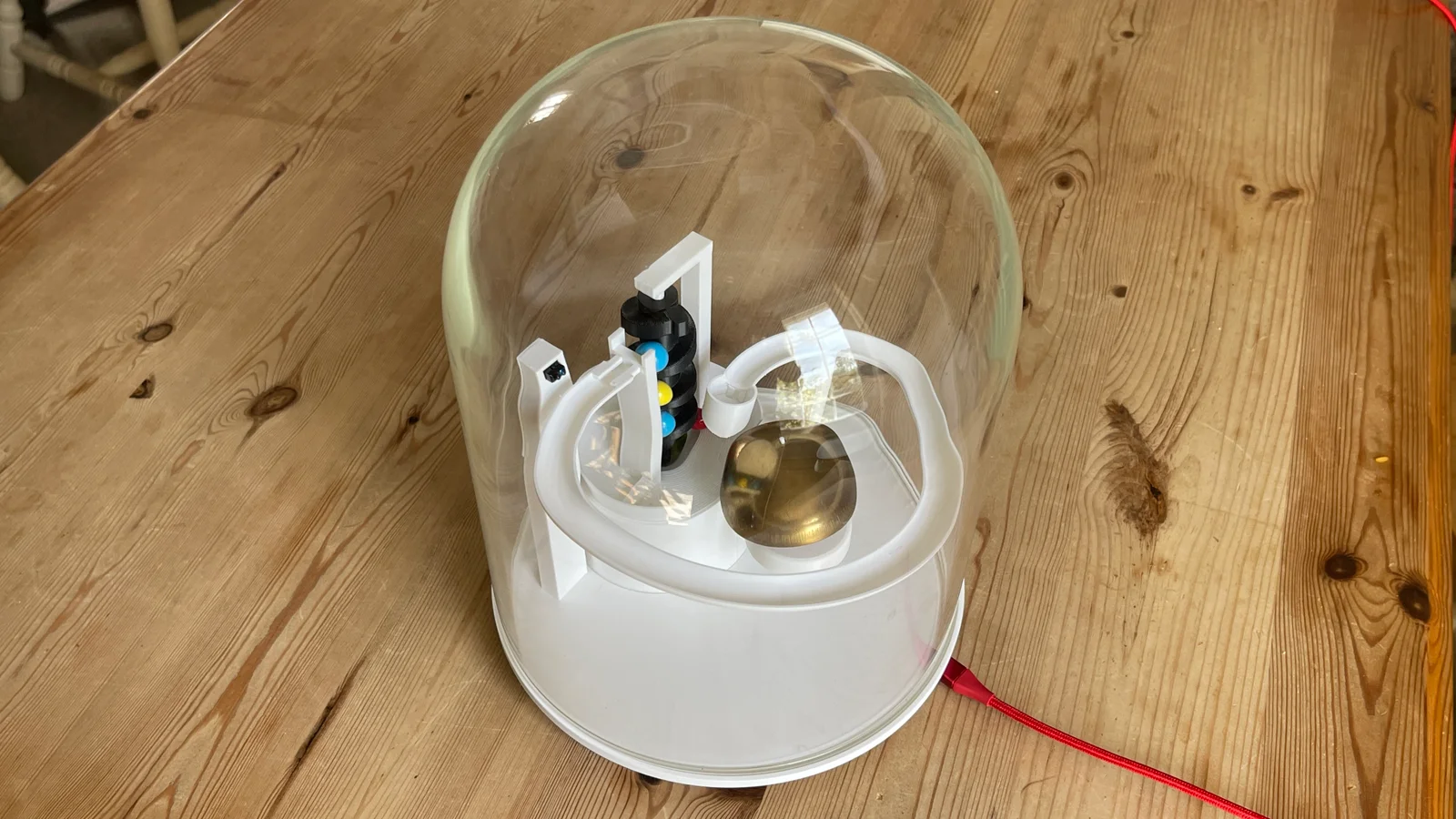
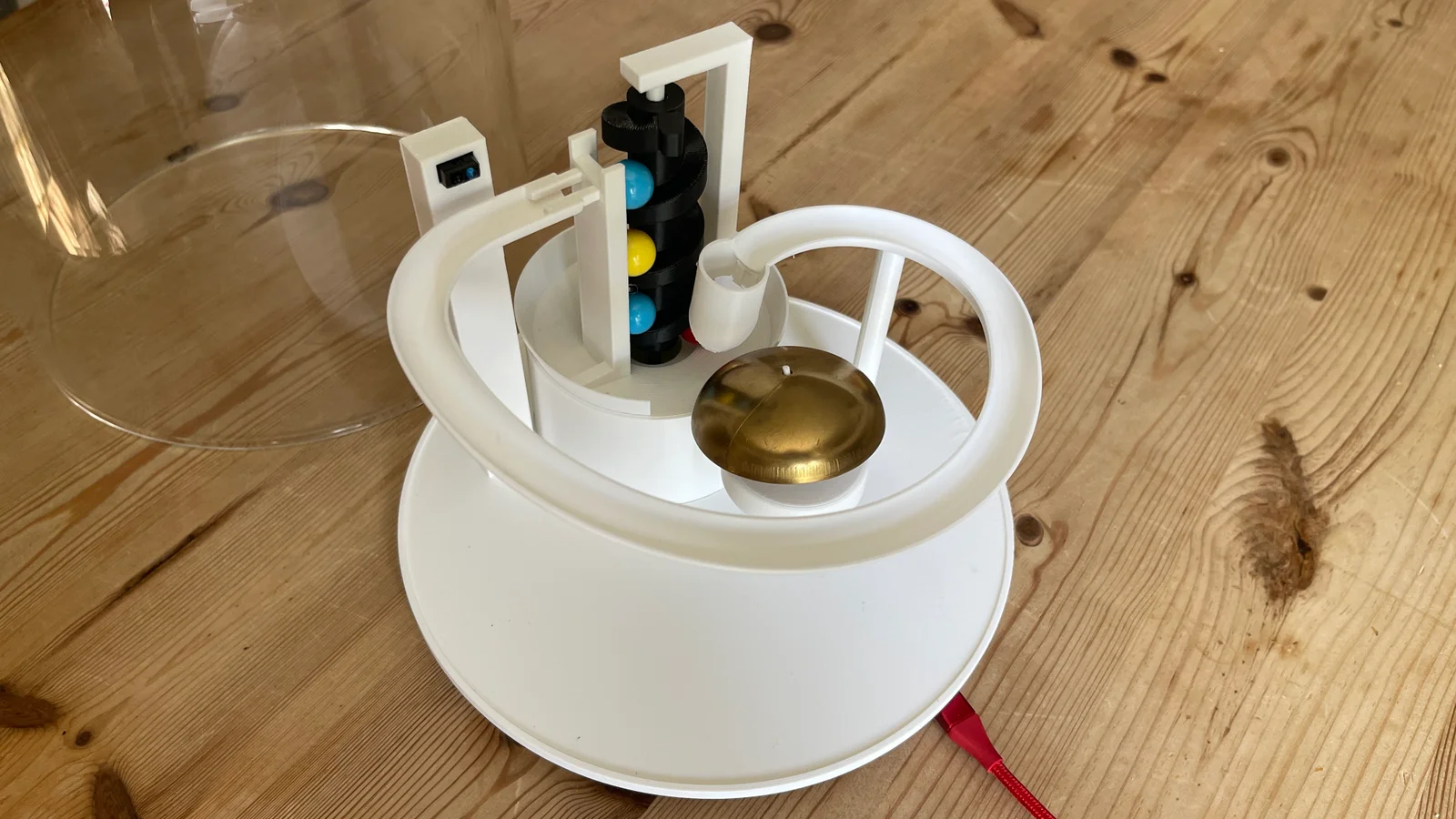
'The Hour' is a, 3D-printable marble desk top clock. It was made to mimic the classic stricking of the hour of a traditional clock but with a marbles. The model was designed specifically for the Marble Runs competition and fits neatly onto standard printer beds and uses gravity to trigger the bell strike.
How it works
Driven by a Raspberry Pi Pico W syncing via NTP (Network Time Protocol), the mechanism includes an IR detector to detect when a marble falls, stopping the servo and allowing a silent marble run and strike of the bell. It then runs again, counting each marble until the number of marbles matches the time. In addition it chimes once on the half hour and on the initial start up. The code (micropython) is available via my GitHub.
Hardware
1x GeekServo 360-Degree Continuous Rotation Servo (LEGO compatible housing makes it easy to mount)
1x TCRT5000 IR Reflective Sensor Module
1x Raspberry Pi Pico W (to connect to WiFi, keep time, and run the logic)
1x 120x220 Glass Cloche / Display Dome (optional)
4 x 14mm Marbles
Printing Instructions
Material:
PLA
Supports: Required for the main base with the Archimedes lift holder - these are easy to remove.
Orientation: Print the track flat. The lift should be printed vertically.
Assembly:
1. Seat the GeekServo into the base mount.
2. Slide the Archimedes screw onto the GeekServo spline.
3. Slide on the the brass bell onto the center pedestal.
4. Mount the TCRT5000 sensor in the holder at the start of the track - it has a screw at the back to adjust the sensitivity of the marble detection, turn this on first set up to detect a marble as it goes past.
5. Wire the Servo and Sensor to your Pico W (see my GitHub for the MicroPython code).
6. Drop in your marbles, place the dome on top, on first power up it connects to wifi, set the time and makes 1 ring of the bell to confirm set up - then sit back and wait for either the half hour (one strike) or the hour (a full hour count) to strike.
I hope you enjoy it, it sits on my desk and provides a nice, traditional clock chime but via marbles.

 Byrorys3DLikes0Downloads325

 ByAustin Wolt WoltLikes162Downloads380

 ByLecso_113752Likes76Downloads337

 Bytovelaermans_3355197Likes63Downloads427

 ByAlexMuLikes41Downloads331

 ByckthLikes148Downloads2.4K

 ByTangoOscarMik_505113Likes31Downloads252

 ByxsynaticLikes27Downloads213

 BySimin03Likes84Downloads205

 ByDerTapirLikes34Downloads174
