

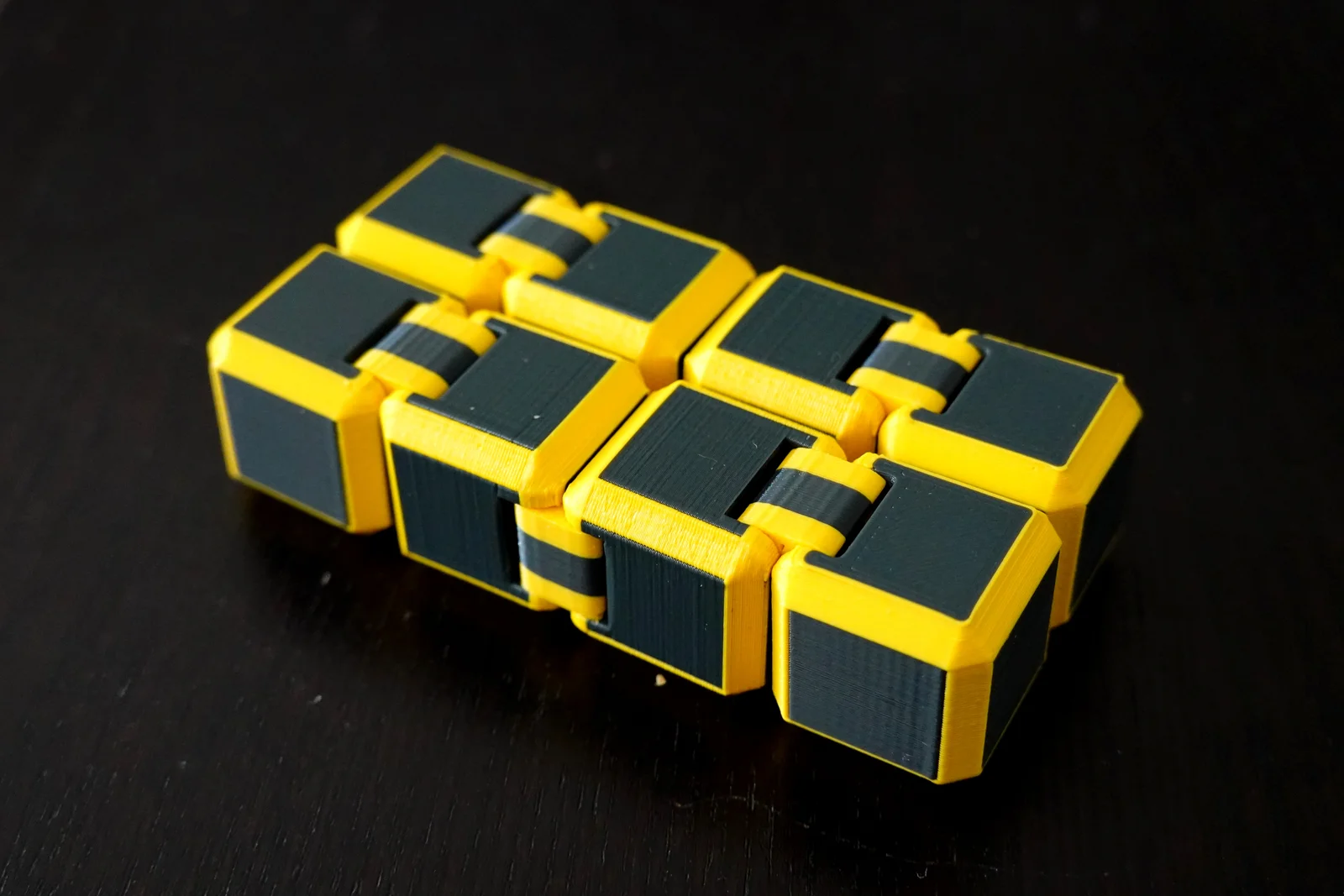
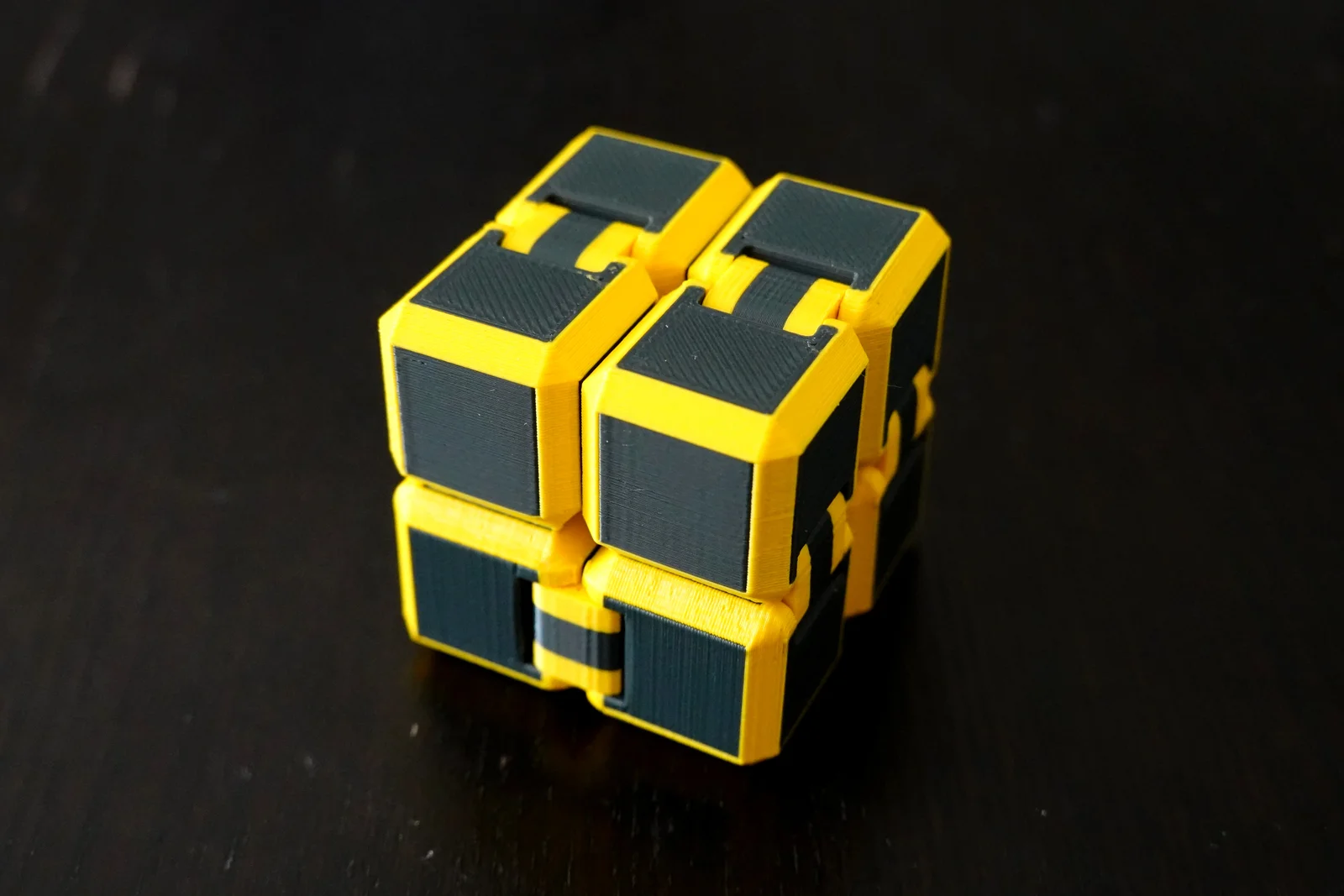

Infinity Cube thiết kế khác lạ (giảm kẹt pivot, Pivot Links tách rời)
 ByReamo_208623Likes192Downloads546
Remix of Infinity Cube Fidget Tùy Chỉnh - Mượt mà và Đầy Đủ Mã Nguồn By flopin_573486
Build another version of this model.
Remix of my original Perfect Fit Infinity Cubes Fidged for MMU printers. Cool two color frame-like design with same smooth movement and precise tight fit as the original cubes:
Use provided cubes_mmu.3mf file for one complete set or import (drag) the pair of mmu_cube_left_frame.stl + mmu_cube_left_inside.stl into slicer and select option to import as one multimaterial object. Repeat for mmu_cube_right_frame.stl + mmu_cube_right_inside.stl and mmu_joint_frame.stl + mmu_joint_inside.stl models. Print 4 left cubes, 4 right cubes and 8 joints for one complete set.
The movement is tought right after assembly but after few hours of moving it will get super smooth. Try also submerging the cubes briefly into water and move them while they dry. The water trick works very well, you can repeat it several times.
Notes on material: PLA works great, PETG is a bit more tricky, since the print bridges on the joint handles tend to fall off and might block the joint area, but will eventually fall out. You can also try to disassemble problematic joints and remove any debree.
I recommend printing at 0.15 mm layer height, 0.2 mm works too, but smaller layer height is certainly worth the longer print time here! No supports needed!
Tip: One set takes about 6 hours of printing (due to frequent material switching), add more instances to print several sets at once, to reduce wipe tower waste and print time per set. Each additional full set adds some 2.5-3 hours of print time.
Rendering STL from the source code:
There are two SCAD files provided, you need both to render the cubes. The file cubes_common.scad servers as a common library with cube parameters and required shapes (and is the same file as the original single material version), cubes_mmu.scad is a file to render the STL files itself. To render the whole cube set open cubes_mmu.scad in OpenSCAD or use commands:
openscad -o mmu_cube_left_frame.stl -D 'target="cube-left-frame"' cubes_mmu.scad
openscad -o mmu_cube_right_frame.stl -D 'target="cube-right-frame"' cubes_mmu.scad
openscad -o mmu_cube_left_inside.stl -D 'target="cube-left-inside"' cubes_mmu.scad
openscad -o mmu_cube_right_inside.stl -D 'target="cube-right-inside"' cubes_mmu.scad
openscad -o mmu_joint_frame.stl -D 'target="joint-frame"' cubes_mmu.scad
openscad -o mmu_joint_inside.stl -D 'target="joint-inside"' cubes_mmu.scad
You need OpenSCAD to be installed on your system and the openscad executable to be in you PATH folders.
You can adjust the parameters (size, tightness, design features) of the cubes in the source. See the SCAD files for details.
If you have any notes, questions or troubles with printing or assembly, please leave me a note!
ByReamo_208623Likes192Downloads546

 ByBowedFurballLikes141Downloads2.5K

 Byflopin_573486Likes8Downloads63

 By3DMakerSpace_4005643Likes12Downloads264

 ByPrint3DLikes0Downloads222

 Bygrzesiekkkkk_3583580Likes131Downloads1.1K

 ByFrostByte_1485316Likes69Downloads760

 ByMashers8Likes14Downloads133

 ByHong Hua HuaLikes362Downloads3.1K

 ByINVESTEGATELikes35Downloads117

 ByMovsesMovses_1336435Likes15Downloads133

 ByVoltz18Likes33Downloads413