




Steam Machine Companion Cube / Vỏ đựng Weighted Storage Cube
 ByJaronLikes310Downloads1K
Build another version of this model.
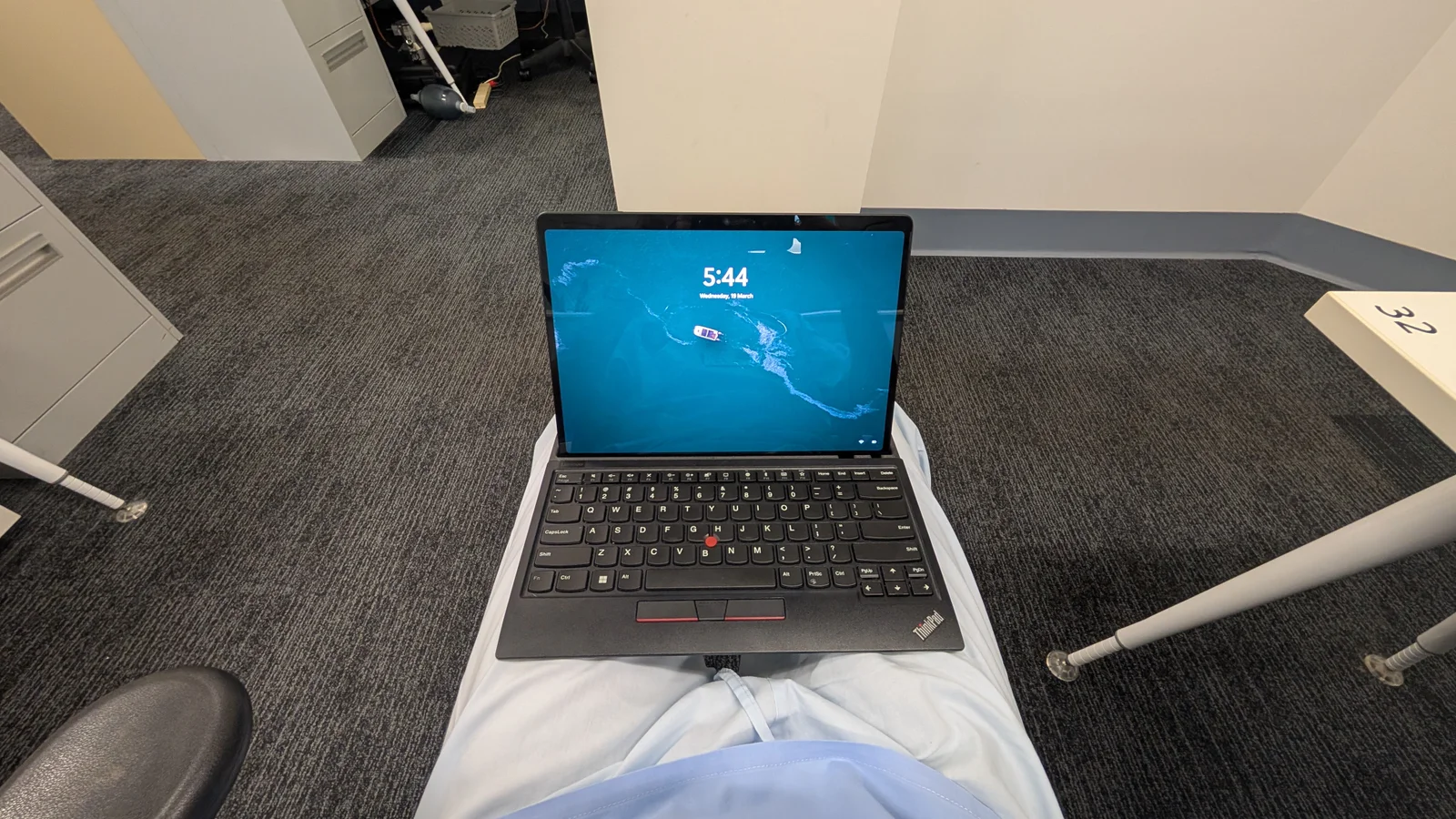
The problem with the Surface Pro and other tablet based 2 in 1 PCs is that they aren't very nice to use in your lap. The rear kickstand/wobbly keyboard attachment etc make it unstable except on large hard surfaces. Microsofts absolutely extortionate pricing for a keyboard/pen combo can also go and EABOD.
This aims to solve that problem. The rear extension the keyboard gives it some stability when placed in the docking slot and is very comfortable to use on my lap. The trackpoint nub is an acceptable substitute for a trackpad. The screen angle is fixed, but seems to be a reasonable compromise.
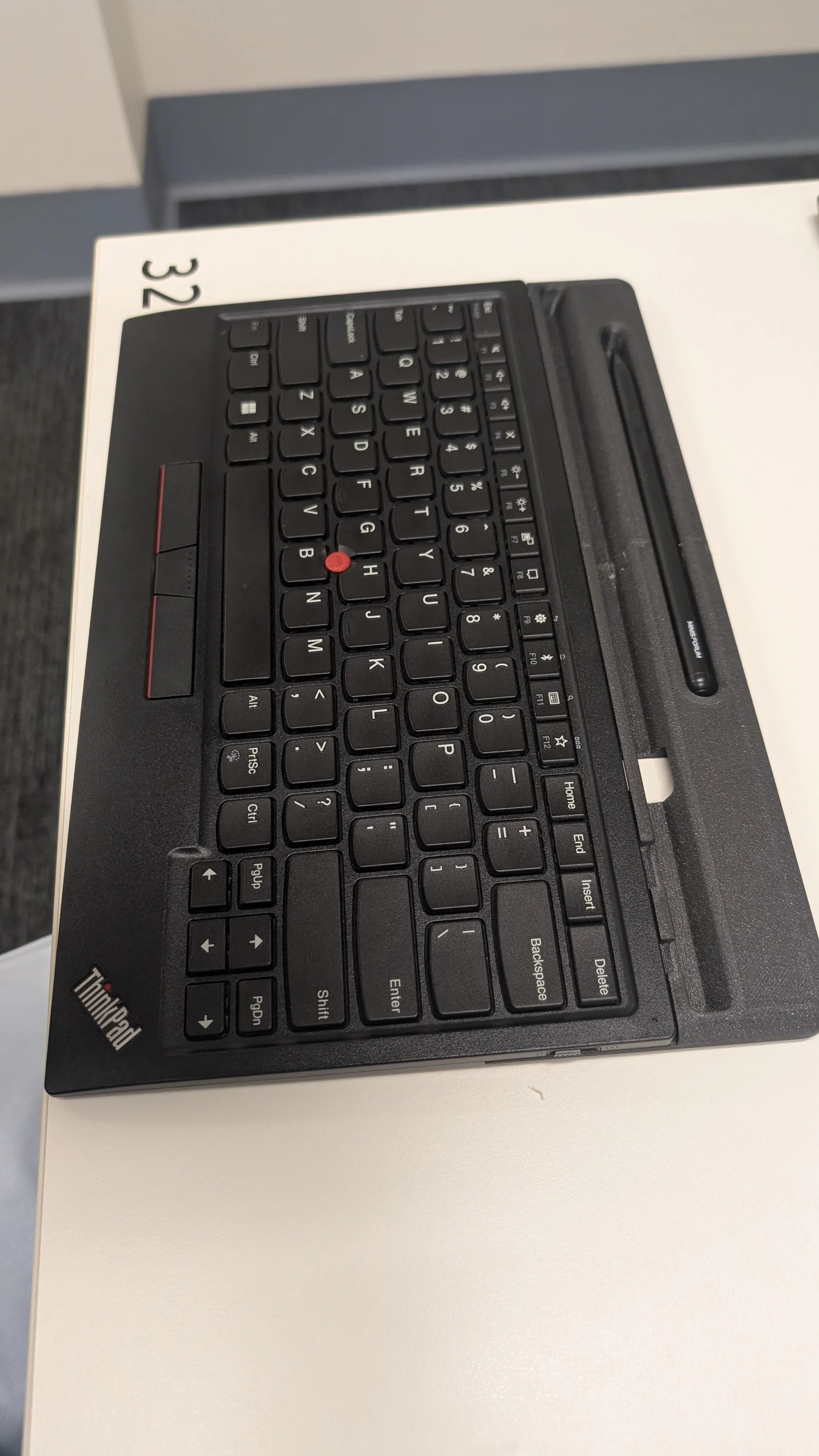
The keyboard is a "Lenovo Thinkpad Trackpoint II". I believe the main difference with the 2nd generation keyboard is USB C charging, and possibly the inclusion of a 2.4ghz wireless dongle (that I never use). Given that the keyboard works by bluetooth, it works just as well when the Surface Pro is not docked in the keyboard, just like M$'s AUD769 keyboard and pen!
I've added small internal cavities for 6x2mm magnets, some under the rear to keep the keyboard stuck loosely in the right place when put on the Surface Pro screen, and a few to keep it in the dock - I think I got the spacing of the magnets not quite right though, as the magnet effect is not strong.
There's also some embedded magnets to keep a tablet stylus/pen stuck in there - remove the pen by pushing on one end. This suits a Minisforum stylus. I can upload a blank version if there's any interest, and you can adapt it to suit any pen.
All magnets are inserted with a layer pause.
There is a cutout underneath to access the USB charging port. The small slot that the wireless dongle is stored in is blocked but all other functions are accessible.
The size is designed to match up against the Surface Pro at least in the X dimension, unfortunately the Thinkpad keyboard is too wide to match up properly in the Y dimension. The top surface of the keyboard is curved, so when stacked with the device the keys face out. n
I've printed in PLA, which seems to be strong enough. I may re-print in another stronger filament at some point but I really like the colour of this Prusa Galaxy Black. The model is too big to fit on a single plate for my Mk4 so I had to split it in the slicer with a dovetail joint and glue together.
The printed part is attached to the keyboard with hot glue - a reasonable compromise between strength and removability (I've been through a few revisions now…)
I'll try and get around to correcting the magnet spacing at some point.
The ultimate revision of this concept would be to design an entirely new case for the Thinkpad keyboard components that enables the keys to face inward when stacked with the Surface Pro, better match the size of the Surface Pro and possibly even have an adjustable angle mechanism… If someone else wants to take that project on I'll happily enjoy the fruit of your labour!
I've included a Fusion 360 design file but be warned my CAD skills and general design discipline are terrible.
ByJaronLikes310Downloads1K

 Byw3rN42Likes127Downloads935

 ByTomDDLikes89Downloads574

 ByJwidessLikes34Downloads375

 ByBroBuilds3D_4455044Likes32Downloads454

 ByckthLikes148Downloads2.4K

 Bynexgen-3d-printingLikes0Downloads394

 ByVikingptty_1943738Likes50Downloads234

 ByBrokentooth_designsLikes30Downloads225

 Byslava-kuzminLikes0Downloads283

 ByJKMCZLikes11Downloads177

 Byjodinskylab_3390035Likes144Downloads167