



Boomerang V2 - Thiết kế vòng bay rộng hơn
 Byquibeck_3353173Likes545Downloads3K
Build another version of this model.
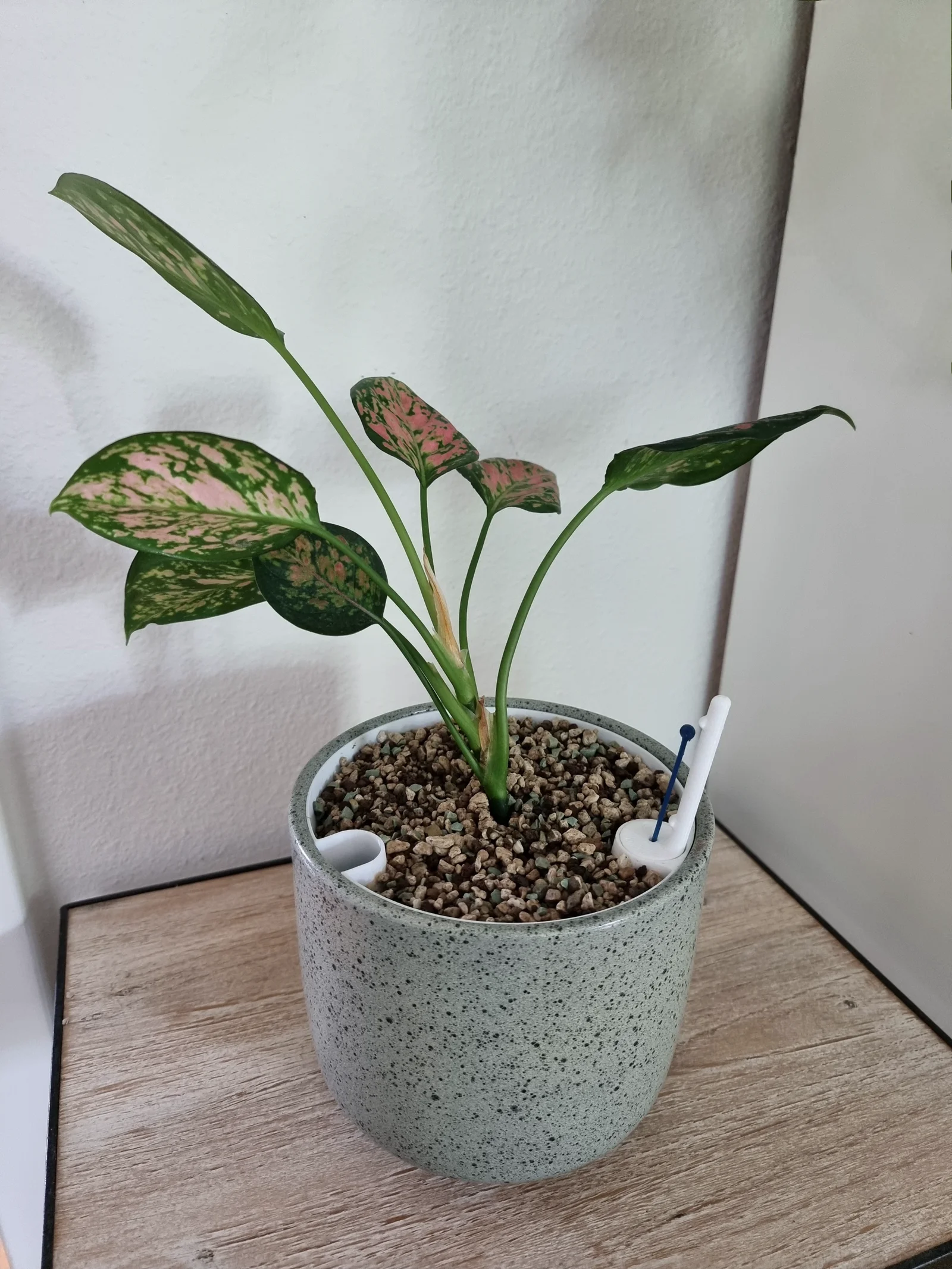
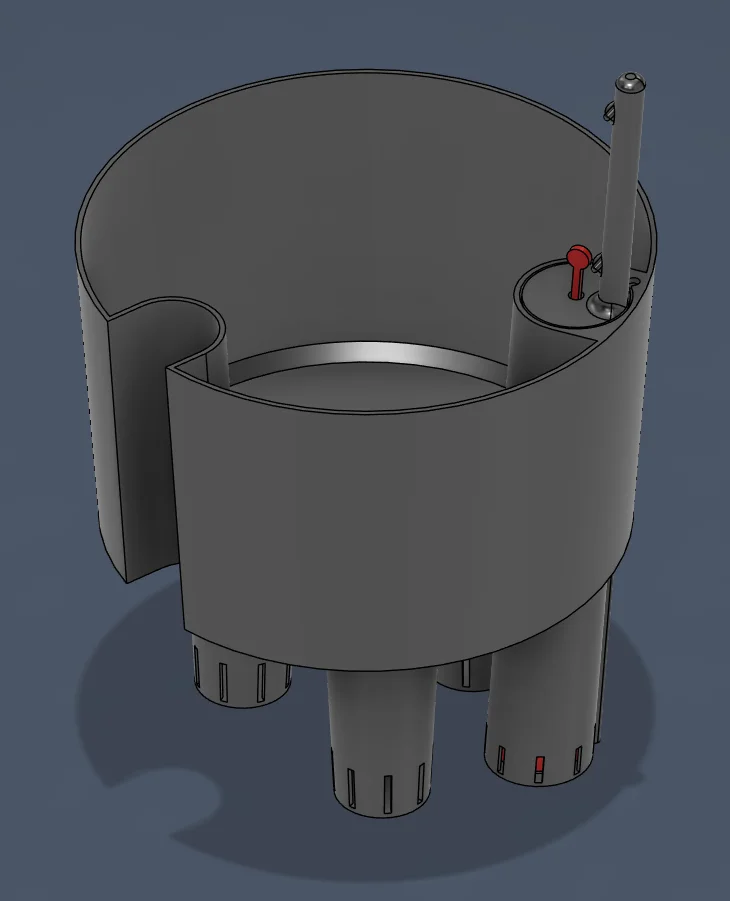
Transform any standard round pot into a self-watering planter with this fully parametric inner pot system. Inspired by the Lechuza sub-irrigation principle, this design creates a separated growing chamber above a built-in water reservoir at the base — perfect for use with expanded clay, leca, or other granular substrates.
How it works
The inner pot sits inside your existing round pot, elevating the root zone above a water reservoir at the bottom. The granulate wicks moisture upward, keeping roots consistently hydrated without waterlogging. Simply top up the reservoir through the filler tube and let the plant do the rest.
Key features
Fully parametric — customizable to fit any round pot diameter and height
Integrated water reservoir — the base holds water directly beneath the growing medium
Granulate-ready — designed for use with expanded clay, leca, or similar substrates; works with soil too
Fully printable water level indicator — no need to buy a separate gauge; the indicator rod and housing are included in the model and automatically adapt to the pot size
No supports needed — the entire model prints clean off the bed; the one overhang on the baskets that requires support has it built in, and it removes easily after printing
Print settings
Supports: None (built-in where needed)
Material: PETG, ASA, or other non-biodegradable filaments recommended for water contact; PLA is not recommended — it will degrade after a few months to a couple of years (ask me how I know)
Layer height: 0.2 mm
Special settings for the floater:
Layer height: 0.12 mm
Infill: Lightning — maximizes air volume for buoyancy
Wall loops: 2
Top & bottom layers: 7
Customization
Measure your pot by measuring the top diameter, preferabbly in different positions as they are often not 100% round. Measure the height and deduct a few milimeters for a better look. Measure the bottom diameter, rather make it a bit smaller as this is not so easy to measure.
Open the model in Fusion 360 and go to Modify → Change Parameters to open the parameters table. In most cases, only the three pinned parameters need adjusting: Diameter_Bottom, Diameter_Top, and Pot_Height. The remaining parameters should only be touched for unusually large, small, or oddly shaped pots.
Once you've set your parameters, export all parts and print them. After printing, remove the built-in supports from the baskets — this works best with needle-nose tweezers, a small flat screwdriver, or something similar. Then assemble everything, make sure the floater moves freely, and you're good to go.
Byquibeck_3353173Likes545Downloads3K

 BybobmakesLikes2.5KDownloads17.5K

 ByStuart800_1278696Likes77Downloads235

 ByejmeraLikes0Downloads122

 ByshoheiyLikes0Downloads298

 By43DPRINTLikes295Downloads664

 Byst3rndesignLikes173Downloads268

 ByJackLikes145Downloads767

 ByMichael_1442457Likes230Downloads637

 Bycustom-3d-partsLikes0Downloads209

 Bym-collectableLikes0Downloads3.9K

 ByPlaca_1765482Likes42Downloads408