



Ốp lưng cho Samsung S22 Ultra
 ByckthLikes148Downloads2.4K
Build another version of this model.
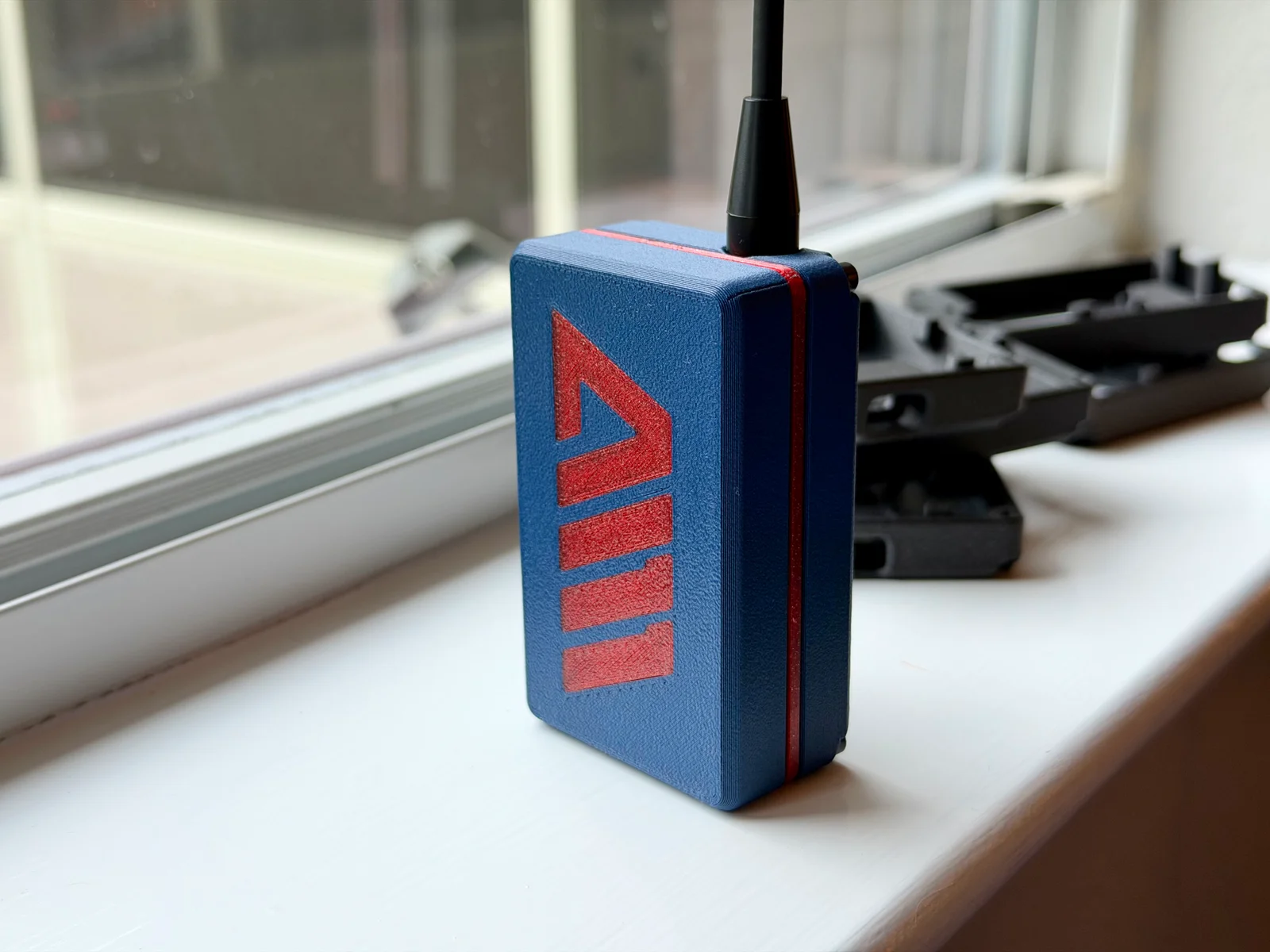
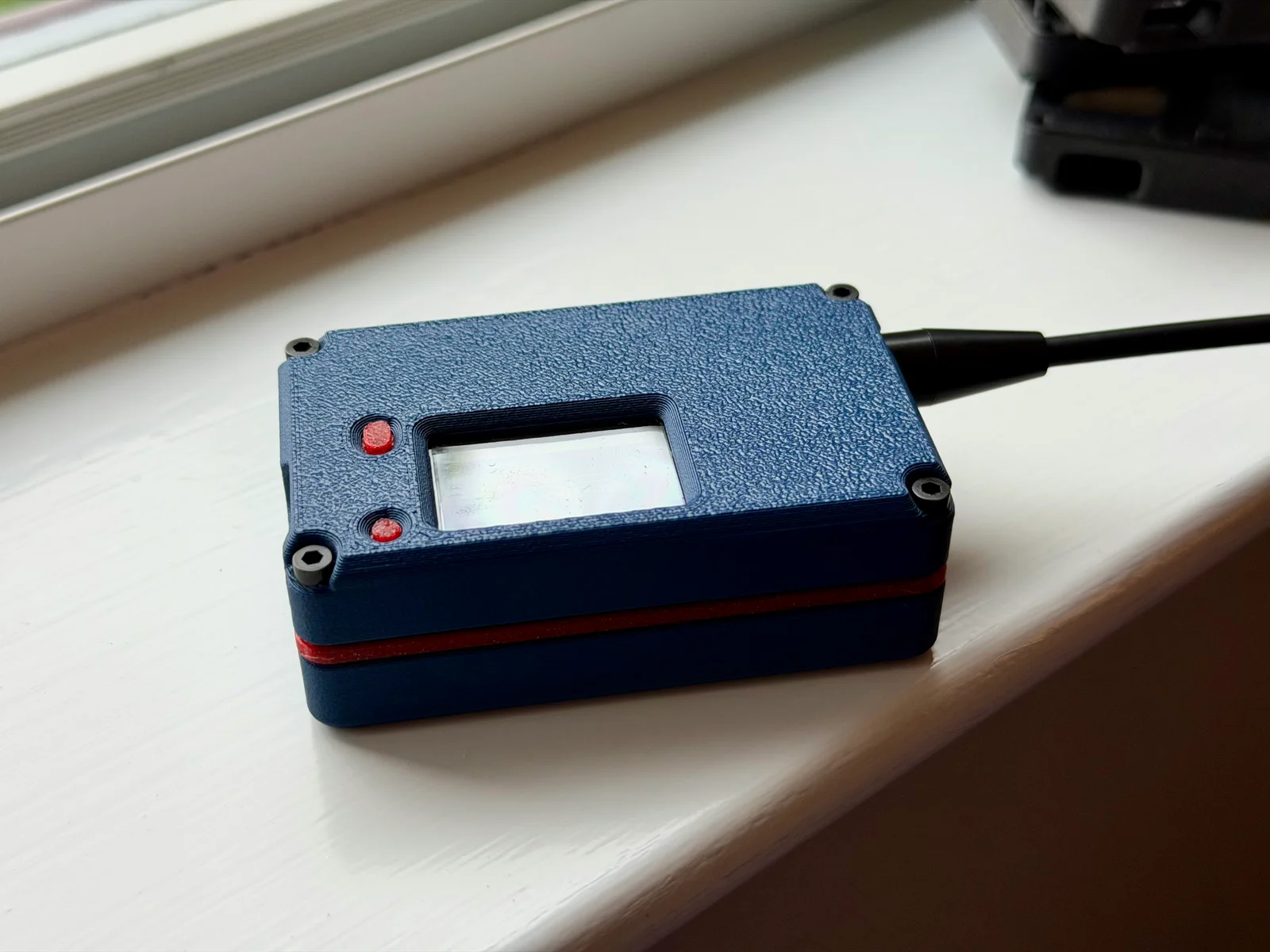
The Austec is a case for the Heltec T114 designed with help of the Austin Mesh members. It can take the Gizont or GT-800 antenna and fits a 103450 (or similar sized) LiPo cell battery. See the article that pairs with this case at https://www.austinmesh.org/t114/.
I recommend printing in PETG or ASA. No special settings needed. If you increase wall loops to 3 then there will be no infill in walls on a 0.4mm nozzle. Bumping bottom layers to 8 will prevent infill on the faces of case.
The parts needed for this case is:
Heltec T114 (GPS optional)
Gizont or Heltec GT-800 antenna
Regular u.FL to SMA pigtail (about 4in or 100mm length)
103450 sized LiPo battery (mine measure about 9.8mm thick which is why the case is not fully 10mm deep)
4 x M2.5 screws 16mm, 18mm, or 20mm long.
Connect the GPS to the T114 if desired. The GPS can be omitted if you don't plan using it.
Connect your u.FL -> SMA pigtail to the T114. I recommend rotating the connector side to side slightly after connecting to make sure it is actually seated.
Place the button piece in the front shell and test that both buttons move freely. Depending on where your seam is placed you may need to sand that side of the button so it doesn't stick to the front.
Place the T114 face done into the front of the case shell. Keep the pigtail cable outside the slot for the GPS so it doesn't get pinched by the GPS in the next step.
On my GPS cables the GPS needs to be spun around so that the ceramic antenna is facing out. The cable will get squashed a bit but should still work. Spin the GPS, keep the bulk of the GPS cable up out of the slot, slide it in to place about half-way into the slot.
The pigtail can run over the GPS cable and next to the SMA connector slot. Make sure it doesn't go over the SMA port plastic so it doesn't get pinched.
The serrated washer, lock washer, and nut can be used if using the GT-800 antenna. If using the Gizont I recommend leaving out the lock washer as the SMA on the Gizont antenna is much deeper. I used some needle-nose pliers to tighten the nut.
Attach your antenna at this time since we will be connecting the battery in a moment. Don't power the radio without an antenna attached.
I used some thin double-sided tape that came with my battery to hold it on the shim center plate.
Align the battery so the cable goes through the lower left hole. The cable will end up sitting in the open space next to the SMA pigtail.
Double check the polarity of your battery before plugging in. Once the battery is plugged in you can run the cable to the opens pace while placing the shim plate onto the from of the case.
You can now place the back over the battery. The battery should sit flush against the inside of the back. If it doesn't you may need a slightly deeper back. Let me know as not all batteries are the same!
Flip the case over and screw together with the 4 x M2.5 machine screws.
Congrats on assembly of your Austec case!
ByckthLikes148Downloads2.4K

 ByLecso_113752Likes76Downloads333

 ByftoerringLikes79Downloads184

 ByFosphorLikes20Downloads237

 ByJaronLikes310Downloads1K

 Byw3rN42Likes127Downloads934

 ByjatinLikes0Downloads145

 ByDiscotehkLikes35Downloads153

 ByChimeraX_4255462Likes9Downloads69

 Byjodinskylab_3390035Likes144Downloads166

 ByfryseeLikes0Downloads143
