


Thùng rác in Vase Mode
 BybobmakesLikes2.5KDownloads17.5K
Build another version of this model.
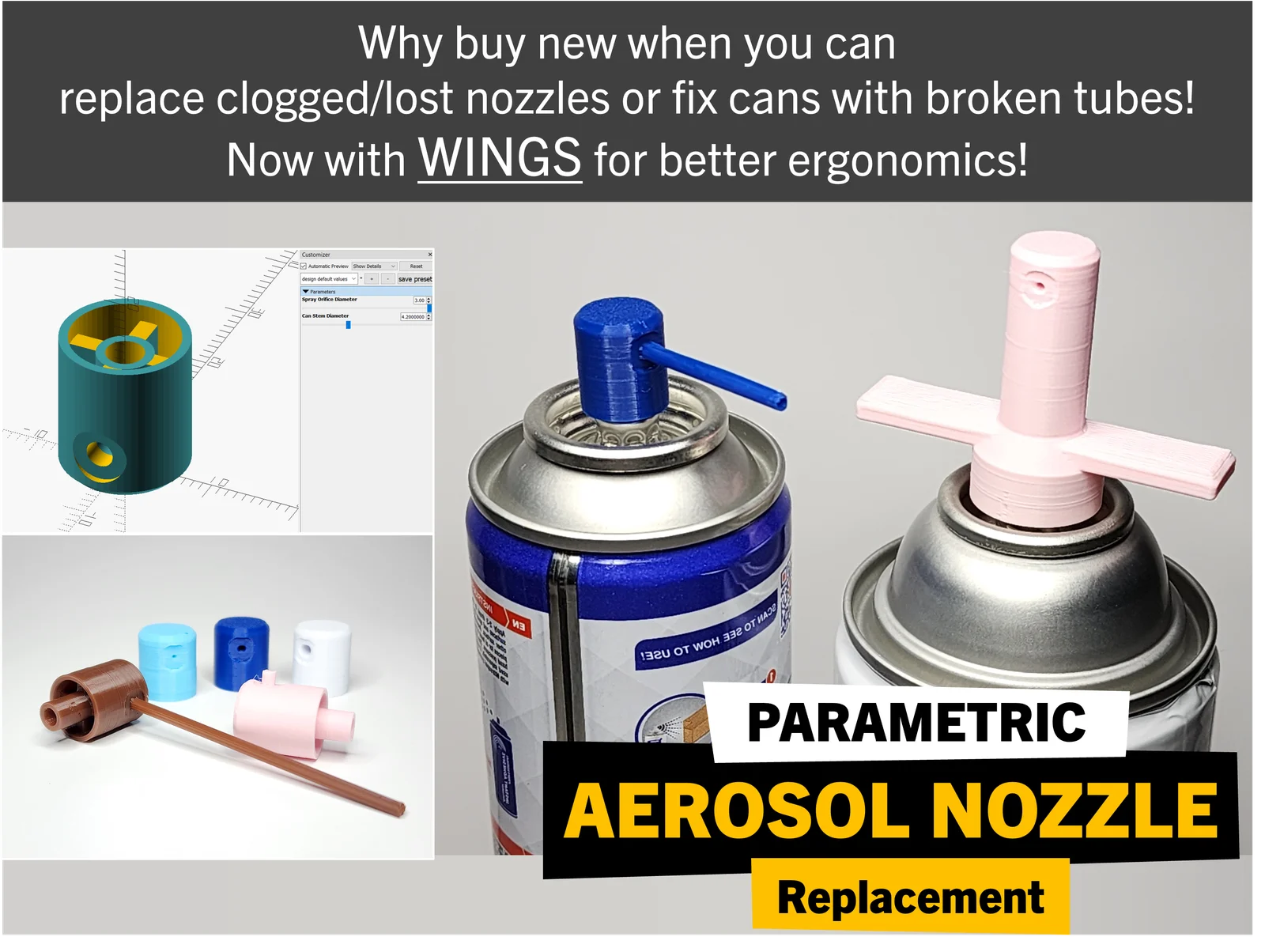
A few weeks ago, I lost a nozzle on one of my aerosol cans and printed a replacement. However, I didn't immediately share to the community since the nozzle I printed might not work for everybody so I made it parametric!
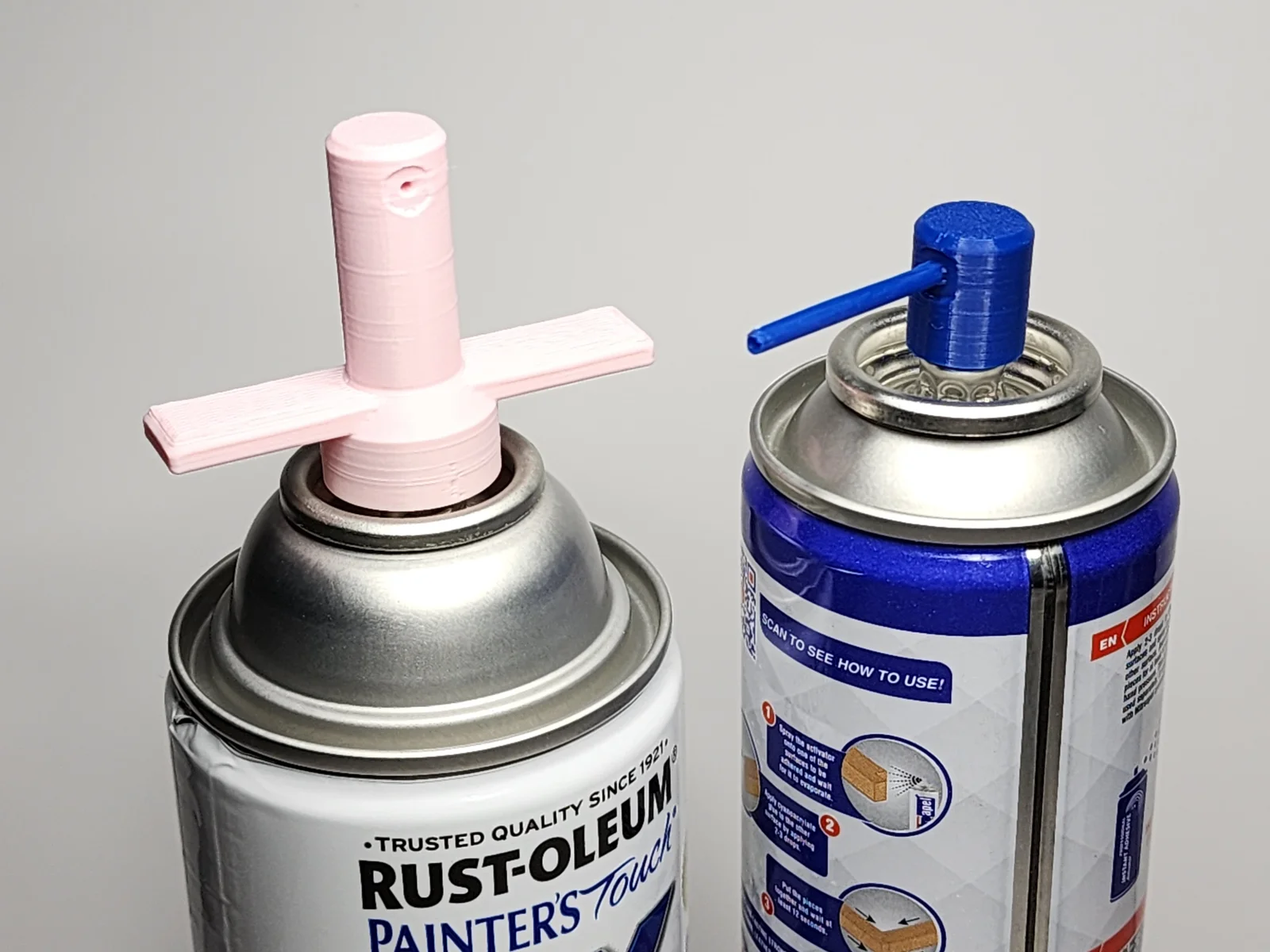
Presenting the Parametric Aerosol Nozzle Generator created in OpenSCAD! This should allow you to replace your lost nozzles given the dimensions you require. And while you're at it, why not make more spare nozzles with varying orifice holes so you can vary the spray volume depending on your application, add a stem or needle to get into those tight spaces!
Replace your broken, lost or clogged aerosol spray nozzles today and use up the remaining can contents!
USAGE OPTIONS
Replace lost or clogged nozzles
Print nozzles with stem to fix spray cans with broken tubes
Print nozzles with wings for better ergonomics
Parameter
Description
Spray Orifice Diameter
Values are in mm; use smaller values for finer spray; bigger values for broader spray.
WARNING: When printing fine nozzles, 1.5mm or smaller, double check that the printed walls don't close the nozzle pathway.
Can Stem Diameter
This is the size of the hole (in mm values) underneath the nozzle where the can pipe/stem will go into.
Skirt Height
Default is 2mm. This is to limit how low you can press down the nozzle. Smaller values means least amount of pressing allowed while higher values allow the nozzle to be pressed down more.
Needle Length
Default to 0. (Optional) This allows for more focused spray or for maneuvering in tight spaces by adding a thin tube built-in to the nozzle or a short tube for inserting a small straw. Maximum length is 200mm / 20cm.
Stem Length
Default to 0. (Optional) This allows adding a stem at the bottom of the nozzle for fixing broken spray can tubes or use on aerosol cans with no protruding tubes that requires "male nozzles"
Add Wings
Select No, for regular nozzles; Yes to produce nozzles with wings.
BybobmakesLikes2.5KDownloads17.5K

 By178222178222_2484344Likes449Downloads1.7K

 BymakerxLikes0Downloads356

 Byquibeck_3353173Likes1.5KDownloads11.5K

 ByVaclav_ZahradkaLikes181Downloads1.2K

 ByowlartLikes527Downloads1.3K

 Bytjfenwick_306961Likes385Downloads1K

 ByAWSWLikes148Downloads584

 Bycustom-3d-partsLikes0Downloads205

 ByfifindrLikes216Downloads609

 Bymatus158Likes0Downloads111

 Bym-collectableLikes0Downloads3.9K