



Kẹp giữ sợi Filament
 Bytinx_1344834Likes1.2KDownloads6K
Build another version of this model.
About
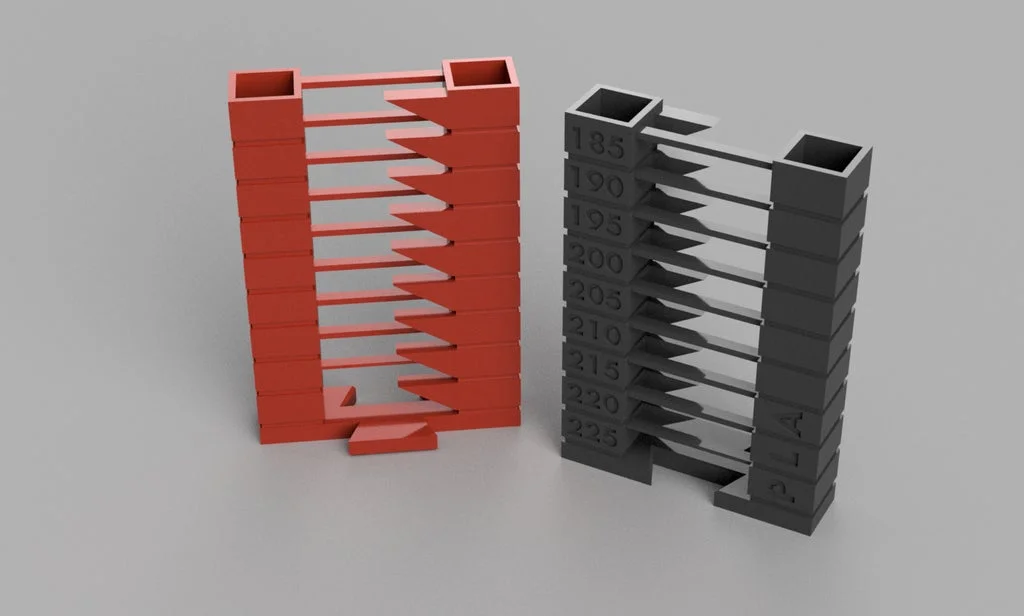
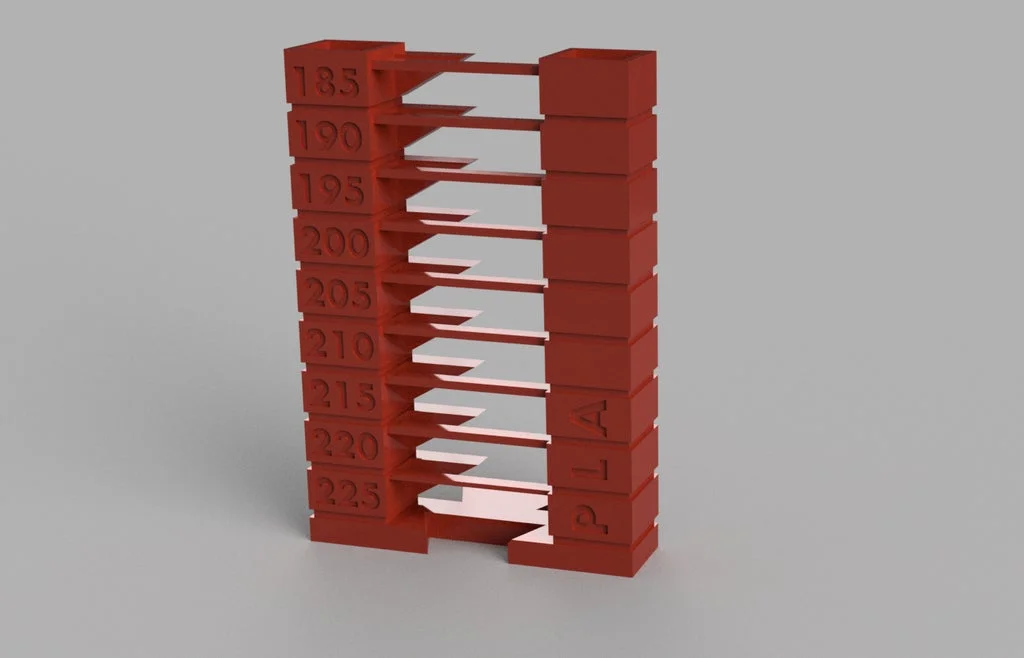
YATT - Yet Another Temp Tower is not too different from other temp towers available. However, it features a bridging test as well as a 55 degree overhangs test. It is also stackable so you can keep your printed temp towers for different material sorted.
There are STLs available for the most popular materials:
The print temp ranges are based on Simplify3D's material guides.
Support
All my designs and mods on Printables are free to use and remix. They have a non-commercial license. If you enjoy this or any of my other designs you can send me a small donation using the link below. Thanks :)
https://www.paypal.me/humebeamengineering
How to use
Using Cura click "Extensions" - > "Post-Processing" -> "Modify G-Code" in the top menu. Then click "Add a script" and select "ChangeatZ". Change trigger to "Layer No." and use these values:
50, 80, 110, 140, 170, 200, 230 and 260.
Then change "Extruder Temp 1" for each one to correspond with the changes. See picture for details.

Presliced Towers
There are presliced temp towers for the following printers (right click the link and hit “save as”):
QIDI: X-Maker, X-Max, X-Plus, X-Smart, X-One 2, X-Pro, I-Mate (S)
They are presliced using Cura 4.8 with stock settings aparts from fan, print and bed temps of course.
Bed temps and fan settings are based on my own experience and material guides.
Flow is set to 100%, adjust this and bed temp while the tower is printing if you like.
Use these at your own risk, make sure your printer is capable of the temps! Not all printers are capable of printing PC for example. At the other end of the scale, make sure the nozzle is not too cold for the material so it clogs.
Bytinx_1344834Likes1.2KDownloads6K

 ByWyomingWolf_261196Likes52Downloads427

 ByJasonOlliff_519145Likes241Downloads2K

 Byprusa-researchLikes0Downloads777

 ByBlackky98Likes25Downloads206

 Bypjs37Likes0Downloads152

 Bygafyx3dLikes0Downloads117

 Byduo3dprintLikes0Downloads150

 ByswimLikes0Downloads106

 Byarhi_585078Likes64Downloads540

 By3d-mmakerLikes0Downloads111

 Bynadir-cn3dLikes0Downloads108