



Key organizer Lite - Khung xương tối giản cho EDC
 ByAustin Wolt WoltLikes162Downloads382
Build another version of this model.
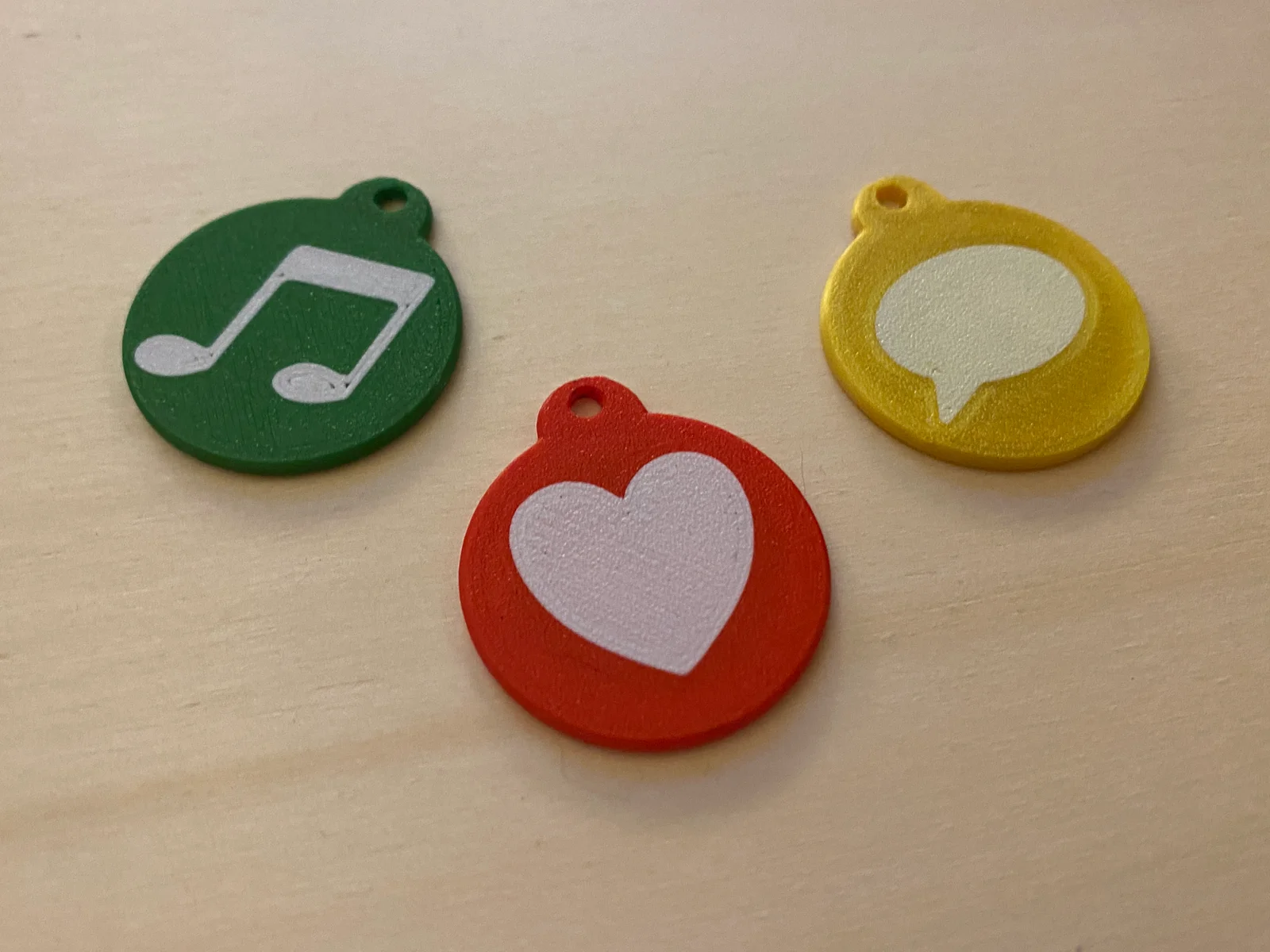
Why you need NFC keychain:
Have you ever wanted to give someone your social media profile? But your username is too weird, the person didn't understand it or simply can not remember it? A cooler way to give someone your username is NFC Keychain. On a NFC Tag you can store any link you want so also your Social Media profile. And the best thing is it's very easy. And building an NFC pendant yourself can be 20 times cheaper than buying one.
1. Printing Instructions:
Layer height: 0.15 mm (This is important .)
_Note: with the 3mf file I have already made all the settings - for the Prusa Slicer_
_the 3mf files can be used in any slicer, but without presets_
optional:
2. NFC Tag Instructions:
I use these NFC Tag (no affiliate link from me) but you can use any NFC Tag you want that is smaller than 28 mm.
3. And press write.
4. Hold the NFC tag on the back of your phone.
3. Read NFC tag on (your) Phone
I have uploaded each file as setp. file, which means you can edit them more easily.
Now you can easily share your social media profile/website to everyone. Have fun :)
Please like and upload your makes.
megalog_
ByAustin Wolt WoltLikes162Downloads382

 By3dwakeLikes0Downloads362

 BylclabLikes0Downloads289


 BylayermodelsLikes0Downloads138

 BynasikLikes0Downloads223


 Byruben-jorisLikes0Downloads345

 Byrorys3DLikes0Downloads326

 ByLecso_113752Likes76Downloads337

 Byjoshua-s-odditiesLikes0Downloads174

 Bytovelaermans_3355197Likes63Downloads429