



Dual Tesla P100 GPU Fan Shroud · 120mm (KZM)
 Byslava-kuzminLikes0Downloads284
Build another version of this model.
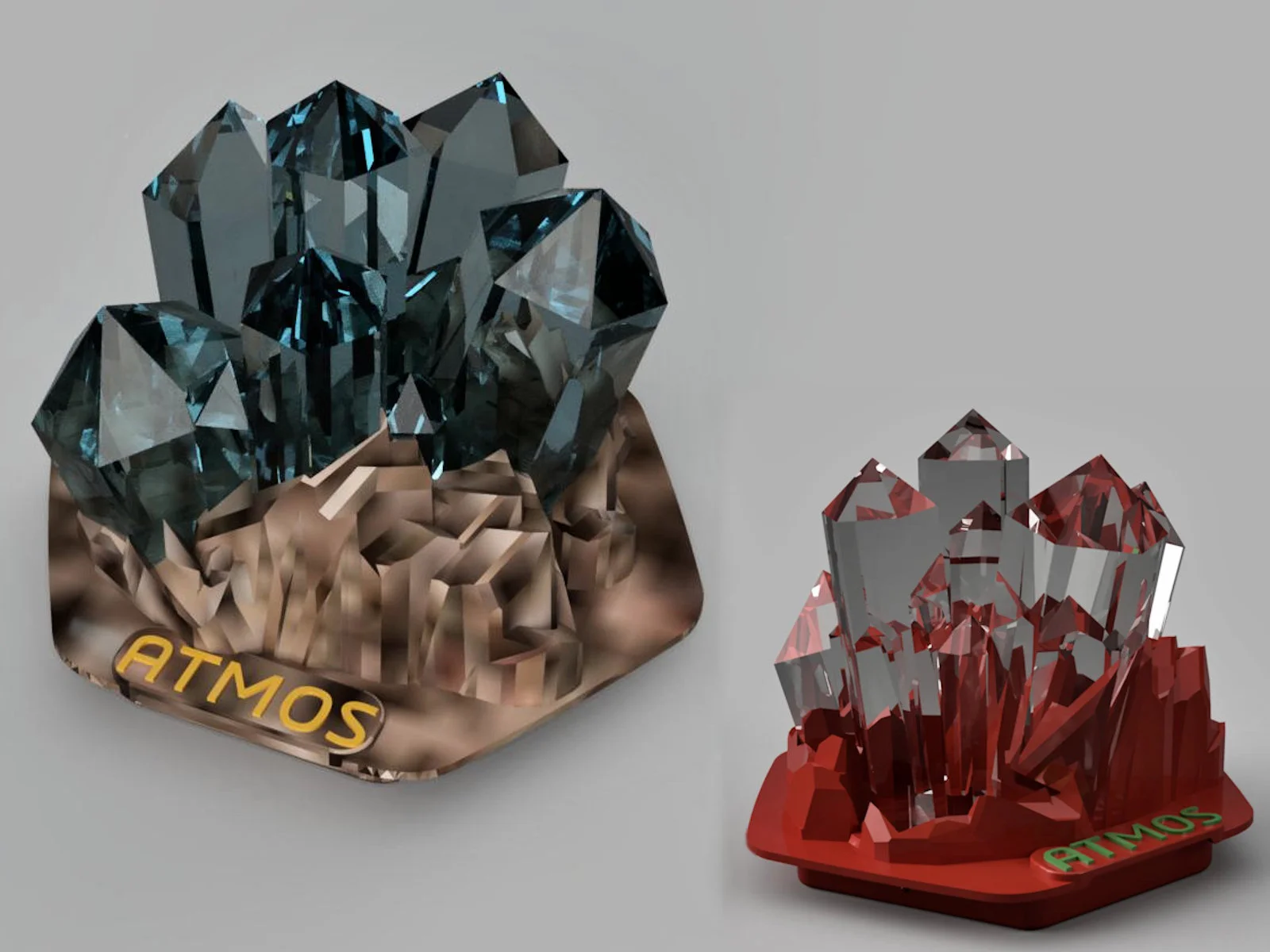
Crystals placed in a rock base.
For multicolor print use translucent material for the Crystal Insert. Use a suitable color for the Rock Base. For printing use support on buildplate only (Rock Base). For better light you can try to print the crytals with 0 bottom layers, 0% infill and 3 perimeters and 3 top layers. Model is originaly designed to printed in one go. Place the Crystal Insert in the Rock Base (I needed to set Z to 31mm for the Crystals)
____________________________________
The pump badge is very easy to install. Simply remove the pump cap and the already installed pump badge when your pc is turned off. Click your own 3D printed Crystal Cap into the pump. If you use this pump badge, you won't be able to use the pump cap.
For use with Cooler Master's MasterLiquid 240 Atmos & MasterLiquid 360 Atmos.
Byslava-kuzminLikes0Downloads284

 ByJaronLikes310Downloads1K

 Byw3rN42Likes127Downloads935

 Byhenry-thomasLikes0Downloads357

 ByTomDDLikes89Downloads576

 BynoideaprintLikes0Downloads191

 ByJwidessLikes34Downloads375

 ByBroBuilds3D_4455044Likes32Downloads454

 ByckthLikes148Downloads2.4K

 Bynexgen-3d-printingLikes0Downloads394

 ByVikingptty_1943738Likes50Downloads234

 ByBrokentooth_designsLikes30Downloads226