




Thùng rác in Vase Mode
 BybobmakesLikes2.5KDownloads17.5K
Remix of Thư viện OpenSCAD cho phụ kiện HSW (Hex Storage Wall) By Ray_4079553
Build another version of this model.
UPDATE 14.12.23
Added supportless=true settings in insertAttachToWallEmpty(), which allows printing the model without supports.
This is updated version of OpenSCAD library for HSW attachments
- added metric nuts inserts from M2.5 to M10.
- added wall attachment inserts with or without latch, with or without empty fastener.
- hole in wall attachment insert can be moved from center, in case you drill hole not accurate :)
- any insert can be rotated to print horizontally with makeInsertHorizontal()
- inserts has decorations. To turn it off set: insert(decorations=false);
- updated file fully compatible with old, you can just replace "hex plug library.scad".
- you can use customizer in custom_insert.scad to easily generate insert.
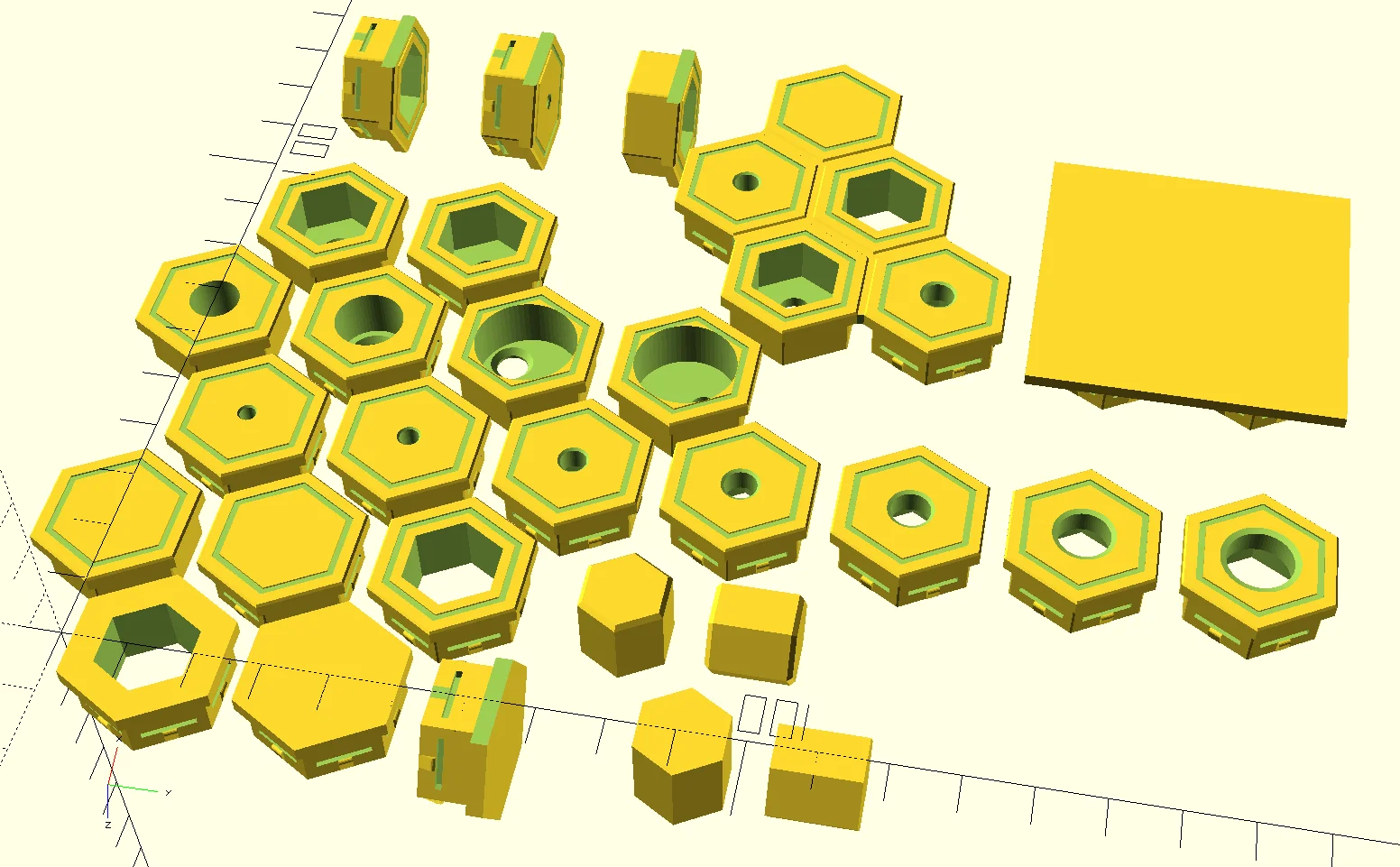
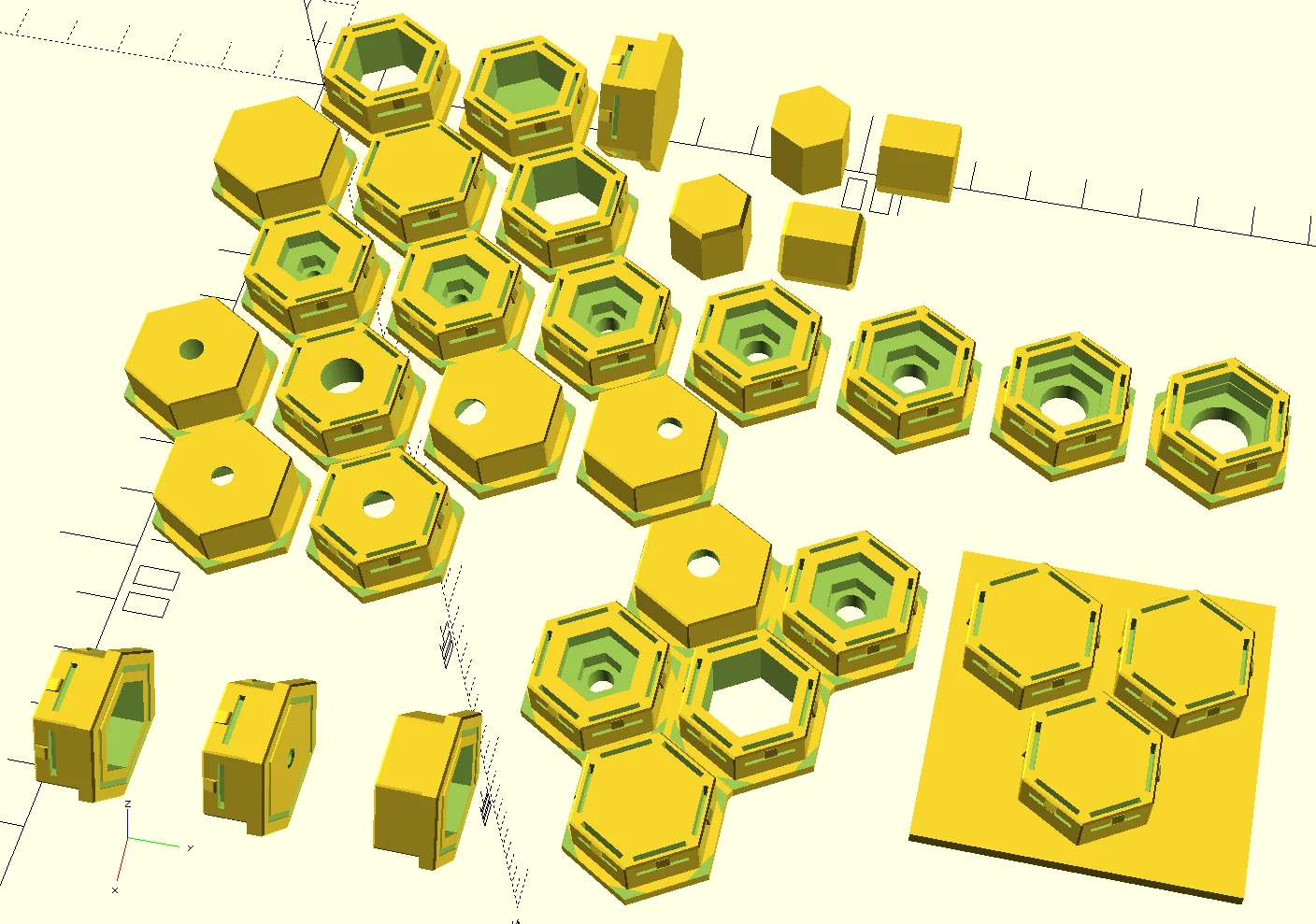
- you can generate array of inserts attached to each other with grid() and row(), see example below.
grid() {
row() {
insertAttachToWallEmpty(5);
insertM5();
}
row() {
insertM4();
insertEmpty();
}
row() {
insert();
}
}
in case you want other order of inserts use: changeCellOrder=true
grid(changeCellOrder=true) {
row() {
insertAttachToWallEmpty(5);
insertM5();
}
row() {
insertM4();
insertEmpty();
}
row() {
insert();
}
}
If you have some artifacts in inserts edges, try specify array of row lengths:
grid(rows=[2,2,1], changeCellOrder=true) {
row() {
insertAttachToWallEmpty(5);
insertM5();
}
row() {
insertM4();
insertEmpty();
}
row() {
insert();
}
}
Also, you can remove connections between inserts with row(connections=false) {}. It can be useful for creation you own tools.
%translate([-15, -13, 0])
cube([50,50,2.5]);
grid(changeCellOrder=true) {
row(connections=false) {
insert();
insert();
}
row(connections=false) {
insert();
}
}
UPDATE 09.09.23
add parameter decorations in row(); function. When row(decorations=false) connection between inserts higher, see picture:
UPDATE 03.08.2023: improve compatibility with old file.
UPDATE 08.08.2023: decorations added. Turn on by default. insert(decorations=false); <- turn off.
UPDATE 11.08.2023: add possibility to make array of inserts connected each other.
UPDATE 12.08.2023: add possibility to make array of not connected hexagons/inserts. Useful for creating you own tools attached to HSW.
UPDATE 18.08.23
- fix: wrong nuts parameters corrected
- fix: add more tolerance for nuts hole
- decorations removed only from front plate
- added custom_insert.scad with customizer for easily generate inserts
- added model and slices files for M3 insert
BybobmakesLikes2.5KDownloads17.5K

 By178222178222_2484344Likes449Downloads1.7K

 Byquibeck_3353173Likes1.5KDownloads11.5K

 ByVaclav_ZahradkaLikes181Downloads1.2K

 ByowlartLikes527Downloads1.3K

 Bytjfenwick_306961Likes385Downloads1K

 ByAWSWLikes148Downloads580

 ByfifindrLikes216Downloads603

 ByKittenRaeeLikes381Downloads904

 ByMooshroomLikes63Downloads108

 By3DWizardry_1270392Likes295Downloads745

 Bym-collectableLikes0Downloads3.9K