F3D
Mô hình tên lửa DELTA IV HEAVY tỉ lệ 1:200 (STL) 1

11 images

Large file collection Giáo Dục

Mô hình tên lửa DELTA IV HEAVY tỉ lệ 1:200 (STL)

By Kmobrain

Downloads
799
Likes
251
Views
3,253

Files 41 5.3 MB

  • Name_Plate_AMS_V2_x1_1777596109.3mf3MF · 18.1 KB
  • Stand_Black_V2_x1_1777596110.3mf3MF · 21.2 KB
  • Arm_Black_x1_1777596110.3mf3MF · 12.6 KB
  • D_White_x1_1777596111.3mf3MF · 14.6 KB

Make a variant with AI

Build another version of this model.

Open Studio

Details

Model ID
#356774
Category
Giáo Dục
Published

Description

Updates

  • 17/02/2024
    • Stand redesigned with two versions, AMS/MMU and Multi parts.

Description

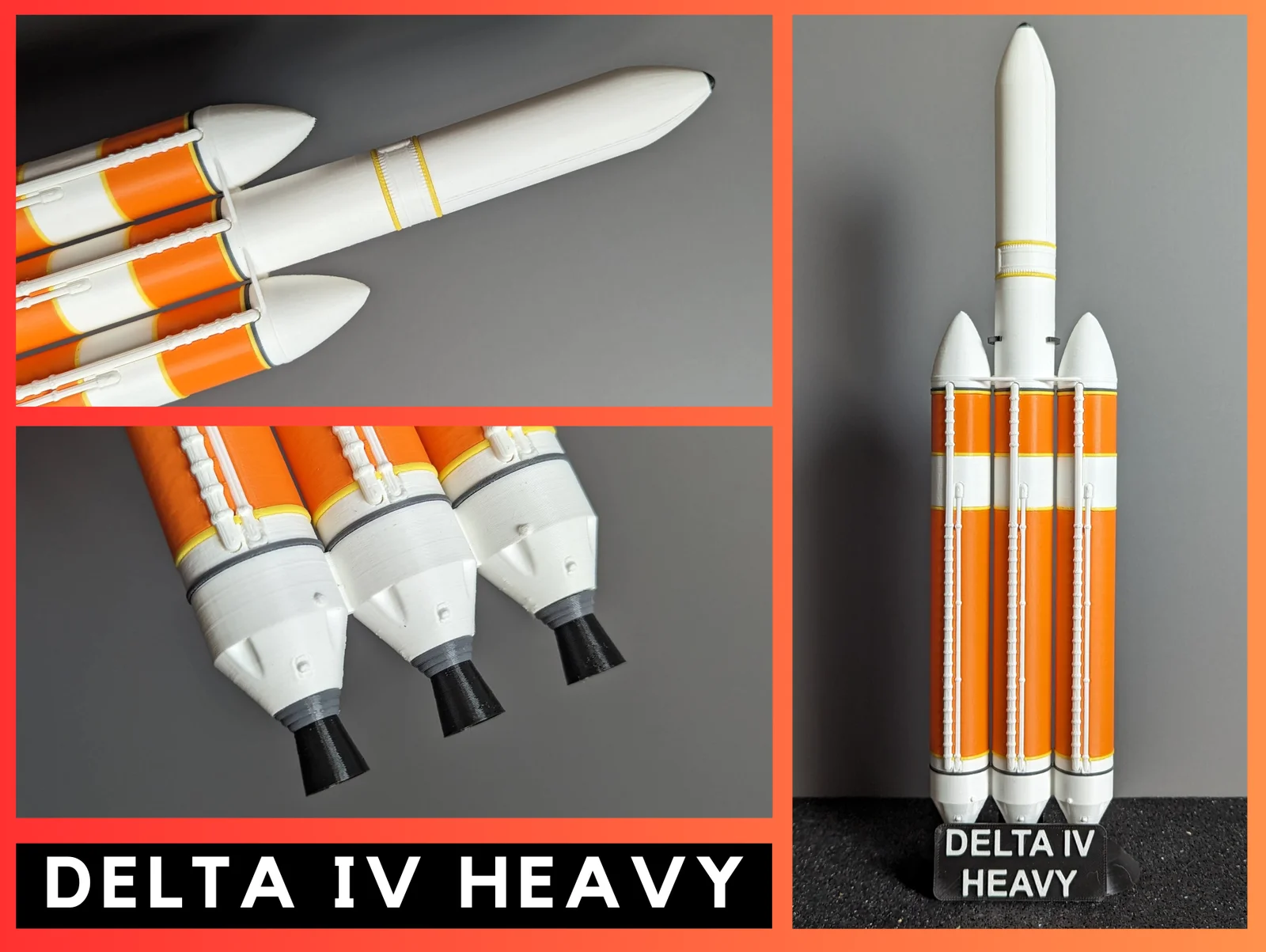
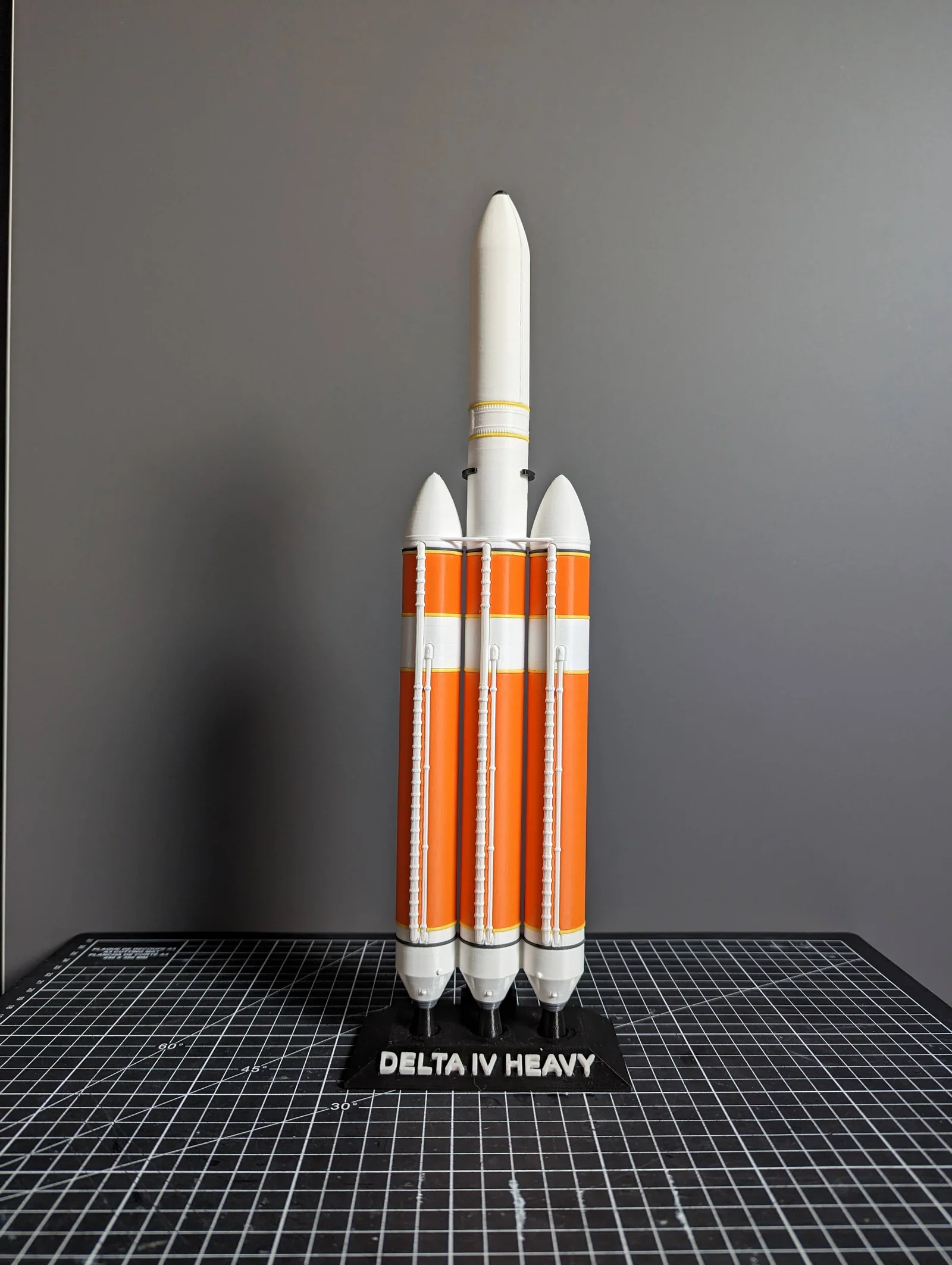
     The Delta IV Heavy model is a highly detailed 1:200 scale reproduction of the most powerful rocket of ULA "United Launch Alliance" which will end its career in 2024. The model consists of several pieces printed separately, which are easy to print and assemble.

     The finished model dimensions are approximately 36cm high and 10cm wide for the Delta IV Heavy. 

Printing

  • There are 76 pieces to print, including 43 pieces for the Common Booster Core (CBC) and 13 pieces for the Engine RS-68A. 
  • The total printing time for the entire model is approximately 25 hours.

Choosing your Payload configuration

     There are multiple configuration options available for this model, depending on your printing and assembly preferences. (The download files contain what is needed for each configuration.)

     We offer three assembly configurations: 

Standard fairing

  • with LF_Fairing_white_x1

Military fairing

  • with MF_Fairing_White_x1

Orion SpaceCraft

  • with Orion_White_x1

Assembly and Printing Guide

You can use this interactif assembly guide or the QR-Code below for an easy assembly.

You can use the table to help you in the settings of your slicer.

Tips

Settings

  • For infill, 10% is sufficient for a decorative object, and you can also use PrusaSlicer's "Lightning" infill settings. 
  • For some parts, support will be necessary.

Printing

  • For a better final result, I recommend printing the Jonction_Block last so that you can adjust their size according to your print and have a better fit during assembly. 
  • If some parts are loose or don't fit, you can change the scale by +/- 1% in the slicer to get a better fit. 
  • For the base, it is recommended to print with 4 perimeters to avoid visible infill.

Post Printing

  • You may need to sand the junction areas between the parts for a smoother finish.
  •  Additionally, I recommend using glue for better strength and durability.

Read more Show less

Print spec

Formats
3mfstl
Model files
41
Total size
5.3 MB
Largest file
1.1 MB

0 comments

See all