



Kẹp giữ sợi Filament
 Bytinx_1344834Likes1.2KDownloads6K
Build another version of this model.
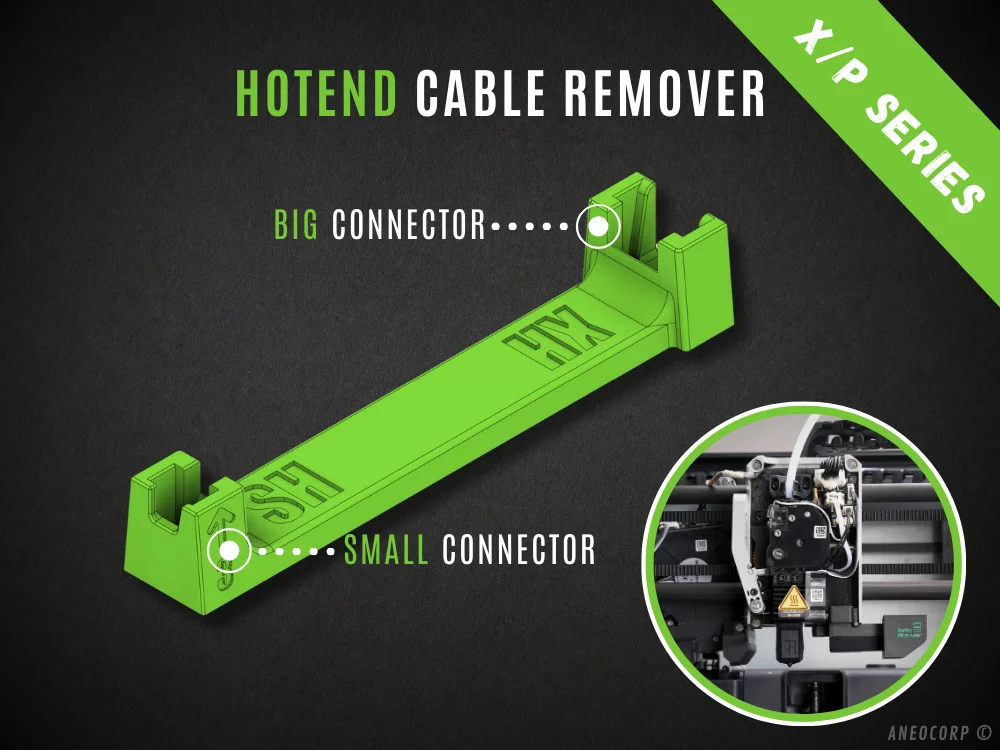
To remove the hotend assembly you need to remove 3 cables.
I have developed this tool to help you remove these cables.
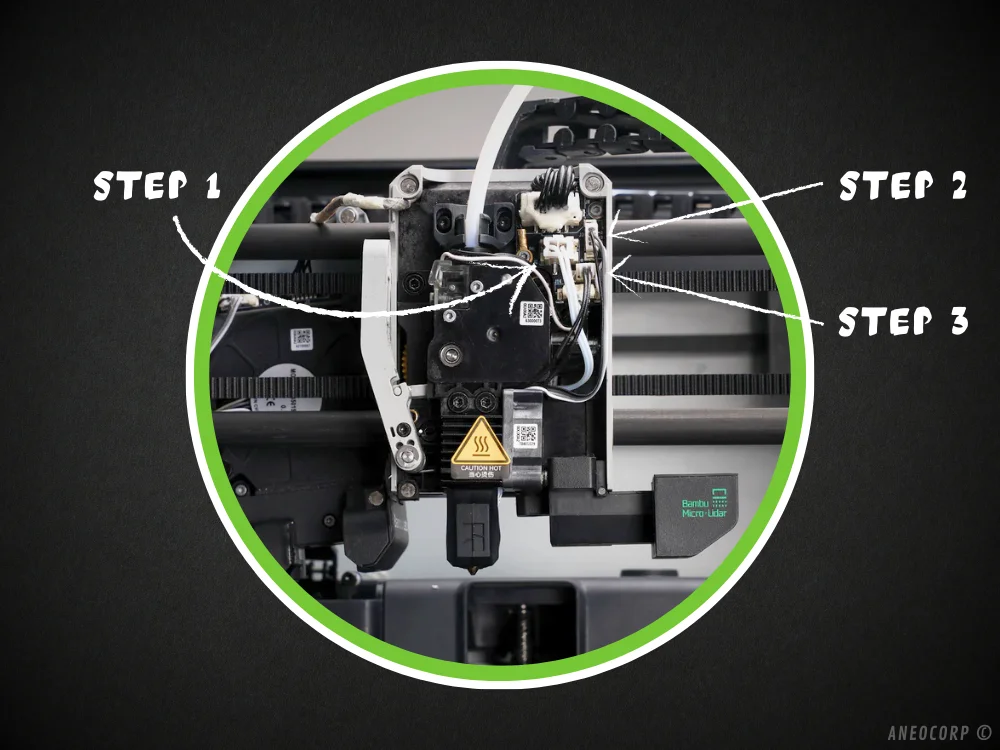
3 Step Removal - Each step has a number on the tool. this number should face up and indicate the direction to insert the tool.
INSTRUCTIONS:
Step1: The large connector (2 wires)
Use the large tool, insert it from the top with the opening facing down, once the tool is in place, pull lightly.
Step2: The medium connector (4 wires)
Use the large tool, insert it from the left with the opening facing the right side, once the tool is positioned, pull it slightly.
Step3: The Small connector (2 wires)
Use the small tool, insert it from the left with the opening facing the right side, once the tool is positioned, pull lightly on it.
BENEFITS:
Bytinx_1344834Likes1.2KDownloads6K

 ByBrokentooth_designsLikes23Downloads408

 Byprusa-researchLikes0Downloads2.7K

 Bybloblis67Likes0Downloads318

 Byarhi_585078Likes64Downloads542

 ByHanzo3dLikes155Downloads415

 BydarienLikes0Downloads1K

 ByGeek5DLikes147Downloads485

 ByNadirLikes25Downloads115

 Byla-cave-au-chatLikes0Downloads965

 Bycrawler-3903250Likes0Downloads906

 ByvertigomakesLikes0Downloads562