

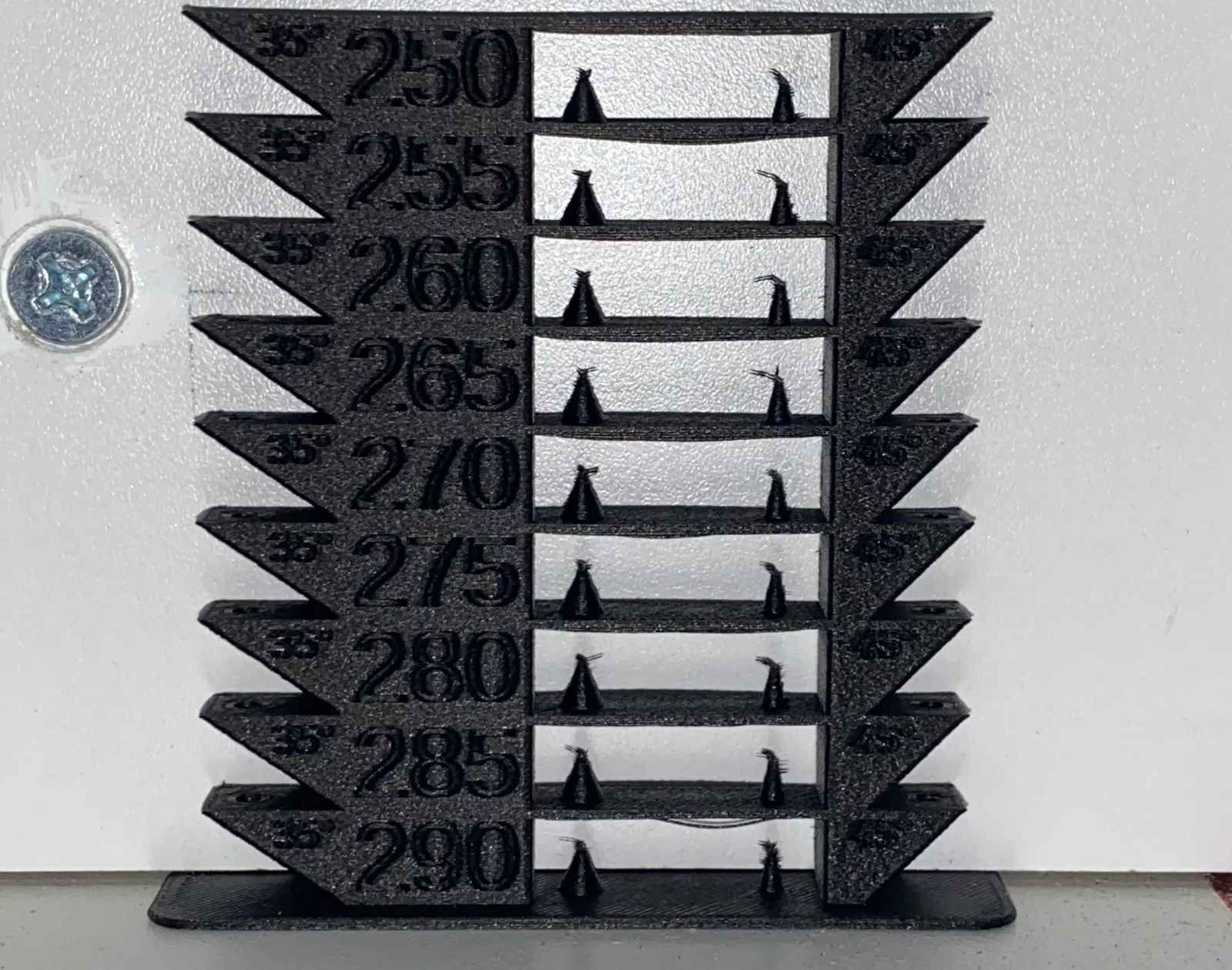
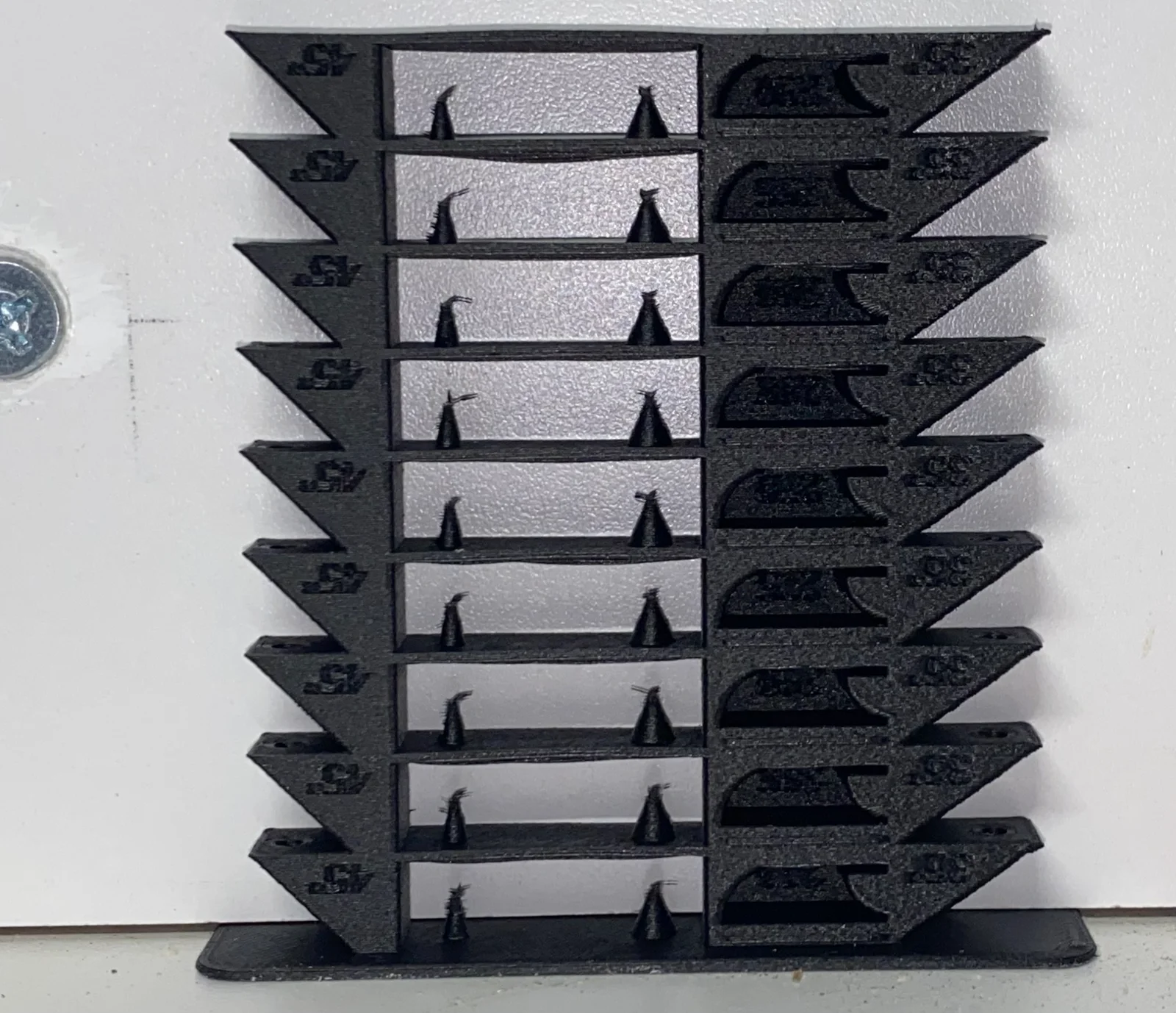


Kẹp giữ sợi Filament
 Bytinx_1344834Likes1.2KDownloads6K
Remix of Tháp nhiệt độ & bridging parametric + bộ tạo G-Code By XavierFaraudo
Build another version of this model.
I needed to test a filament which has a higher specified temperature range than the available temperature towers, so I used Parametric temperature & bridging tower + G-Code generator to create a custom temperature tower that went up to my i3 MK3S printer's maximum usable temperature*.
I'm uploading this model to help others needing to test in higher ranges, without the need to install OpenSCAD.
In order to use this temperature tower, you can download the 3MF file, and set your filament type, or you can download the STL, and add the following code to the “After layer change G-Code” in the Advanced Printer Settings:
{if layer_num<55} M104 S290 {endif} ;
{if layer_num==55} M104 S285 {endif} ;
{if layer_num==105} M104 S280 {endif} ;
{if layer_num==155} M104 S275 {endif} ;
{if layer_num==205} M104 S270 {endif} ;
{if layer_num==255} M104 S265 {endif} ;
{if layer_num==305} M104 S260 {endif} ;
{if layer_num==355} M104 S255 {endif} ;
{if layer_num==405} M104 S250 {endif} ;
* Although my MK3S lists a maximum temperature of 295, I found that when I attempted to use this setting, the printer would throw a MAXTEMP error when the heater block overshoots the target temperature during warm-up, so I dropped the temperature down to 290°C.
Bytinx_1344834Likes1.2KDownloads6K

 BylaserbaconLikes0Downloads171

 By3d-mmakerLikes0Downloads114

 Byprusa-researchLikes0Downloads2.7K

 Bypjs37Likes0Downloads155

 Bygafyx3dLikes0Downloads120

 Byduo3dprintLikes0Downloads152

 ByswimLikes0Downloads108

 Byarhi_585078Likes64Downloads540

 ByleopoldmozartLikes0Downloads135

 Bynadir-cn3dLikes0Downloads110

 ByHanzo3dLikes155Downloads413