



Message in a Bottle (Brain Teaser) – Thông điệp trong chai (đố mẹo)
 ByWimVLikes314Downloads6.7K
Build another version of this model.
If you like my work and enjoy my models please consider leaving me a tip/donation, It helps me to continue creating awesome models for you for free.
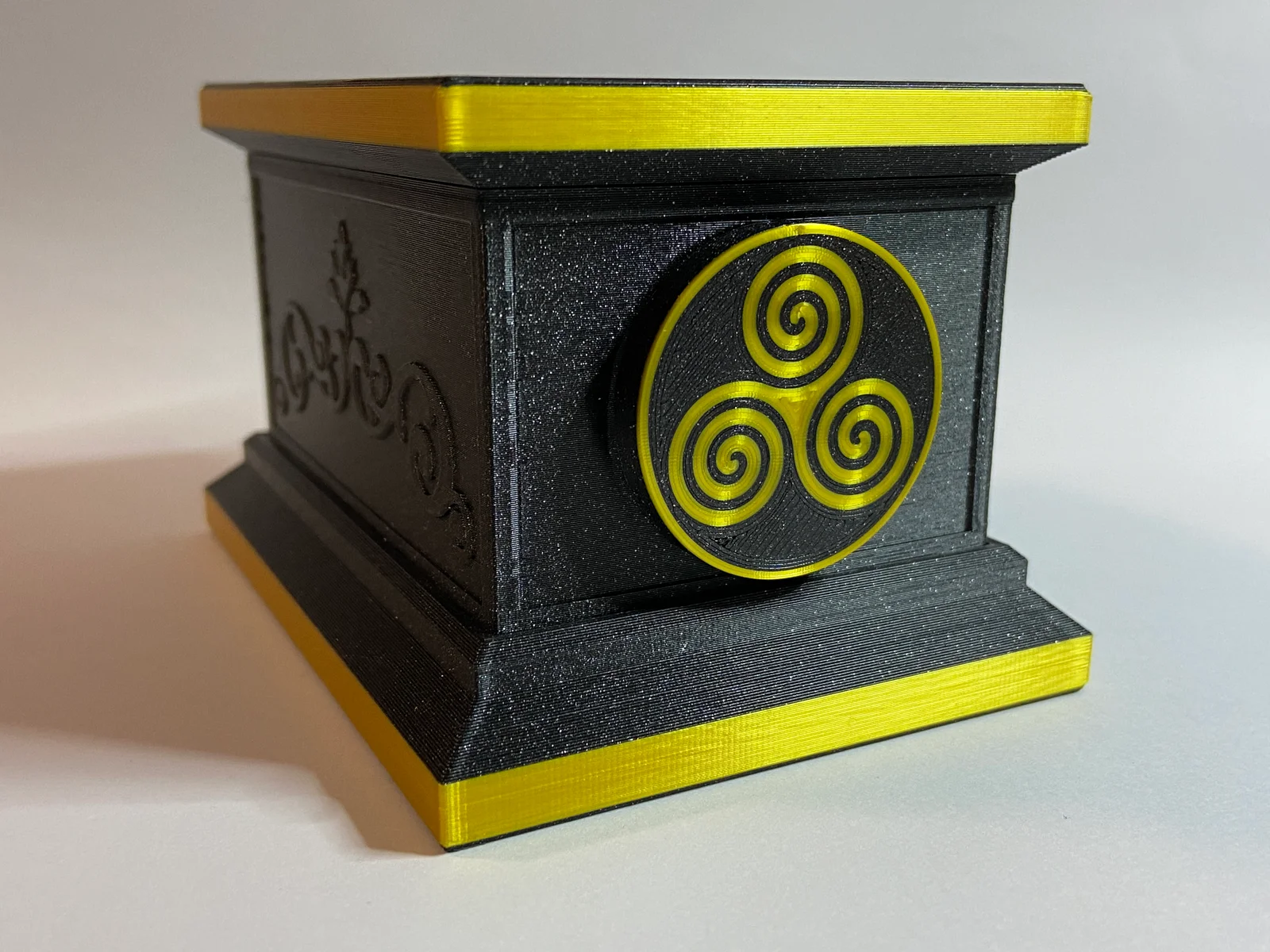
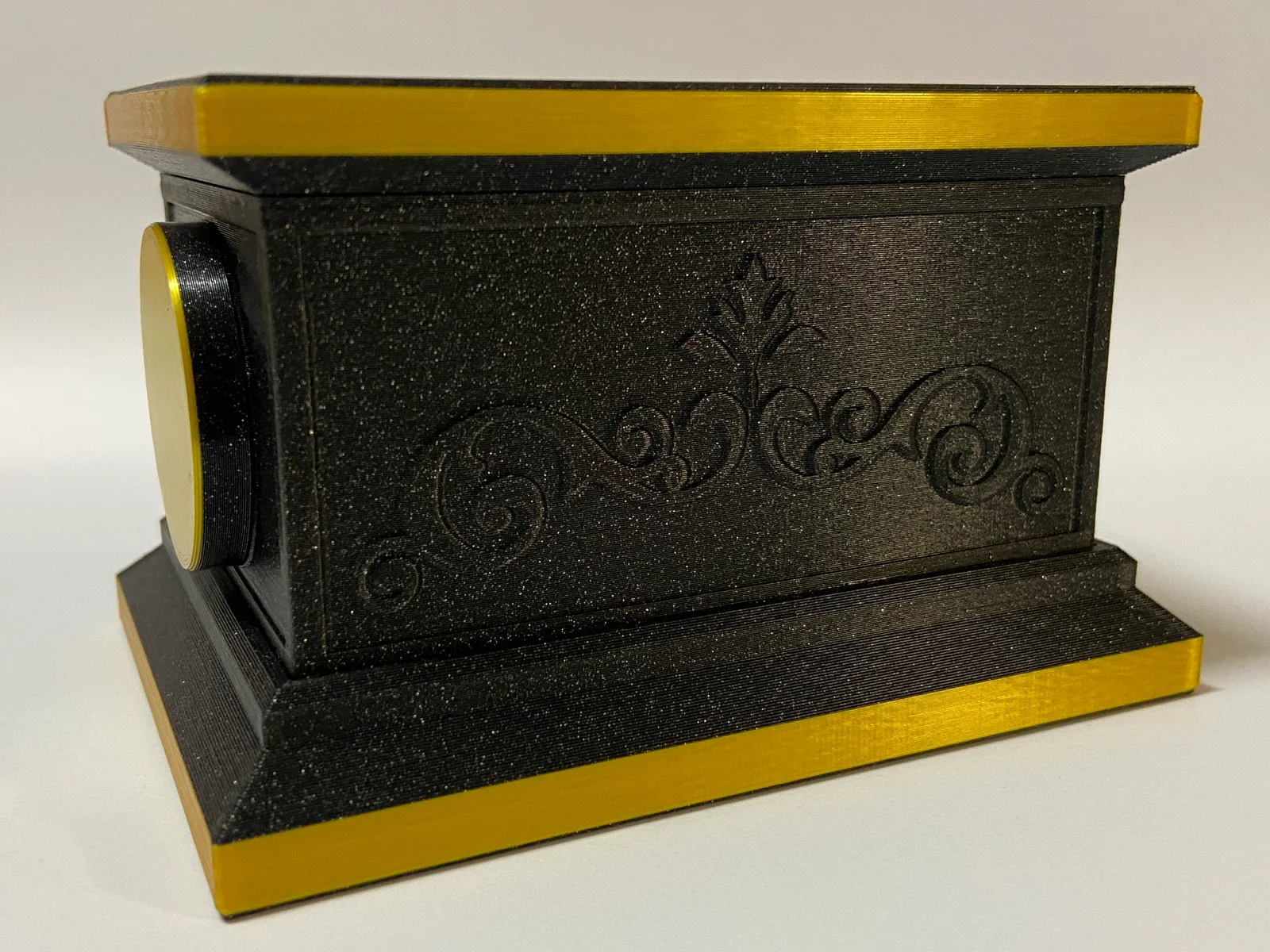
Puzzle Vault with a secret compartment. No supports are required. All files are oriented correctly for printing.
You will require;
1 M3x10mm fastener
1 Ball bearing 7mm in diameter
5 neodymium round magnets 8x3mm
Make sure your magnets are correctly oriented for attraction before you glue them in. 2 go in the middle section, 2 in the medallions and 1 in the bottom secret compartment.
Super glue the middle section and the bottom section together.
Construction is self explanatory, use the pictures for reference, everything can only fit one way except the Top Lid Lock to which the small protrusion needs to face towards the bottom of the box when installing.
The floating ball bearing in the lid locks the lid when the box is in the upright position. To place the lid on the box you must turn it upside down, push the lock in all the way and then place the box on the lid. Then turn both the box and the lid upright and the ball bearing will drop into place locking it.
Unlocking is the reverse of the above except you have to also turn the entire box to one side for the lid lock to retract to free the lid.
Use the medallion to gain access to the secret compartment as shown in the video.
MMU files included for the middle scrolls and side medallions.
The pattern that is visible on the lid and bottom of the Aztec Vault Puzzle is simply a setting in Prusa Slicer. In infill settings set your bottom layer type to Octagram Spiral.
UPDATE: Added a double lock system lid and mechanism for a more secure lid when locked, you will need an extra 10mm M3 fastener. The rest of the box is the same. It is the same principle as the single lock lid except with this one it is more secure and if you want to unlock it just turn the whole box upside down and jiggle the lid and it will unlock.
Happy printing.
ByWimVLikes314Downloads6.7K

 ByPrint3DLikes0Downloads221

 Bydjedje_zr7Likes892Downloads5.2K

 ByShawnGano_12404Likes917Downloads4.8K

 ByFrostByte_1485316Likes69Downloads758

 ByHong Hua HuaLikes362Downloads3.1K

 By3DPrintyLikes510Downloads2.9K

 ByBowedFurballLikes141Downloads2.5K

 ByBTR3DLikes737Downloads2.7K

 Byahaque_263851Likes411Downloads2K

 Byrreit_1535839Likes235Downloads2K

 ByStickyRibLikes229Downloads2.1K