

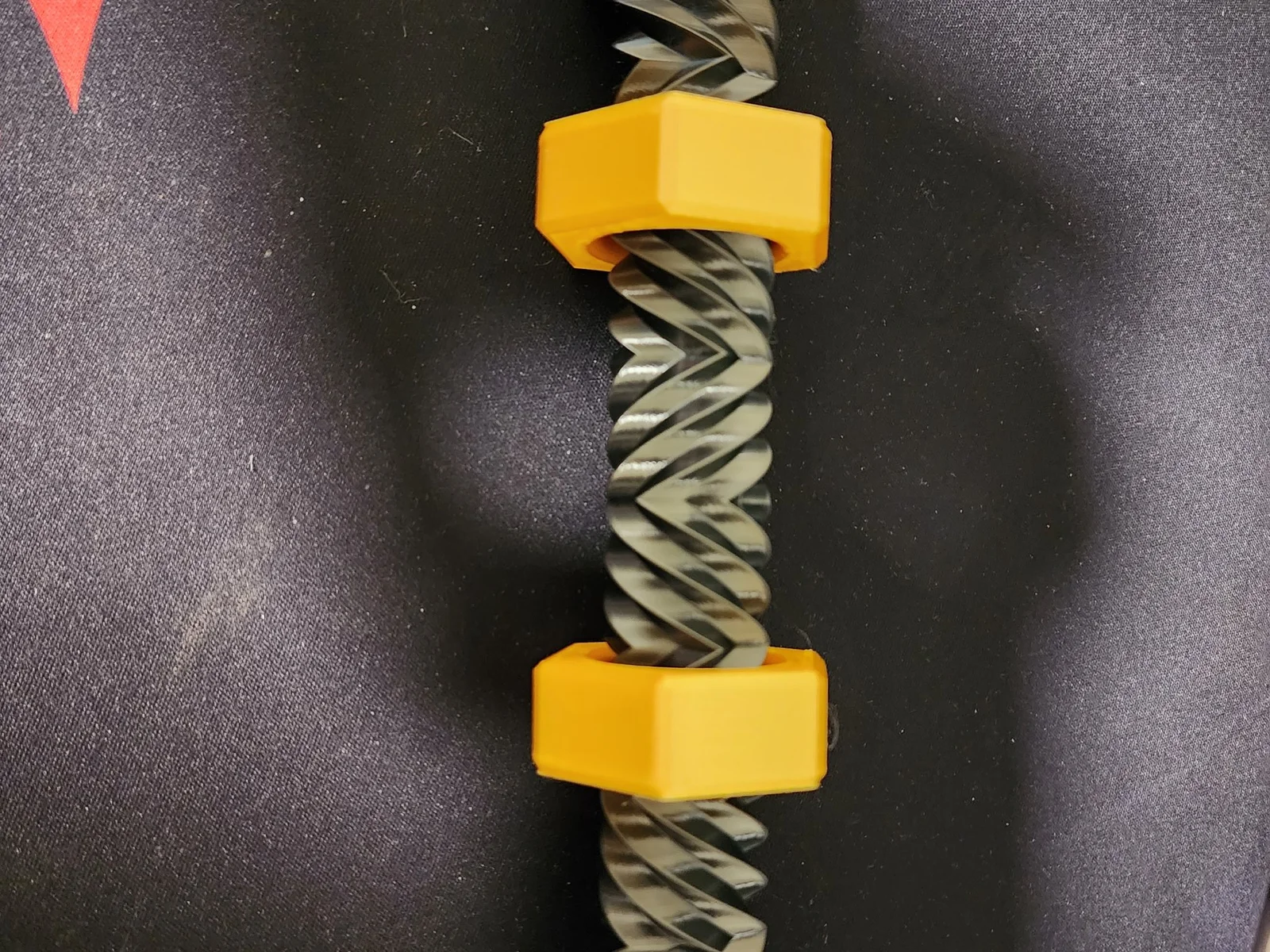


Infinity cube
 Byfilament-frenzyLikes0Downloads459
Remix of Bu lông hai chiều thú vị từ Robinson Foundry By Schnipp
Build another version of this model.
Ok, so @Schnipp's Two-Way Bolt is mesmerizing and awesome. Everyone I showed it to loved it. After experimenting a bit, here are the build directions I found to be optimal:
1 - Infill - You want the whole thing to have some heft, but you want the bottom and top to be heavier so when you pick it up by the nut, you get that satisfying downward spiral. I suggest printing the entire thing at 50-60 precent infill, and making modifying boxes in PrusaSlicer to make the bottom and top to be 100 precent infill.
2 - Layer Hight - I am used to printing at .3 or .2mm heights, but in order to get a smooth threading experience, you need a fine layer height. I suggest a minimum of .15mm. (You can set the "Combine Infill Every" to 3, if you want to speed up the print a bit.)
3 - Supports - because this model has a top, you will need supports. You will need organic supports otherwise you will be unable to place the nut during the print. Paint the underside of the top screw cover using smart fill. (I also like setting the "XY separation between an object and its supports to 75% to make the supports easer to remove.)
4 - Inserting the nut - I like putting two nuts in the bolt. You will need to create a pause in the print somewhere around the 50mm height range to insert the nuts.
Byfilament-frenzyLikes0Downloads459

 Byne-3d-x-f-f-3dLikes0Downloads295

 BydillyLikes0Downloads108

 Bycreative-designsLikes0Downloads107

 Byjeremy-sappLikes0Downloads306

 ByKOGI3DLikes0Downloads258

 ByflexiozzLikes0Downloads953

 Bycustom-3d-partsLikes0Downloads199


 Bypotato-coLikes0Downloads170

 BycajunmeemawLikes0Downloads215
