


Grippy Broom Holder
 Byvc-designLikes0Downloads3.2K
Build another version of this model.
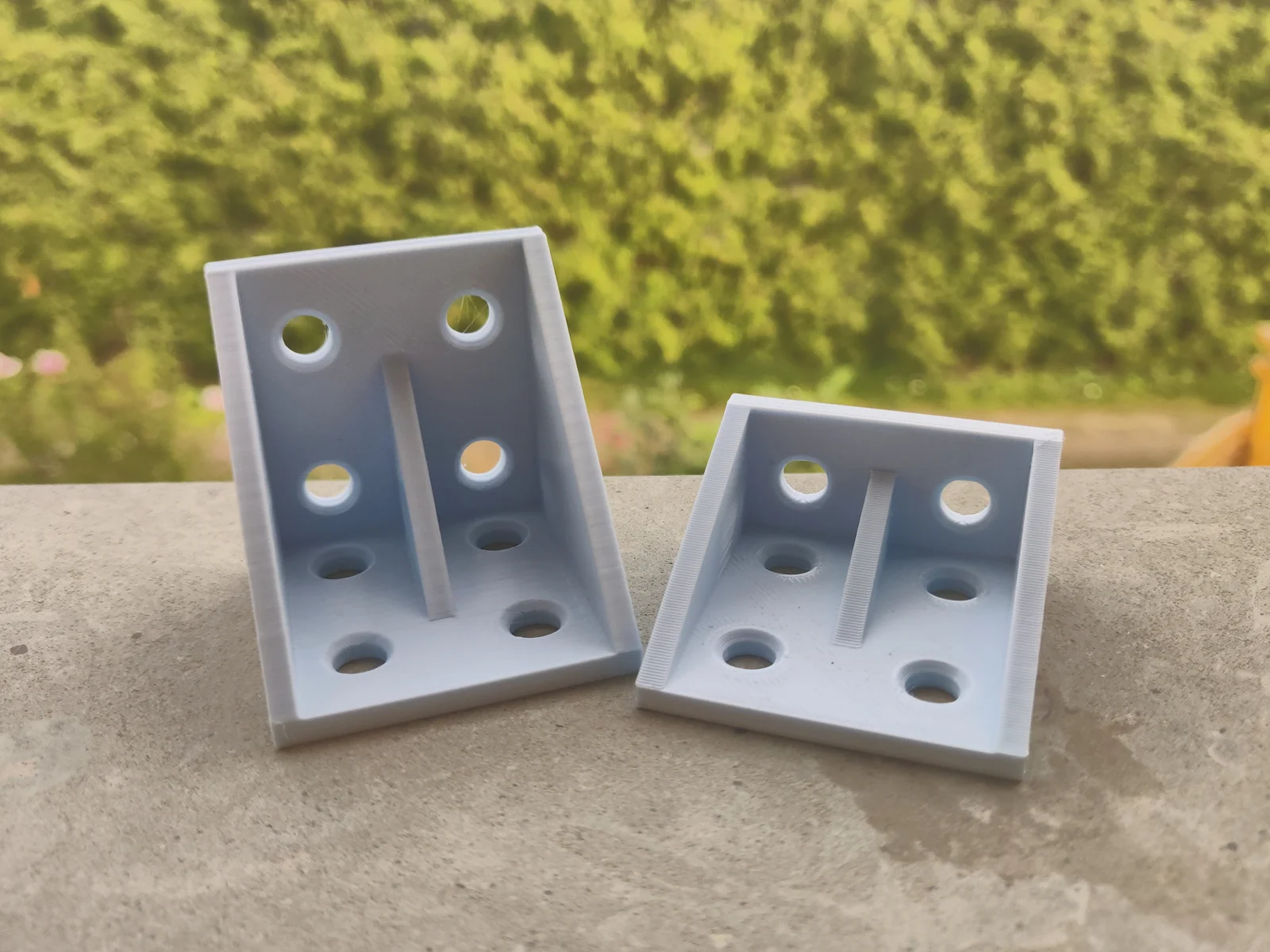
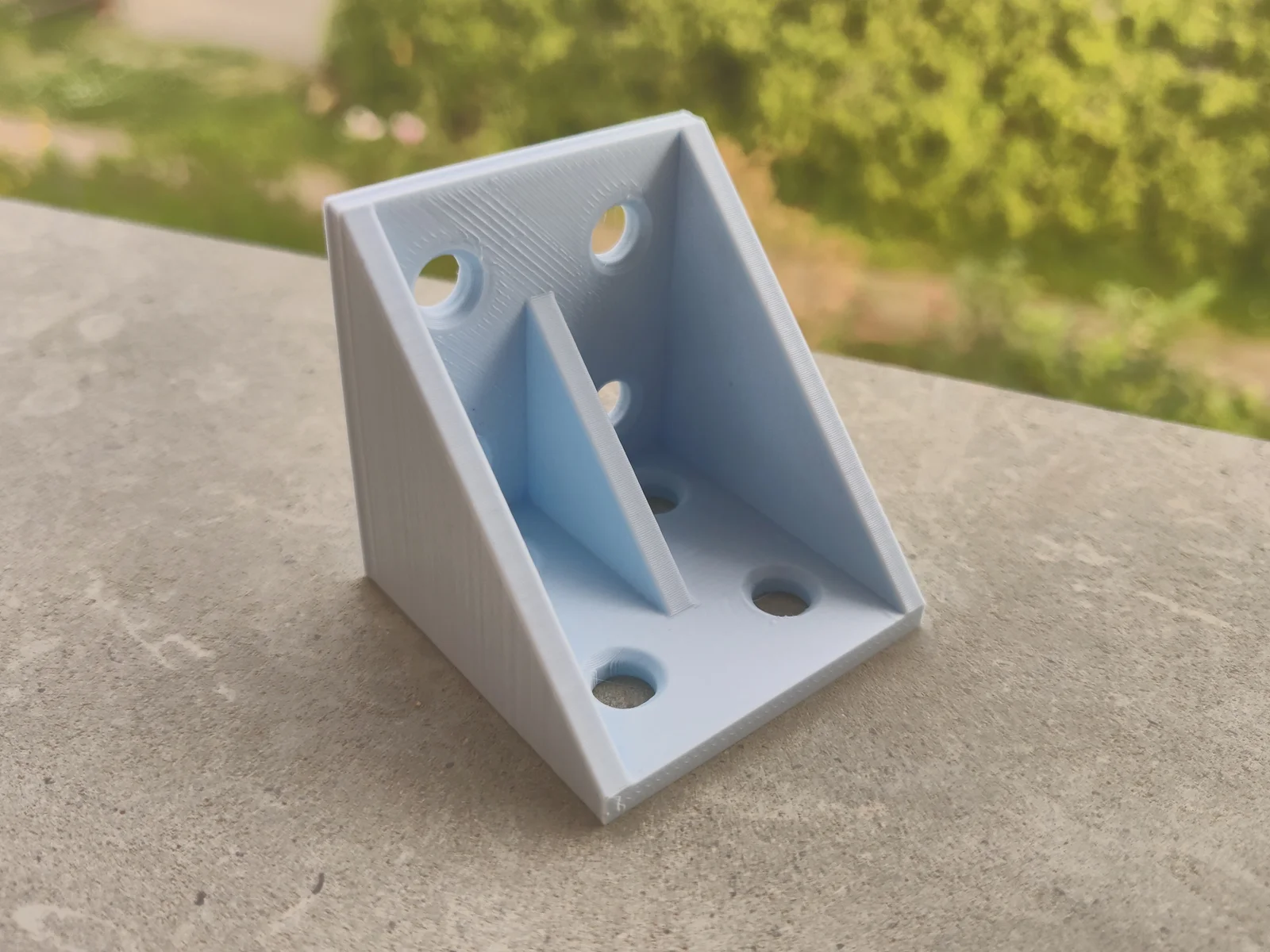
90 degree extrusion angle mount.
Allows you to easily mount two pieces of extrusion at a 90-degree angle.
This model was designed using OpenSCAD, and can easily be customized to fit any extrusion size, model dimensions and screw hole diameter.
You can customize the model using OpenSCAD Customizer or using Cora, by clicking here.
NOTE: I currently don't have enough screws to properly test this, but it seems like M4x10-M4x5 should work, but you might have to increase/decrease the plate thickness.
Click on this link to open the Cora Web Editor.
In the Global section, you can find general configuration options, if you are fine with the extrusion size and hole diameter, you can collapse it.
In the Segments section below, you can customize the dimensions of the model.
If you need a simple 20x20x20 block, enter 1 1 1 in the fields.
(If you change the extrusion size this will be different, i.e. 30x30x30 if the extrusion_size is 30)
After configuring the model to your liking, open the Preview tab and click the here button to start generating the model preview.
In case you want to edit something, go back to the Edit tab and repeat the process.
Otherwise, open the File tab and click on Download .stl. This will place your model in your download folder. Afterwards, you can simply import it with your favourite slicer and print it.
Byvc-designLikes0Downloads3.2K

 BySeppoTakaloLikes960Downloads1.9K

 ByleonicLikes0Downloads1.4K

 ByZED4EverLikes313Downloads5.2K

 ByfifindrLikes500Downloads4K

 ByVC_DesignLikes679Downloads3.6K

 BymoonyxLikes0Downloads698

 ByKNIN_CustomLikes112Downloads440

 ByDan Schwartz SchwartzLikes744Downloads3.4K

 Bythorin-oakenshieldLikes0Downloads532

 Bytorii-creative-studioLikes0Downloads450

 ByUpcrid3D_1585693Likes808Downloads2.1K