



Mẫu gảy đàn Guitar (Guitar Pick) in 3D tùy chỉnh độ dày
 ByWolf_115355Likes513Downloads8.4K
Build another version of this model.
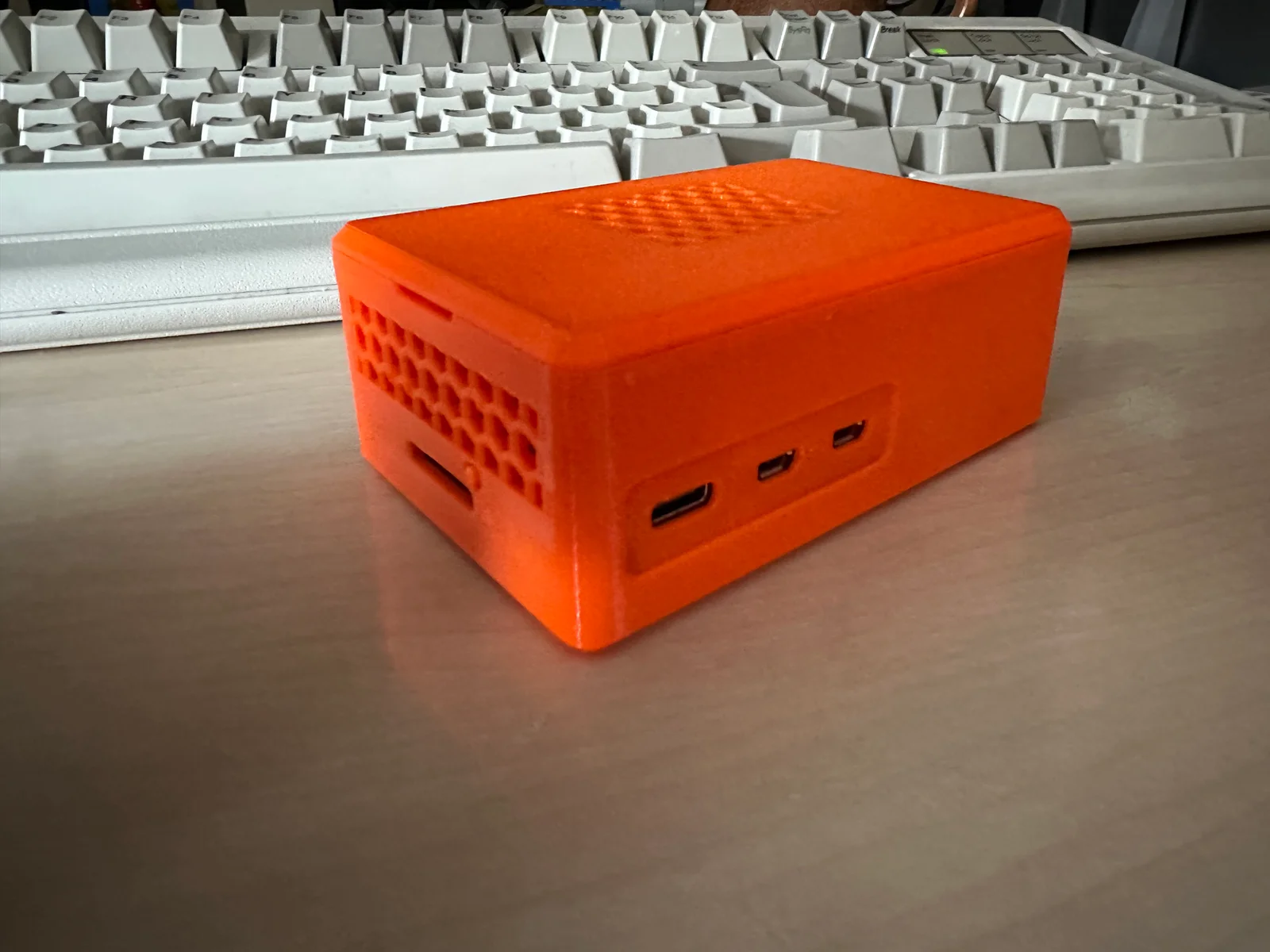
A tool-less case for a Raspberry Pi 5 with the Pimoroni NVMe SSD adaptor base. It's also designed for the OEM Pi active cooler.
Assemble the Pi / Adaptor / SSD as per the Pimoroni instructions with the stand offs and 8 screws that came with base.
https://learn.pimoroni.com/article/getting-started-with-nvme-base
The Pi cooler just clips into place.
Print one of each of the STLs below. Put the button into the main case first, then lower the Pi assembly into it. It should sit on the circular pads on the bottom of the case, with the screws for the standoffs sitting within them.
Place the retainer on top of the Pi, covering the topmost standoff screws. There's only one way it should go in and clear all the components on the board.
Snap the lid into place.
If you need to get the Pi out again, there's two recesses in the main case where you can pry the lid up and off. It should come free with some force, but not enough that you have to really go to town and mar the case up.
Printed in Orange PETG Prusament, using standard MK4IS Structural profile and the stock Prusament PETG settings. No supports necessary.
ByWolf_115355Likes513Downloads8.4K

 ByZED4EverLikes313Downloads5.2K

 ByVC_DesignLikes271Downloads748

 ByfifindrLikes500Downloads4K

 Bymrfixit_324954Likes65Downloads471

 ByDan Schwartz SchwartzLikes744Downloads3.4K

 ByBrokentooth_designsLikes83Downloads447

 ByKNIN_CustomLikes112Downloads432

 ByUpcrid3D_1585693Likes808Downloads2.1K

 ByAdam Záhořák ZáhořákLikes39Downloads250

 ByWilko_SLOLikes935Downloads2K

 Bychubbs8697_2027893Likes585Downloads1.7K