


Ngàm gắn iPhone lên Tripod - Có ren xoắn
 BykyleschiefferLikes35Downloads397
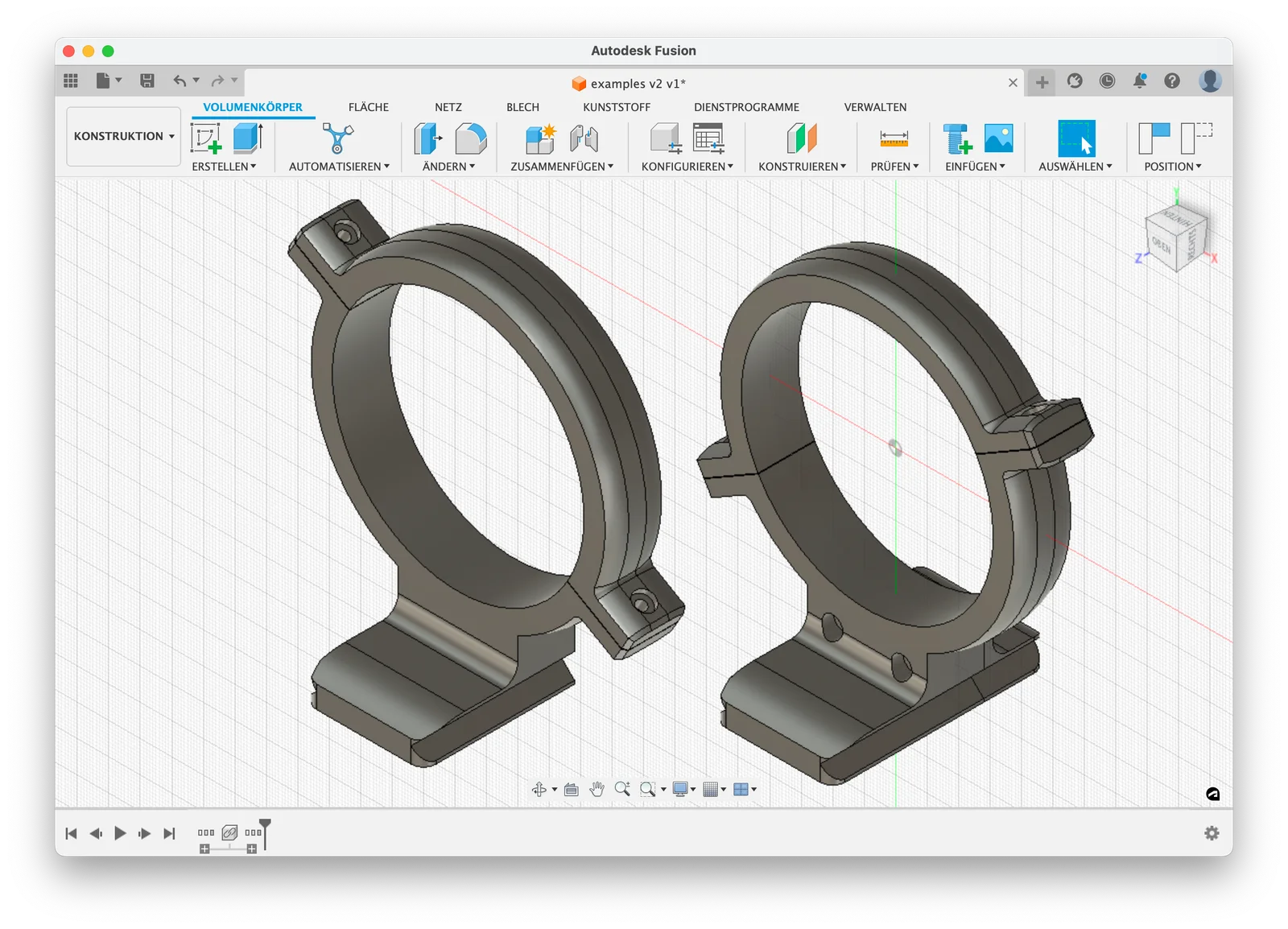
Remix of Lens collar tham số đầy đủ (tripod) kèm Arca plate By sbuerger
Build another version of this model.
WARNING: Found that this file does not work properly with current Fusion versions anymore. You may still try it, but if strange things happen when editing parameters, I will not be able to help...
****************
This is a remix of my parametric lens collar featuring an additional parameter that might be extremely useful: You can now change the angle of the flanges. This is crucial whenever the collar's position on the lens is close enough to the camera for one of the flanges to collide with the camera's grip when the lens is attached to the camera.
Originally, I planned to replace the original model file by this one, but my first tests have shown that the additional parameter causes the others to get in each other's way too easily. Although it's still possible to use a far-bigger-than-usually-needed range of values, the original model is a lot more robust concerning interaction of parameters, so I decided to upload this new one as an alternative rather than a replacement.
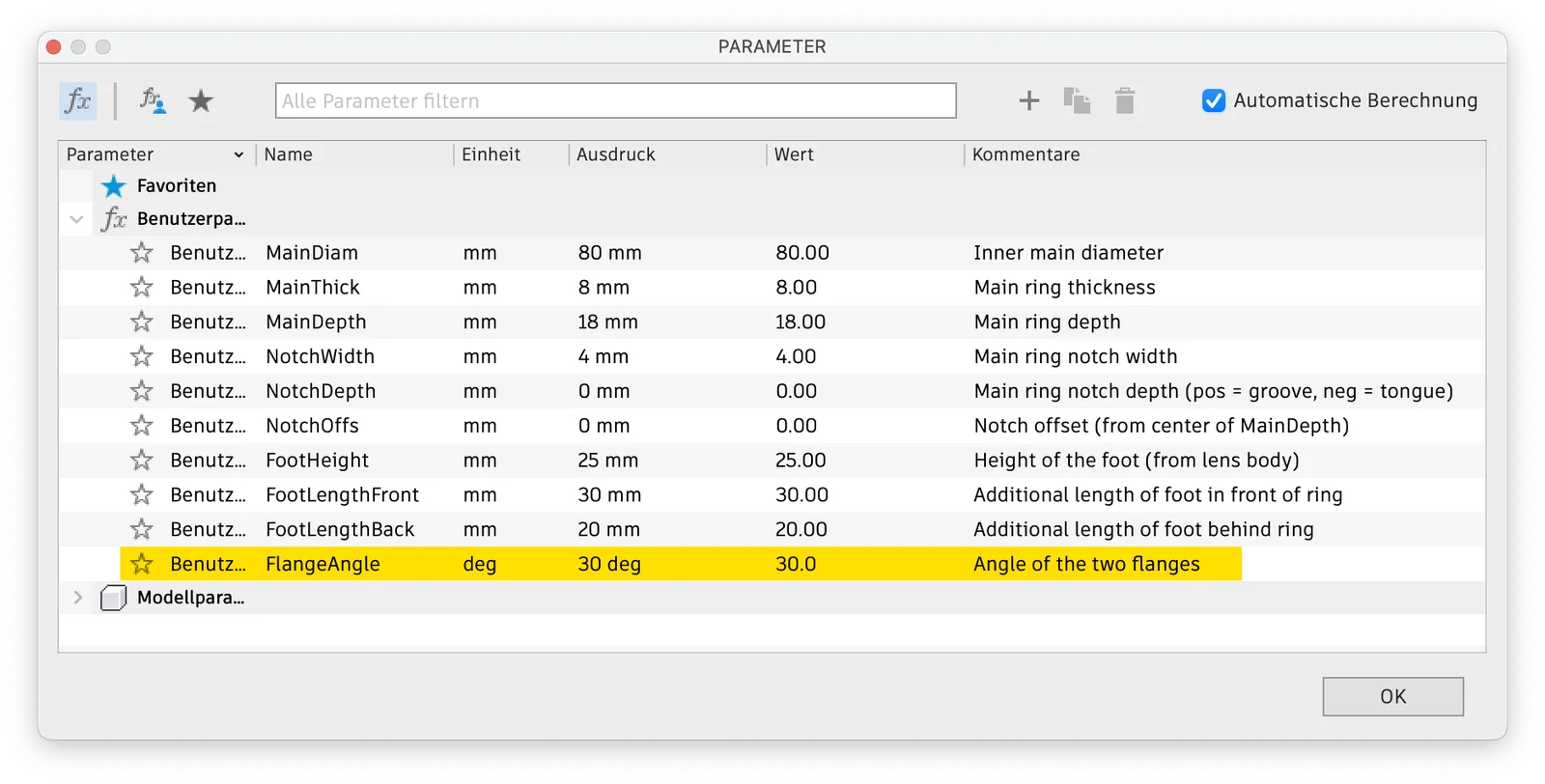
Well, using the file works just as with the original one (if you need instructions, you will find them here), but there is one additional option now in Fusion's User Parameter dialog:
(Click image to enlarge)
By entering a (positive or negative) angle for the “FlangeAngle” parameter, you can change the positions of the two flanges on the collar ring. Obviously, this value can not be changed arbitrarily. The range of acceptable angles depends on the ring's outer width - the larger the ring, the bigger the possible angles (as the flanges must not collide with the foot).
The safest way to get the desired result is to enter the parameter values in this order:
1. FootLength
2. MainDiam
3. MainThick
and then the rest of parameters in arbitrary order.
If this does not lead to the desired result, please don't try to re-change the values. Instead, click “OK”, then undo (Cmd/Ctrl-Z), and then open the Parameters dialog anew.
If there's no way to get the collar you want by using this file, please notify me via the comments section, and I will se what I can do. Nevertheless, there's still the older/original file which, as said before, is more robust concerning the range of possible parameter values.
BykyleschiefferLikes35Downloads397

 ByckthLikes148Downloads2.4K

 ByvideograndpaLikes36Downloads284

 ByBroBuilds3D_4455044Likes32Downloads453

 ByNK01_3850118Likes13Downloads214

 ByBaGooNLikes64Downloads141

 ByJaronLikes310Downloads1K

 Byw3rN42Likes127Downloads934

 ByTomDDLikes89Downloads574

 ByMandicReallyLikes0Downloads134

 BycharlieLikes0Downloads116

 Byrorys3DLikes0Downloads323