
F3D
Ngăn Kéo Dưới Bàn Tham Số (Parameterized Under Desk Drawer) 1

8 images

Đồ Gia Dụng

Ngăn Kéo Dưới Bàn Tham Số (Parameterized Under Desk Drawer)

Remix of Ngăn Kéo Dưới Bàn By Paul

By treyd

Downloads
201
Likes
17
Views
838

Files 1 783.6 KB

  • Parameterized_Under-desk_Drawers_v2_1777167316.f3dF3D · 783.6 KB

Make a variant with AI

Build another version of this model.

Open Studio

Description

I have made the following changes in an updated .f3d file:

  • Added a brace that spans the top width and should allow for plenty of weight in the drawer. The down-side is that it can make removing long items less easy.
    • Install tip: Print and install your drawers before you print the brace. If your slides are a bit too far apart you can then print the brace a bit wider to take up the slack
  • Re-worked how the drawer depth is done. Now the slides and the part of the drawer that engages the slides does not change. So, as long as the length is the same, any slide will work with any drawer regardless of width or depth.

I thought about changing the angles between the drawer and slides from 120 deg to 90 deg so their engagement will be deeper and less likely to slip (see the final pic). I have all the drawers I need for now so I probably won't get to it unless someone asks.

Started making over/custom sized versions and decided to just make it parametric. I hope this helps some others!

To make your custom sized drawers you'll need the Free hobbyist license of Fusion 360 (paid version works too, ;-)

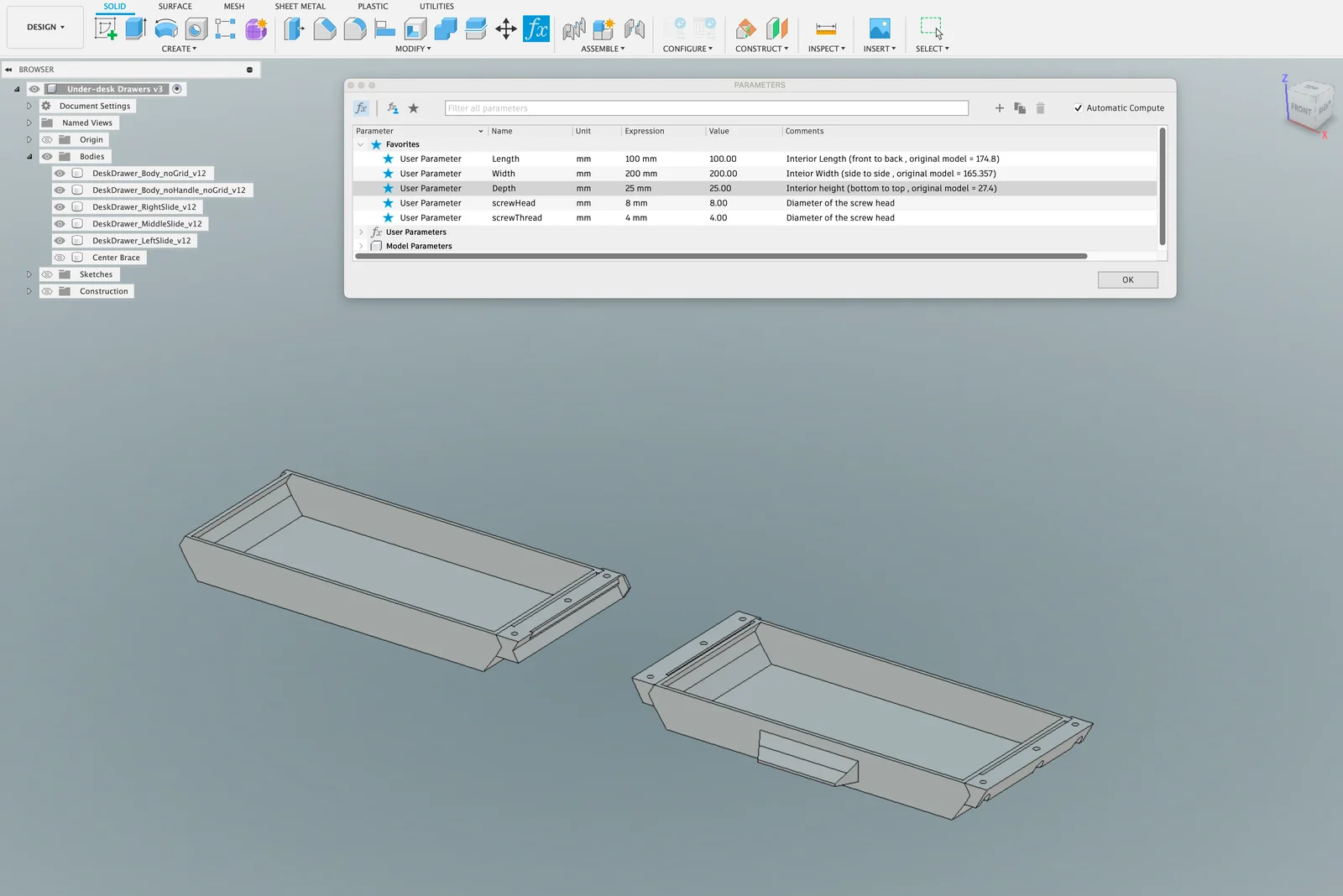
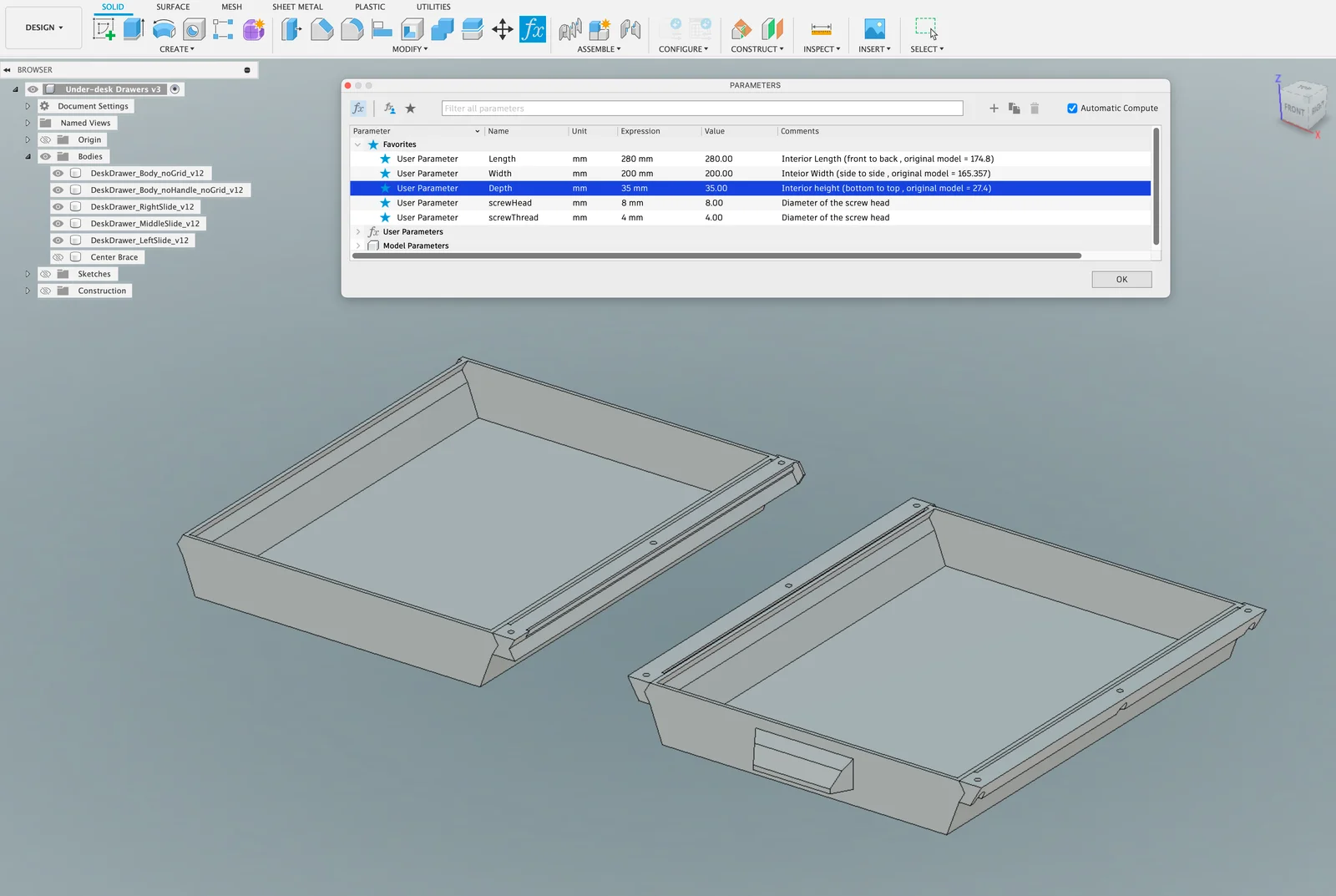
With the project open, in the SOLID modeling space, select “fx change parameters” from the Modify menu. Expand the Favorites section and modify any of those parameters. The drawers and slides will auto-update with the new values when you hit Return or move cursor to a new field. Things to keep in mind:

  • There are no checks to prevent invalid values from being entered. 
  • Measurements for length and width apply to the inside bottom surface, not the outside, overall dimensions. If you need to size based on outside dimensions including the slides consider the following:  
    • Overall outside width will always be 54mm + value in “Width” parameter.
    • Overall outside length will always be 7mm + value in “Length” parameter.
    • Overall outside depth will always be 2mm + value in “Depth” parameter.
  • The minimum width and length is 75mm. There should be no max to width and length, so if you have a 500mm print bed and a huge desk, max that thing out.
  • The minimum drawer depth (top to bottom) is 15 because that's just a bit more than the thickness of the slide.  There is no max.
  • There will always be 3 screw holes. But you can modify them to fit the head and thread diameters of the screws you want to use. If you only want to use 2 screws per slide just ignore the screw hole in the middle.
  • If you want to change the drawer beyond LxWxD (make a perforated bottom, add text to front, change the handle, chamfers/fillets, etc) make sure to add those edits at the end of the timeline. I have no idea how my hacked up parameterization (!?!) will handle new features.

Read more Show less

Print spec

Formats
f3d
Model files
1
Total size
783.6 KB
Largest file
783.6 KB

0 comments

See all